

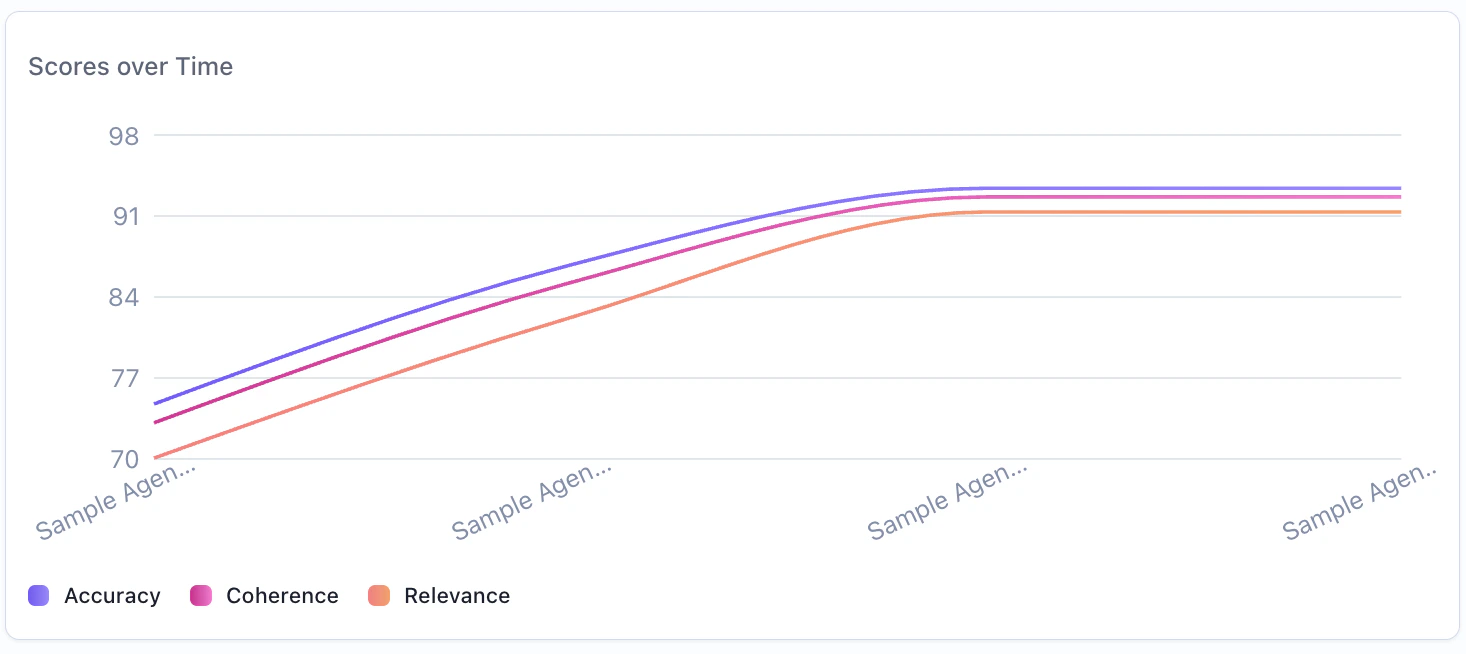
When to Use
Use timeseries widgets to:- Track metric trends over time across evaluation runs
- Compare performance across evaluations in an evaluation group
- Monitor score progression across multiple evaluation iterations
- Visualize how metrics change as new evaluations are added to a group
Configuration
Required Fields
string
required
Widget display name shown on the dashboard
string
required
Must be set to “timeseries”
object
required
SeriesQuery with at least one aggregation
Query Requirements
Timeseries widgets require a SeriesQuery with:- At least one aggregation in the
selectclause - The x-axis is determined automatically based on context:
- Evaluation group dashboards: Uses the evaluation creation date as the x-axis, plotting one line per evaluation
- Can include
filterto narrow the dataset - Supports per-aggregation
evaluation_idsfor eval group dashboards (see below)
Creating in the UI
1
Open Widget Creator
From your dashboard, click “Add Widget” and select “Timeseries”
2
Enter Title
Give your chart a descriptive name (e.g., “Average Score Over Time”)
3
Configure Aggregations
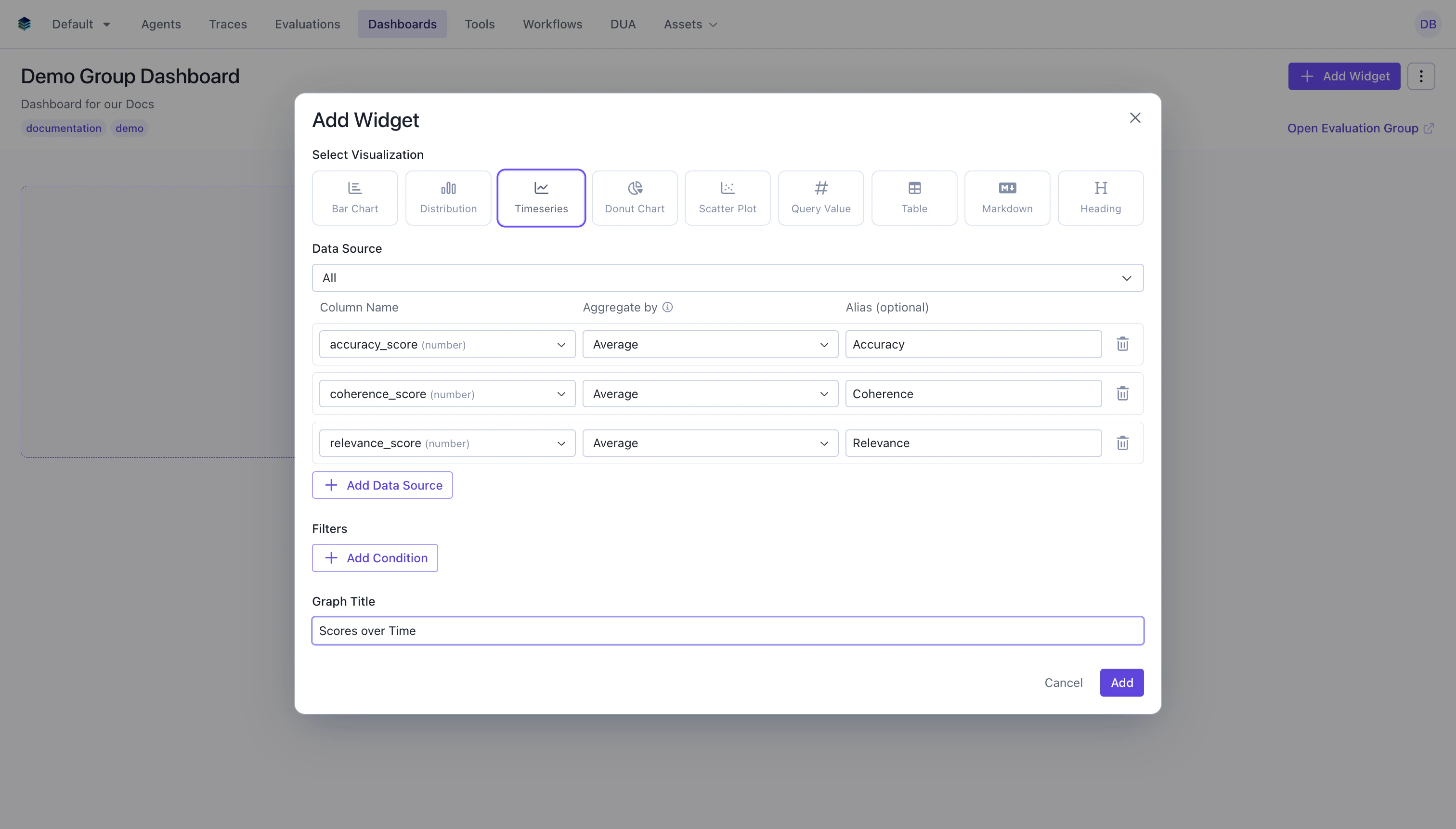
- Column: Select the numeric field to aggregate
- Aggregation: Choose the function (
AVG,SUM,COUNT, etc.) - Alias: Name for the metric line (optional but recommended)
- Evaluations: For eval group dashboards, select which evaluations to include per aggregation
4
Add Filters (Optional)
Add conditions to narrow the data before aggregation.
5
Create Widget
Click “Add” to generate the timeseries chart
Output Format
Timeseries widgets return data points for each time period:Evaluation Group Context
In evaluation group dashboards, timeseries widgets have special behavior:- One line per metric: Each metric in the query is plotted as a separate line on the chart
- X-axis: The evaluation creation date determines the position on the x-axis
- Per-evaluation selection: You can choose which evaluations to include per aggregation, allowing you to compare specific subsets
- Auto-update: When evaluations are added to or removed from the group, the timeseries automatically updates to reflect the new membership
Example: Average Score Trend Across Evaluations
Track how average scores change across evaluation runs in a group.Example: Multi-Metric Comparison Over Time
Track multiple metrics across evaluations to see how different scores evolve.Related Documentation
- Evaluation Group Dashboards - Full guide on group dashboards
- Bar Chart Widget - For categorical comparisons
- Metric Widget - For single computed values
- Query Language - Aggregation and filter syntax
- API Reference - Programmatic chart creation