

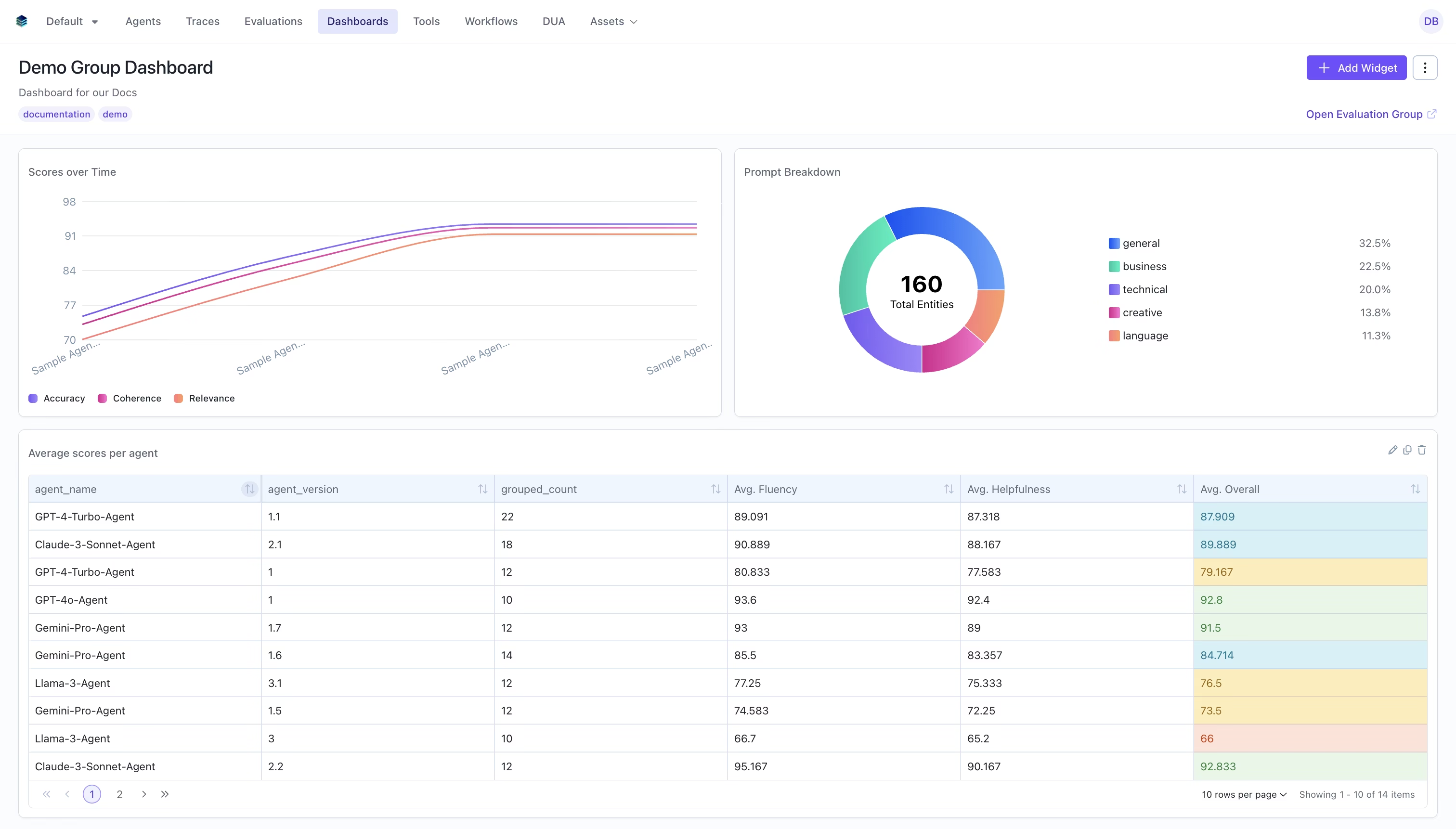
What are Evaluation Group Dashboards?
Evaluation group dashboards let you aggregate and compare data across multiple evaluations in a single dashboard. Instead of viewing metrics for one evaluation at a time, you can visualize trends, compare performance, and track progress across an entire group of related evaluations. Evaluation group dashboards support all the same widget types and query language as single-evaluation dashboards, with additional features for cross-evaluation analysis. Watch the evaluation group dashboard demo video for a walkthrough.Dashboards use an XOR constraint — they belong to either a single evaluation OR an evaluation group, never both.
Creating an Evaluation Group Dashboard
Via the UI
1
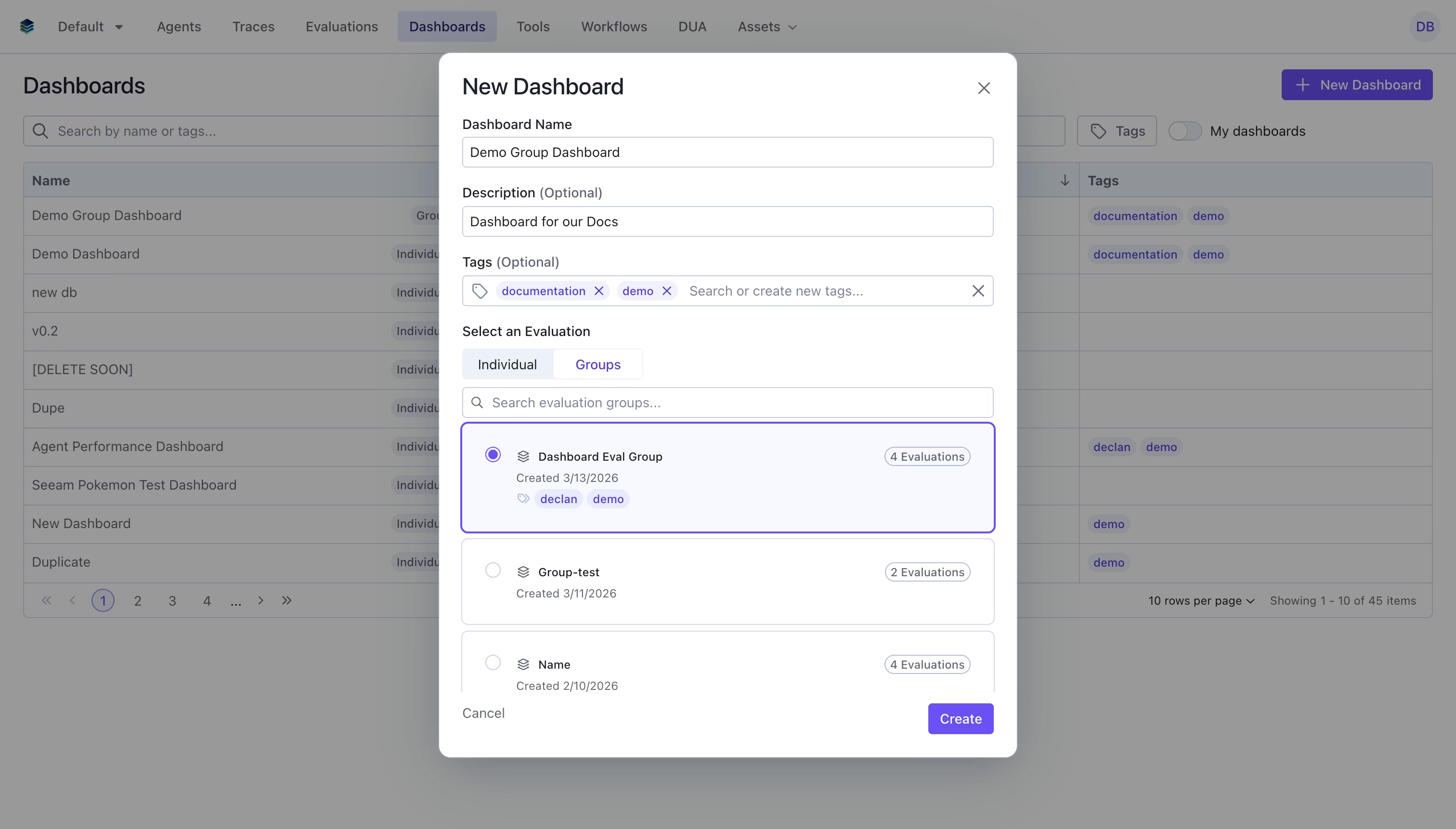
Open the Create Dashboard Modal
Navigate to the Dashboards page and click “New Dashboard”
2
Select Group
In the create dialog, select the “Groups” tab and choose the evaluation group you want to create a dashboard for.
3
Fill in Details
- Name: Give your dashboard a descriptive name
- Description: Optional description explaining the dashboard’s purpose
- Tags: Optional tags for organization and filtering
4
Create
Click “Create” to save your dashboard. You can now add widgets to visualize your group data.
Via the SDK
Querying Across Evaluations
Evaluation group dashboards extend the standard query language with fields for controlling which evaluations to include in computations.The evaluation_ids Field
Add evaluation_ids to a query to specify which evaluations in the group to include. If omitted, all evaluations in the group are used.
Per-Aggregation evaluation_ids
Individual aggregation nodes can also specify their own evaluation_ids, which must be a subset of the query-level evaluation_ids. This allows you to compare metrics across different evaluation subsets within the same widget.
The _evaluation_id Column
A special _evaluation_id column is automatically available in evaluation group dashboard queries. This column contains the ID of the evaluation that each data row belongs to, allowing you to group or filter by evaluation source.
Per-Evaluation Selection in Widgets
When creating widgets in the UI for an evaluation group dashboard, the widget creator allows you to select which evaluations to include per aggregation. This is particularly useful for:- Metric widgets: Compare the same metric across specific evaluations
- Chart widgets: Compare multiple metrics across specific evaluations
- Table widgets: Include different evaluation subsets for different columns
evaluation_ids field on aggregation nodes in the query.
Auto-Recomputation on Group Changes
When evaluations are added to or removed from an evaluation group, all dashboard widgets for that group are automatically recomputed. This ensures your dashboards always reflect the current state of the group.How it Works
- Membership change detected: When you add or remove evaluations from a group, the system triggers an asynchronous recomputation workflow
- Smart
evaluation_idsupdates: Widgets whoseevaluation_idscovered all previous group members are automatically expanded or contracted to reflect the new membership. For example, if a group had evaluations [A, B] and you add C, widgets covering [A, B] are updated to [A, B, C] - Results marked as pending: Existing widget results are marked with
computation_status: "pending"while recomputation runs - Recomputation completes: Each widget is recomputed with the updated evaluation data, and results are updated to
computation_status: "completed"
Example: Cross-Evaluation Comparison Dashboard
Here’s a full example creating an evaluation group dashboard with multiple widget types.Step 1: Create the Dashboard
Step 2: Add a Heading
Step 3: Add Metric Widgets per Evaluation
Step 4: Add a Timeseries Showing Trends
Step 5: Add a Table Grouped by Evaluation
Related Documentation
- Evaluation Dashboards Overview - Introduction to dashboards
- Getting Started - Create your first dashboard
- Timeseries Widget - Ideal for group trend visualization
- Query Language - Complete query syntax reference
- API Reference - Programmatic dashboard management