

Naming Conventions
Use consistent, parseable span names. The SGP Profiler aggregates performance metrics by span name. Inconsistent naming splits your data into separate rows and makes bottleneck analysis unreliable.The Ideal Trace Tree
A well-structured multi-turn agent trace looks like this: ✦ = auto-traced by built-in providers Key principles:- Turn spans are the primary grouping unit: every operation in a conversation turn nests under its turn span
- Auto-traced spans nest automatically when you pass
parent_span_idto built-in providers - Sub-tasks and research passes create intermediate grouping for complex multi-step operations
- State updates capture what changed at the end of a turn
Span Input/Output Best Practices
Input and output appear in two places in the SGP UI: the Trace Detail View span inspector panel and the Profiler span inspector. Well-structured I/O makes debugging dramatically faster.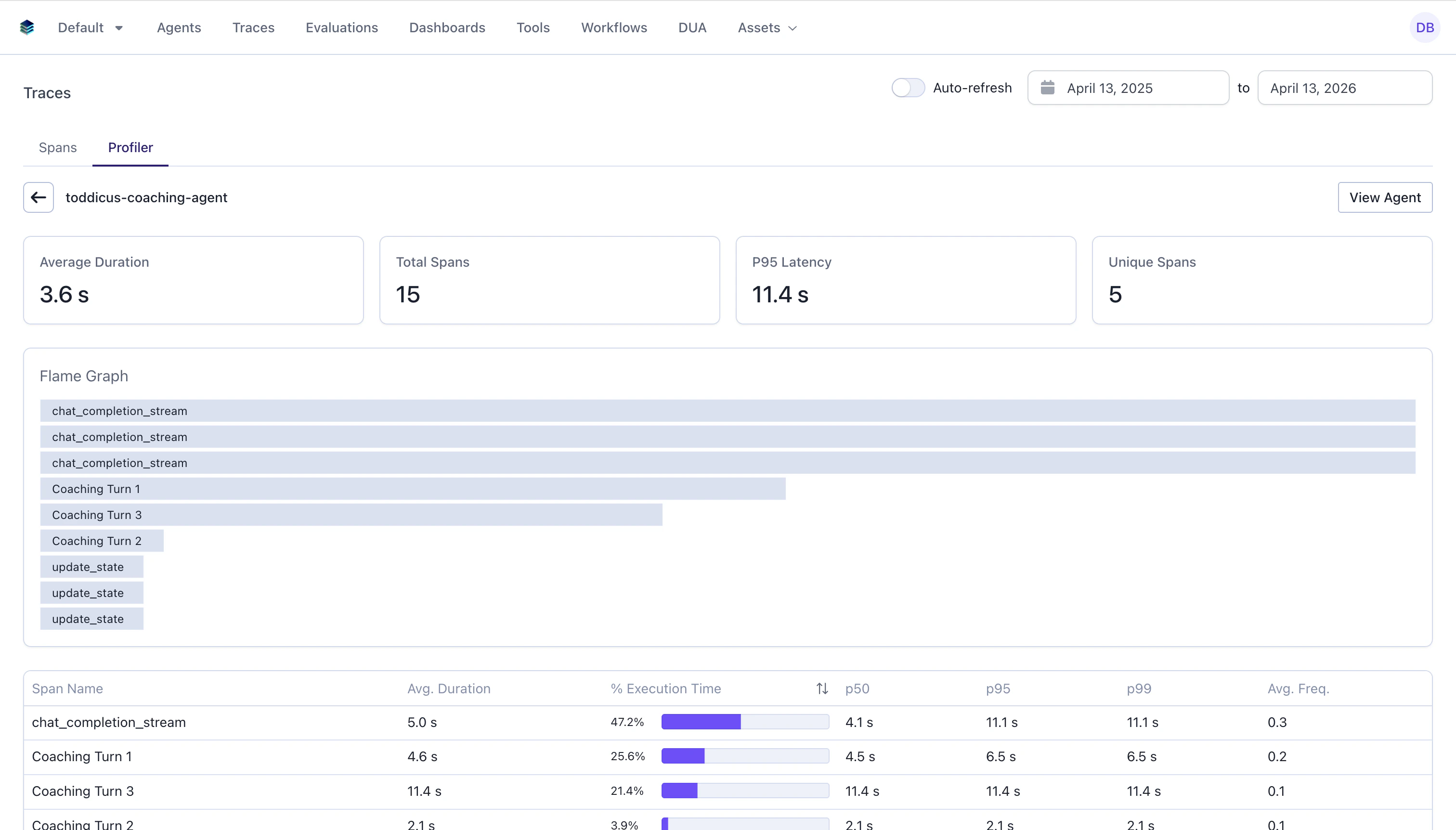
Turn spans
Turn spans
- Input: The user message or event that triggered this turn, plus current state
- Output: The updated state after processing
LLM spans (auto-traced)
LLM spans (auto-traced)
These are populated automatically by the built-in providers:
- Input: Model name, tools count, model settings, whether system instructions exist
- Output:
new_items(serialized response items),final_output(extracted text)
Tool spans
Tool spans
- Input: The tool arguments as a dict
- Output: The tool result (string or structured data)
Reasoning spans
Reasoning spans
- Input: The context or question being reasoned about
- Output: The reasoning result, confidence score, and planned next steps
State update spans
State update spans
- Input: Previous state (or the delta being applied)
- Output: The new state
Manual Spans for Custom Logic
When built-in providers don’t cover your use case (agent reasoning, data processing, custom tool execution), create manual spans.Using Agentex ADK (Temporal-aware)
Useadk.tracing.span() inside Temporal workflows and activities. It handles Temporal activity routing automatically.
Always check
if span: before setting attributes. The span is None when trace_id is falsy, which prevents errors when tracing is disabled.Using SGP SDK Directly (non-Temporal)
For standalone scripts or non-Temporal agents, use the SGP tracing SDK directly:Span Type Mapping to SGP
Set__span_type__ in span data to control how the SGP UI categorizes the span:
Real-World Example: Multi-Level Research Agent
This example from a due diligence research agent shows effective multi-level span nesting:Checklist
Must-Do
- Set
trace_id = task_idconsistently across all spans - Create turn-level spans wrapping each conversation turn
- Pass
parent_span_idto all ADK methods and child operations - Set
span.outputbefore the span closes (inside the context manager) - Use descriptive, parseable span names (
turn:1,tool:search,llm:gpt-4o)
Should-Do
- Include relevant context in span
input, not just raw data but structured metadata - Set
__span_type__indatafor proper SGP categorization - Handle errors gracefully by setting error output before the span closes
- Use nested spans for multi-step operations (research passes, sub-tasks)
Avoid
- Don’t create flat traces where everything sits at the root level. Use
parent_idhierarchy - Don’t put massive payloads in input/output. Summarize or truncate large data
- Don’t forget to check
if span:before setting attributes (span isNonewhentrace_idis falsy) - Don’t create spans without
trace_id. They’ll be orphaned and invisible in the UI