

Overview
Agents typically need credentials to function: API keys for LLM providers, database connection strings, authentication tokens for external services. SGP provides a two-layer system for handling these securely.- SGP Cloud Secrets are account-level key-value pairs stored in your cloud provider’s secret manager. You create them once, and any agent in your account can reference them.
- Manifest credentials are per-agent mappings defined in
manifest.yamlthat bind an SGP Cloud Secret to an environment variable injected into the agent’s container at runtime.
manifest.yaml. At deploy time, SGP syncs the secret value into a Kubernetes secret and mounts it as the specified environment variable in the agent’s pod. Your agent code reads the environment variable as it would any other.
How secrets flow
The following diagram traces a secret from creation through to your running agent code. The value you provide when creating a secret is written directly to the cloud provider’s secret store (such as Azure Key Vault). It is never stored in the SGP database and is never returned by any API call. At deploy time, the deploy service reads the value from the cloud secret store, creates or updates a Kubernetes secret in the target namespace, and mounts it as the environment variable specified in yourmanifest.yaml.
Managing secrets in the UI
Navigate to Assets > Secrets in the SGP dashboard. The secrets table lists all SGP Cloud Secrets for your account.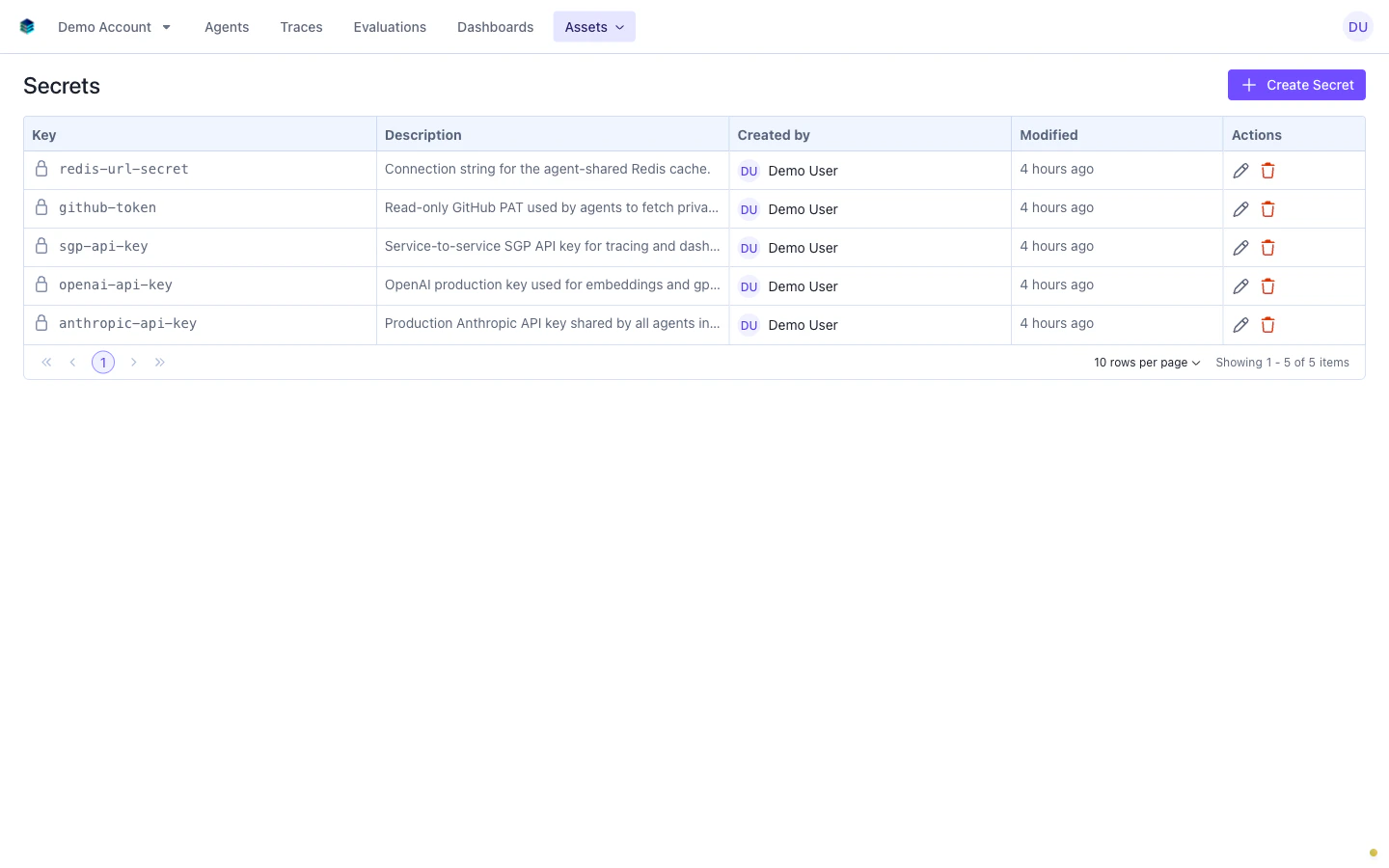
- Key: the unique identifier for the secret (for example,
anthropic-api-keyorredis-url-secret) - Description: an optional note explaining what the secret is used for
- Created by: the user who created the secret
- Modified: when the secret was last updated
Creating a secret
Click Create Secret at the top of the secrets table. Fill in the required fields in the dialog.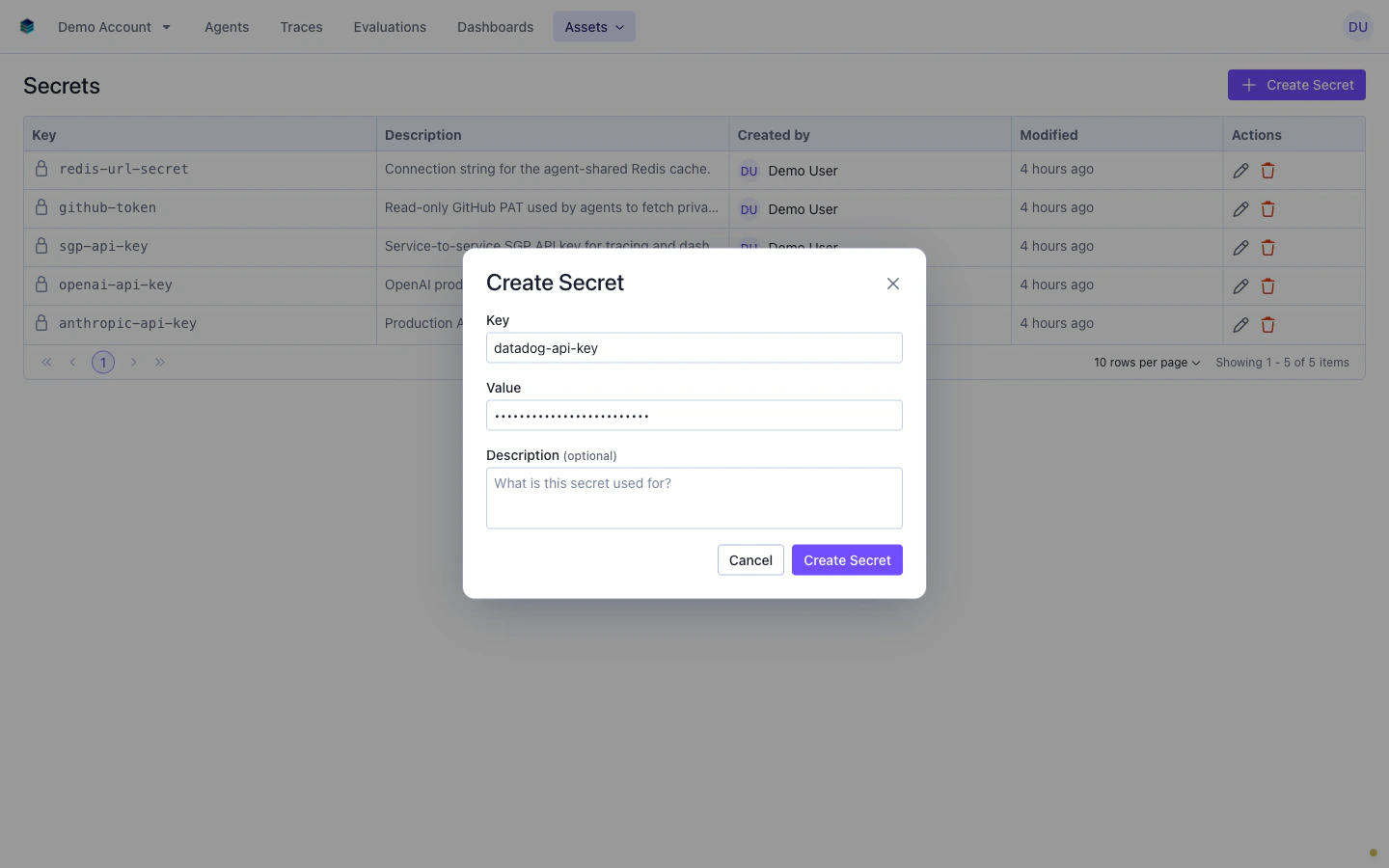
Click Create Secret to save. The new secret appears in the table immediately and is available for agents to reference.
Secret values are write-only. After creation, you can update the value but you cannot retrieve it. If you lose the original value, you must generate a new credential from the source system and update the secret.
Deleting a secret
Click the delete action on a secret’s row. A confirmation dialog requires you to type the secret’s key to proceed.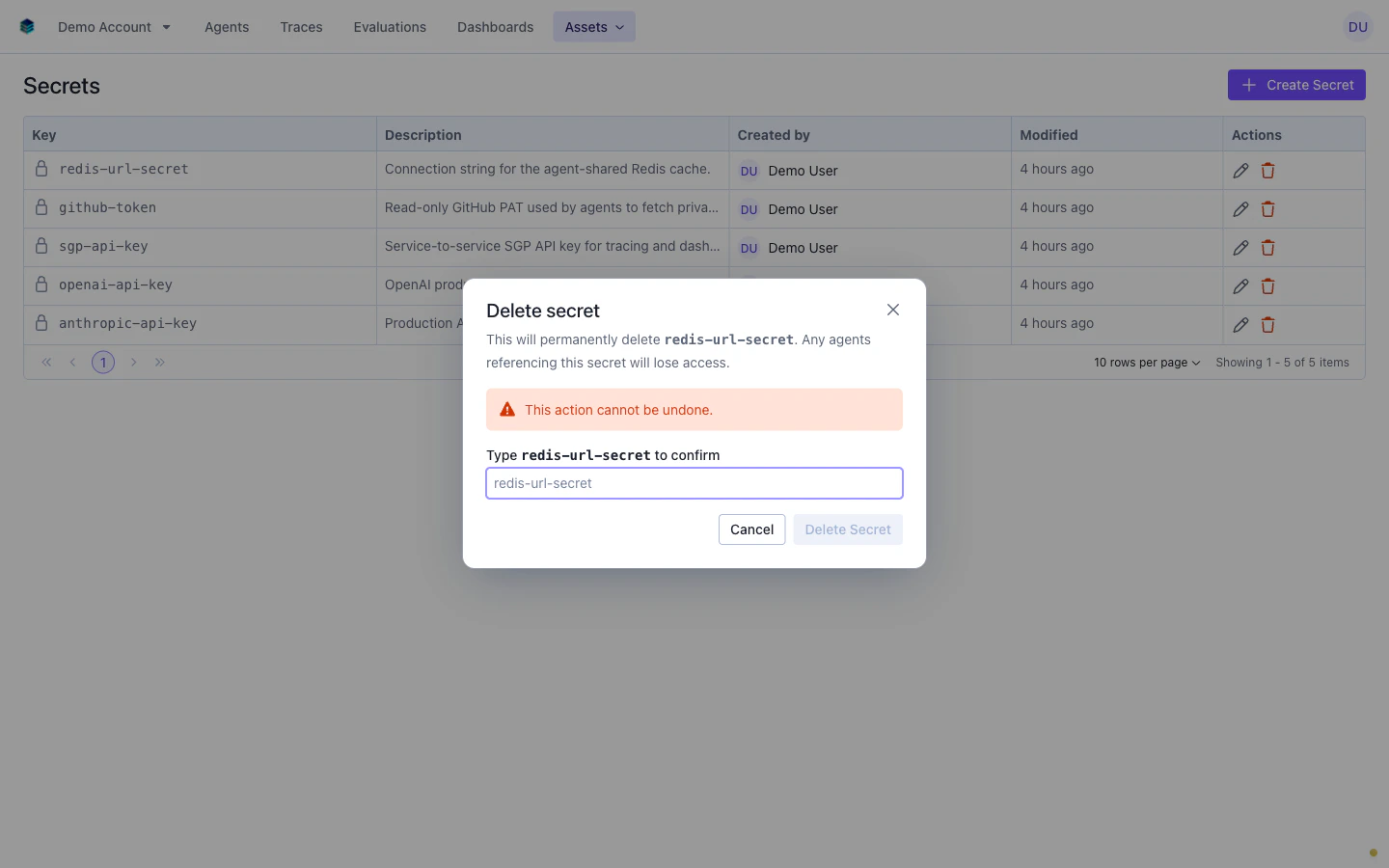
Secrets API
You can manage secrets programmatically through the SGP Cloud Secrets API. The following examples cover the most common operations.Create a secret
id, key, description, and audit metadata. The value field is never returned.
Update a secret
UsePATCH /v5/sgp/secrets/{secret_id} to rotate a value or update the description.
List secrets
Referencing secrets in manifest.yaml
Once a secret exists in the SGP secrets store, you reference it from your agent’smanifest.yaml in the agent.credentials array. Each entry maps an SGP Cloud Secret to an environment variable that your agent code can read.
At deploy time, SGP resolves each
secret_name to its corresponding cloud secret, syncs the value into a Kubernetes secret in the agent’s namespace, and mounts the value at the specified secret_key as the environment variable env_var_name in the pod.
The
secret_key field refers to the key within the Kubernetes secret data map, not a secondary lookup within the cloud secret store. Each SGP Cloud Secret maps to one Kubernetes secret, and secret_key selects which data entry within that Kubernetes secret to mount.Rotating a secret
To rotate a credential:- Generate a new credential value from the source system (for example, your LLM provider’s dashboard or your database admin panel).
- Update the SGP Cloud Secret with the new value using the API (
PATCH /v5/sgp/secrets/{secret_id}) or the Edit action in the secrets table UI. - Redeploy any agents that reference the rotated secret. The next deployment picks up the new value automatically.
Security model
SGP Cloud Secrets are designed around a write-only, least-privilege model:- Write-only values: secret values are never returned by any API call or displayed in the UI after creation. The SGP database stores only metadata (key, description, audit fields). The actual value lives exclusively in the cloud provider’s secret manager.
- Encrypted at rest: values are stored using the cloud provider’s native encryption (for example, Azure Key Vault with platform-managed keys).
- Injected as Kubernetes secrets: at deploy time, values are synced into Kubernetes secrets and mounted as environment variables. They are not written to disk or config maps in the cluster.
- Role-based access: only users with secret management permissions can create, update, or delete secrets. Read access to secret metadata (key and description) is available to users who can view the account’s assets.
- Audit trail: every create, update, and delete operation is recorded with the acting user and timestamp.
Next steps
- CI/CD with Gitea Actions: full
manifest.yamlreference including thecredentialssection - API and SDK: programmatic access to builds, deployments, and secrets
- Preview Deployments: ephemeral deployments for branch and PR testing