

Overview
Agentex Agent Output allows you to generate outputs on an evaluation using an Agentex agent. This feature enables you to create an evaluation by selecting a dataset, then configure an Agentex agent to produce a new output column populated by the external agent’s responses. This is useful when you want to:- Generate responses from your custom Agentex agents for evaluation
- Compare outputs from different agent configurations
- Test agent behavior across a variety of inputs in your dataset
Create Evaluation
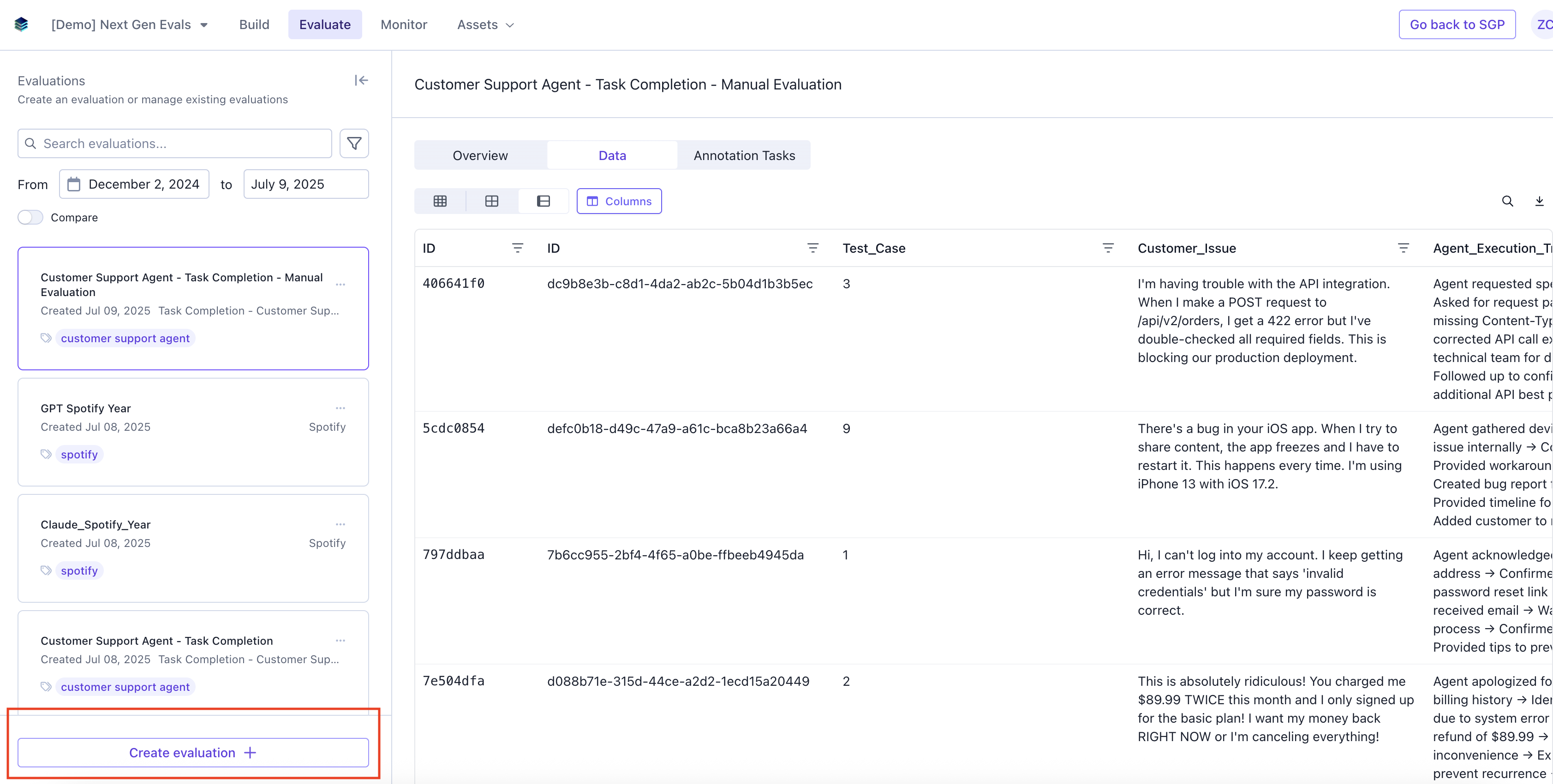
Navigate to the Evaluate tab and click “Create evaluation”.
Add Evaluation Details
Add in Evaluation name, description (optional), tags (optional), and select a dataset.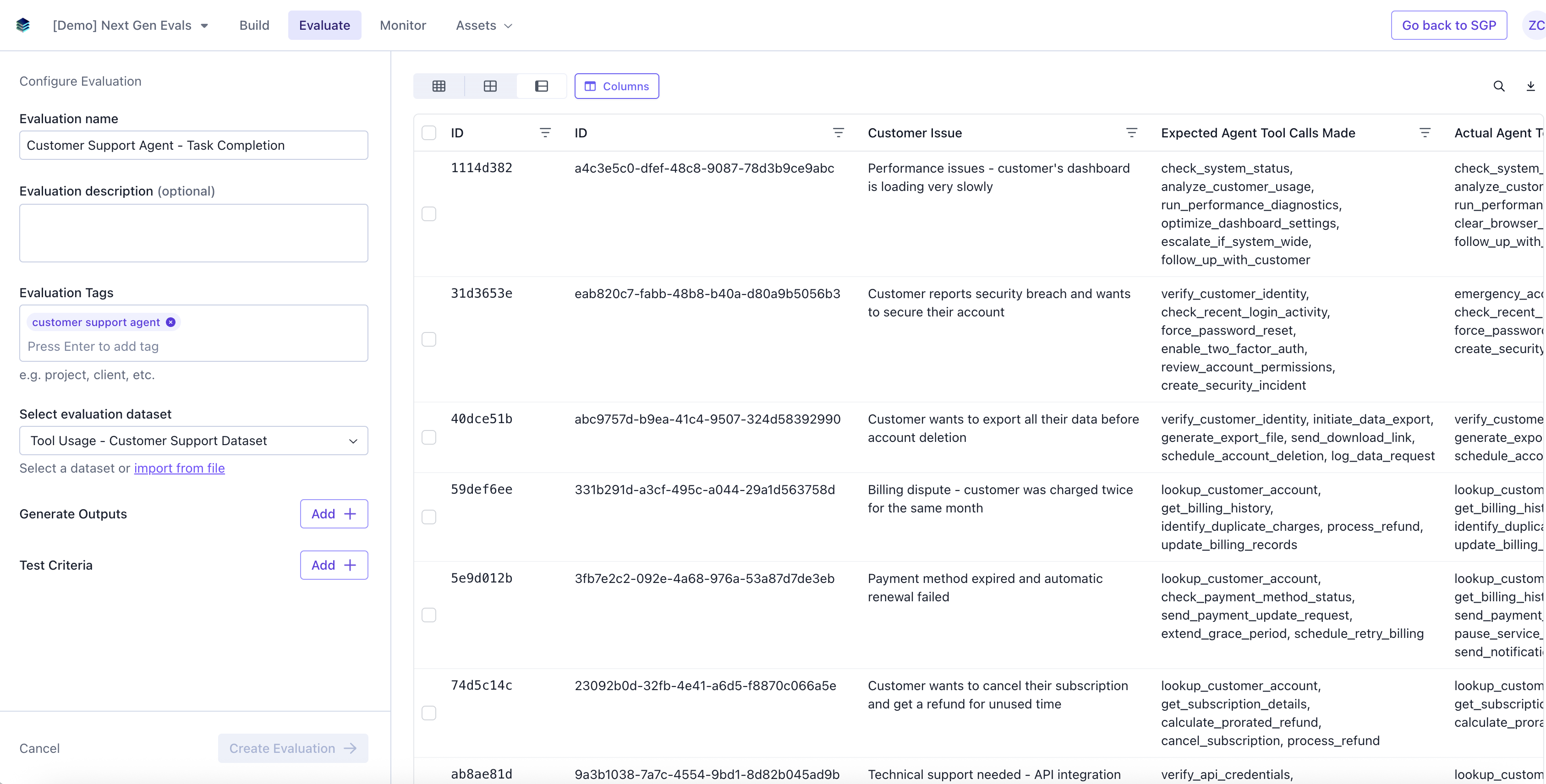
Add an Agentex Agent Output
Add an output and select “Agentex Output” from the output type options. This will configure an external Agentex agent to generate outputs for each row in your dataset.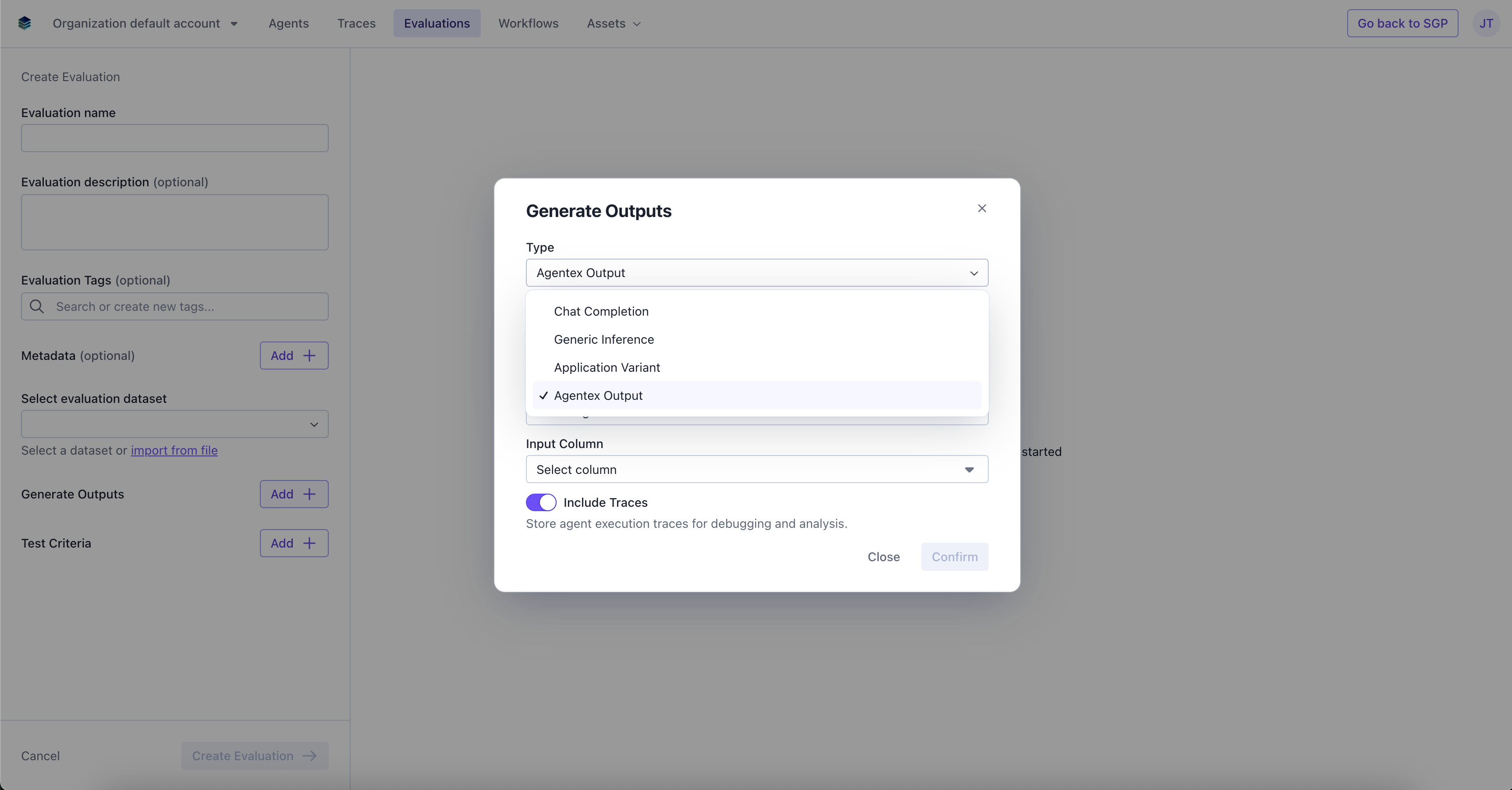
Configure Agentex Output
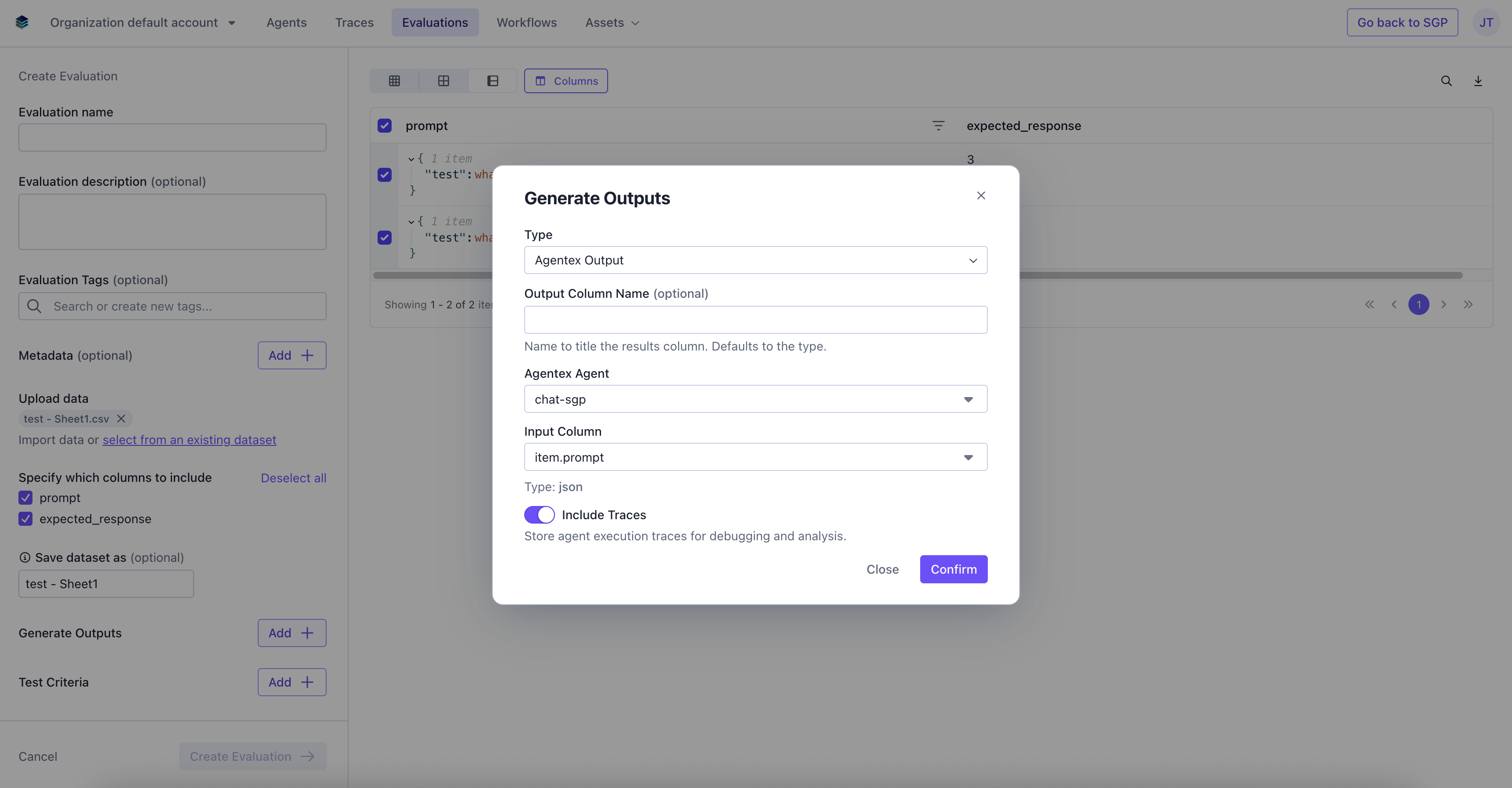
Configure the Agentex agent output with the following parameters:- Output Column Name (optional) - The name of the header column where the agent’s generated outputs will appear in your evaluation results.
- Agentex Agent - The Agentex agent you want to use to generate outputs. This dropdown will display all available Agentex agents in your account. Inactive agents will be greyed out.
- Input Column - The dataset column containing the input data to send to the agent for each row.
- Include Traces - Toggle to true to include a traces column in the output.
The input column schema (text or JSON) will be validated against the selected agent’s expected schema. If the agent does not have a schema defined, validation will pass without error.
Create Evaluation
Select the rows on the dataset you want to run the evaluation, and click Create Evaluation.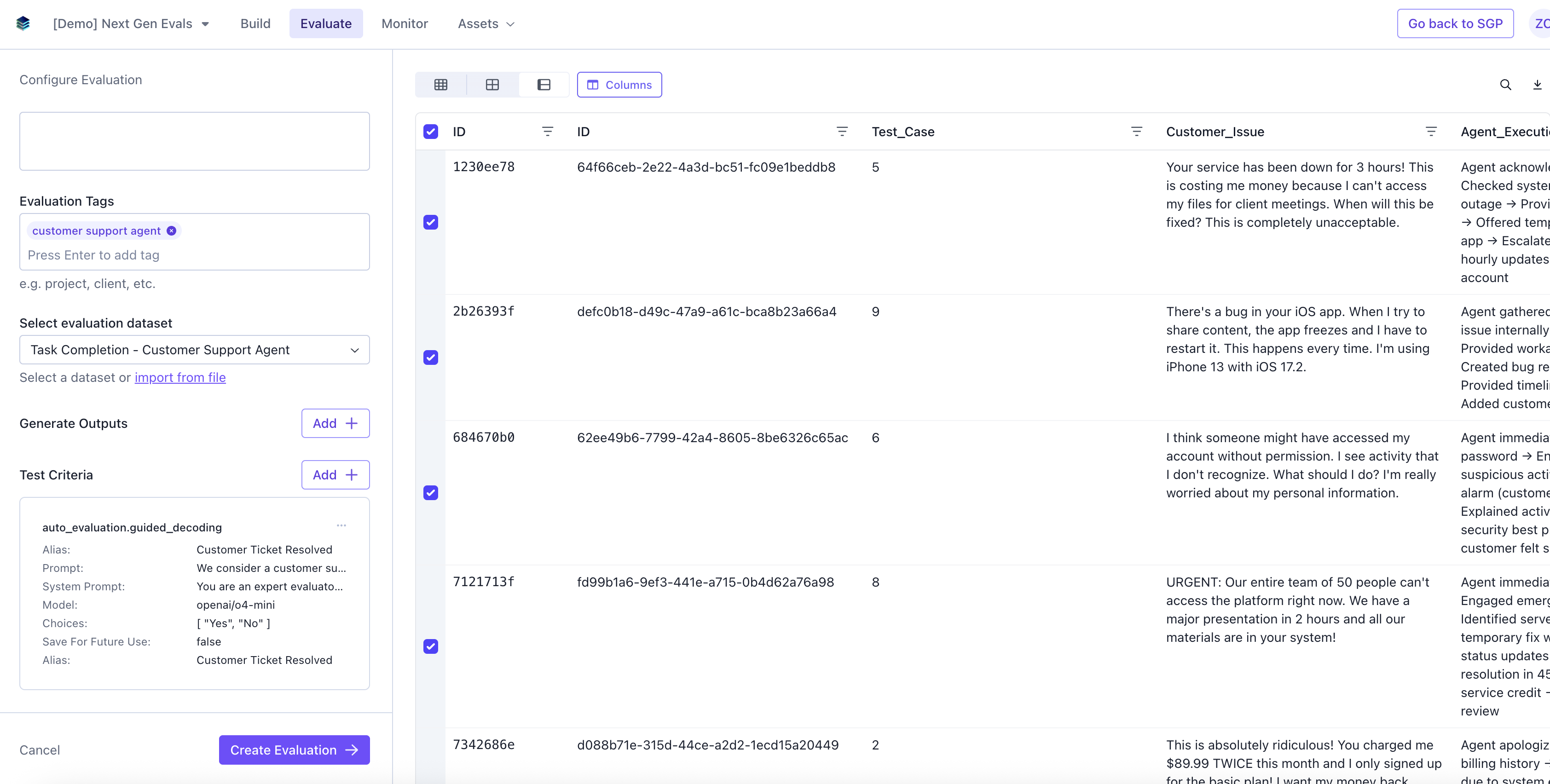
View Evaluation Results
If you navigate back to the Evaluation tab, you should be able to see the results of the evaluation.Data
The data page will have a new column containing the outputs generated by your Agentex agent for each row.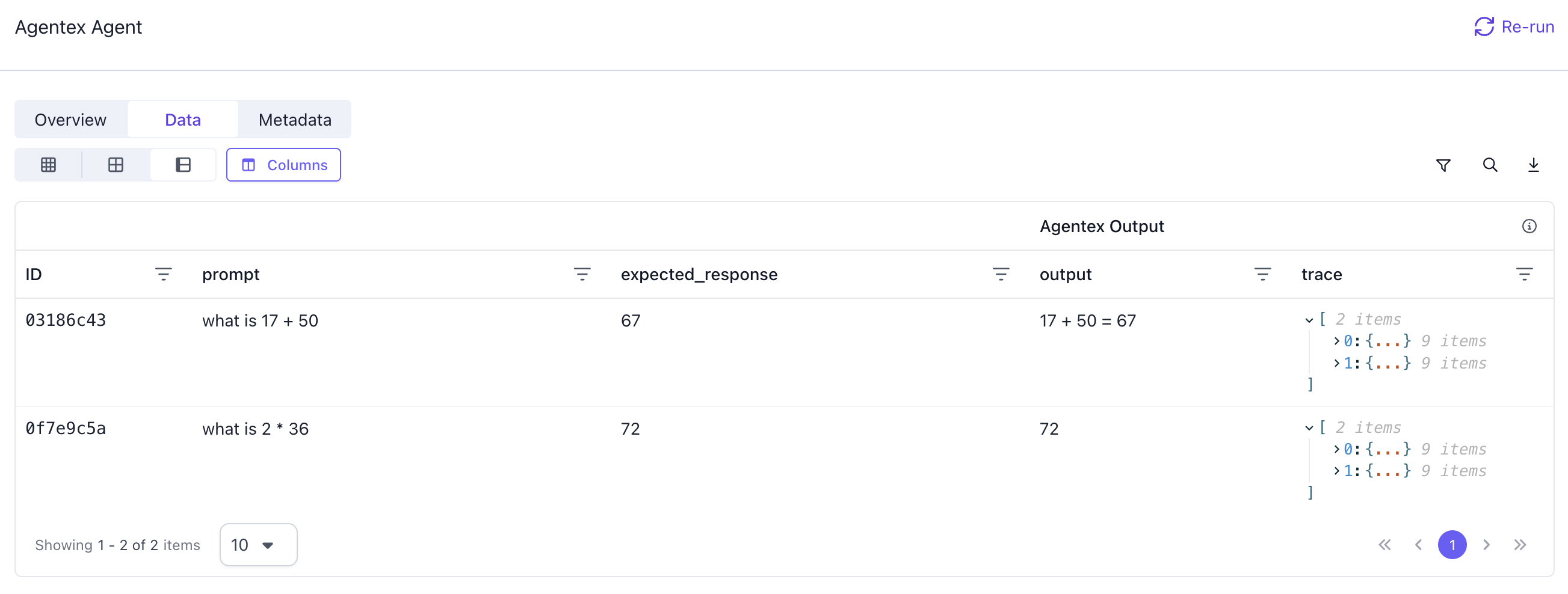
Combining with Other Tasks
Agentex outputs are always generated first, before any other evaluation tasks run. This ensures the agent-generated outputs are available for subsequent tasks like LLM Judges or Contributor Evaluations to reference and evaluate. For example, you can:- Use an Agentex agent to generate outputs
- Add an LLM Judge to evaluate the quality of those outputs
- Add a Contributor Evaluation for human review