> ## Documentation Index
> Fetch the complete documentation index at: https://docs.gp.scale.com/llms.txt
> Use this file to discover all available pages before exploring further.
# SGP Overview
> Overview of SGP
## Overview
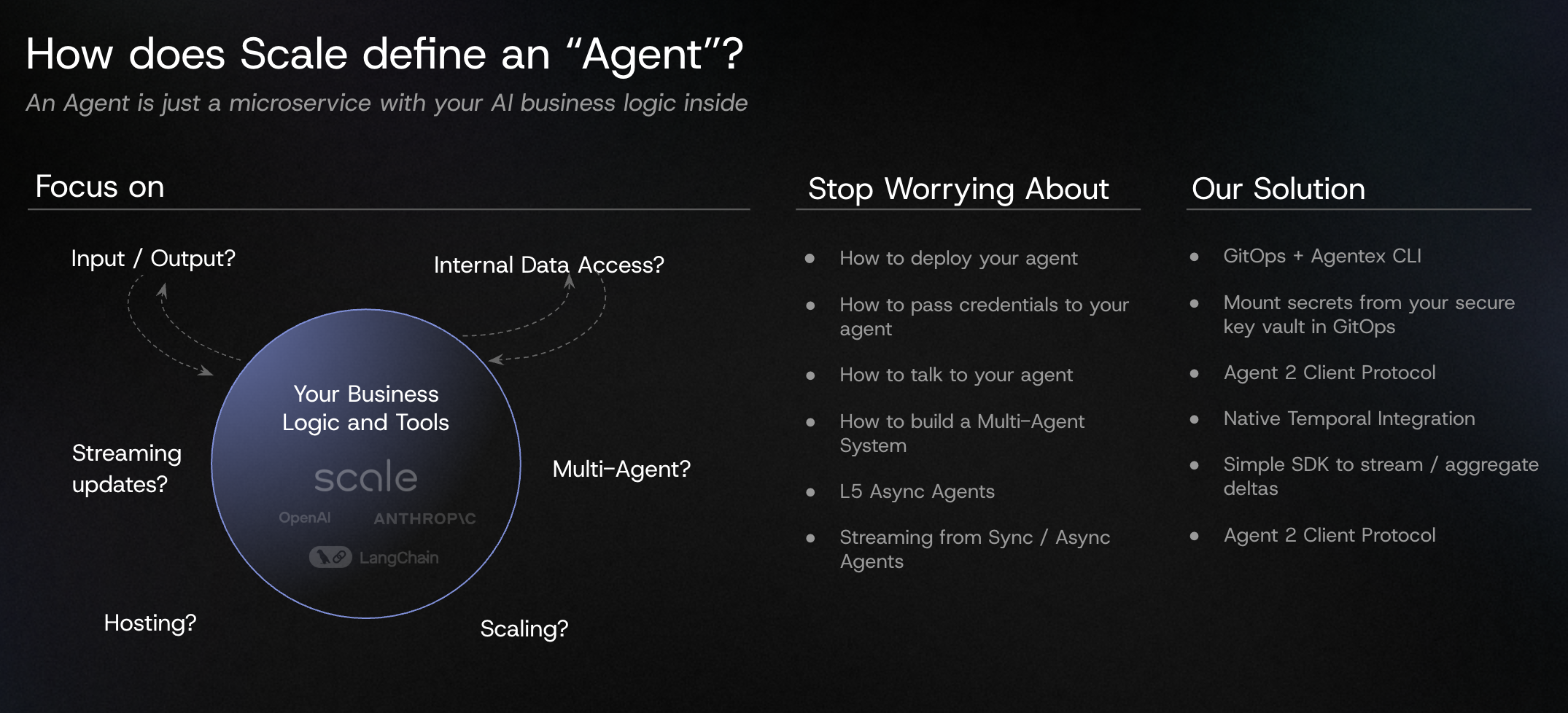
The Scale GenAI Platform empowers modern enterprises to rapidly develop, test and deploy Generative AI applications for custom use cases, using their proprietary data assets.
The platform supports two distinct workflows related to Generative AI application development.
The first one is **Agent Building and Execution**, or the act of having an agent that runs.
The second one is **Agent Operations**, or the act of managing the agent, reviewing the data that it outputs, and improving that agent.
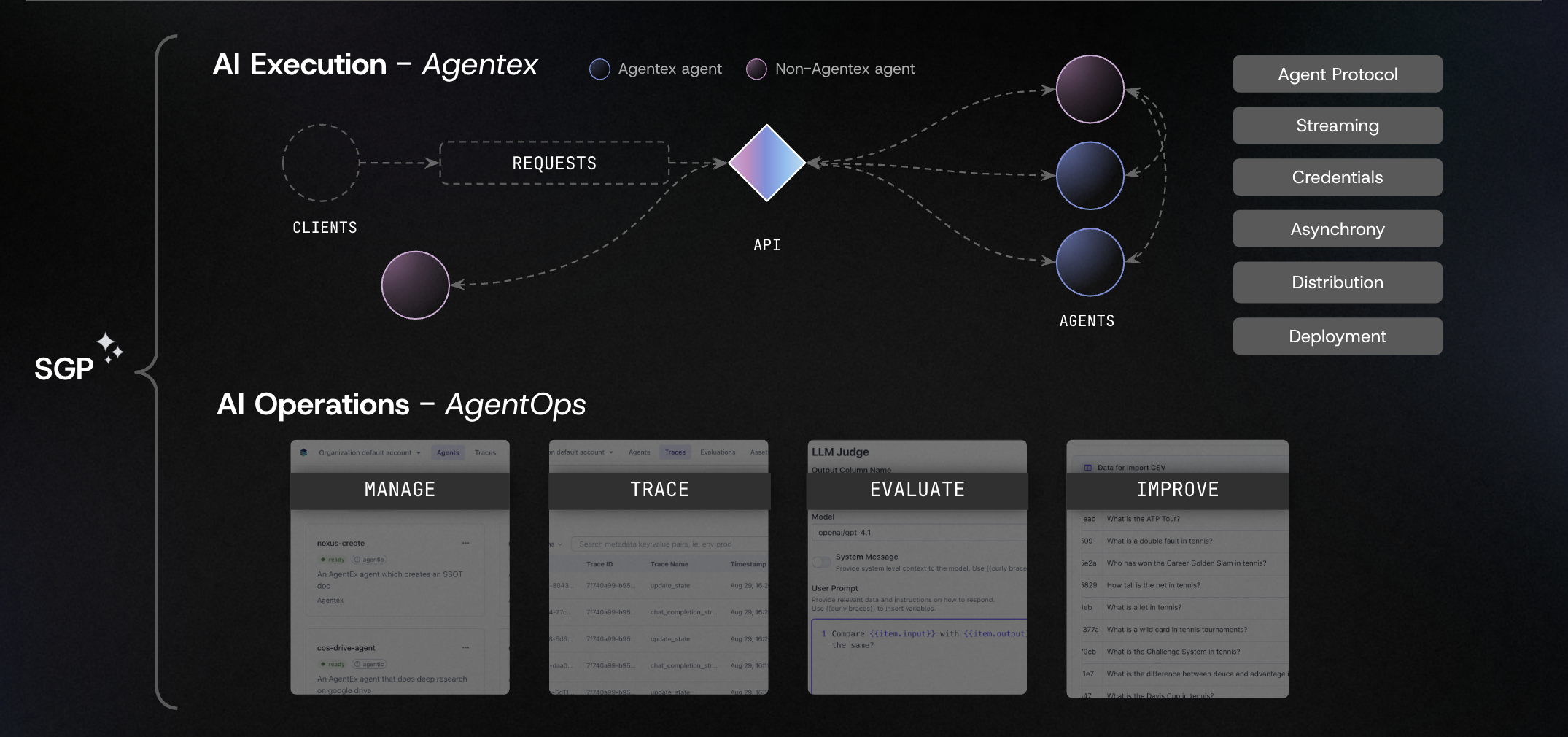 The ultimate goal of SGP is to enable teams of developers to be able to build and improve multiple agents specializing in multiple goals all on the same platform. SGP helps every Enterprise build and maintain a portfolio of agents.
## Agentex - Agent Building and Execution
### View Agents in the Platform
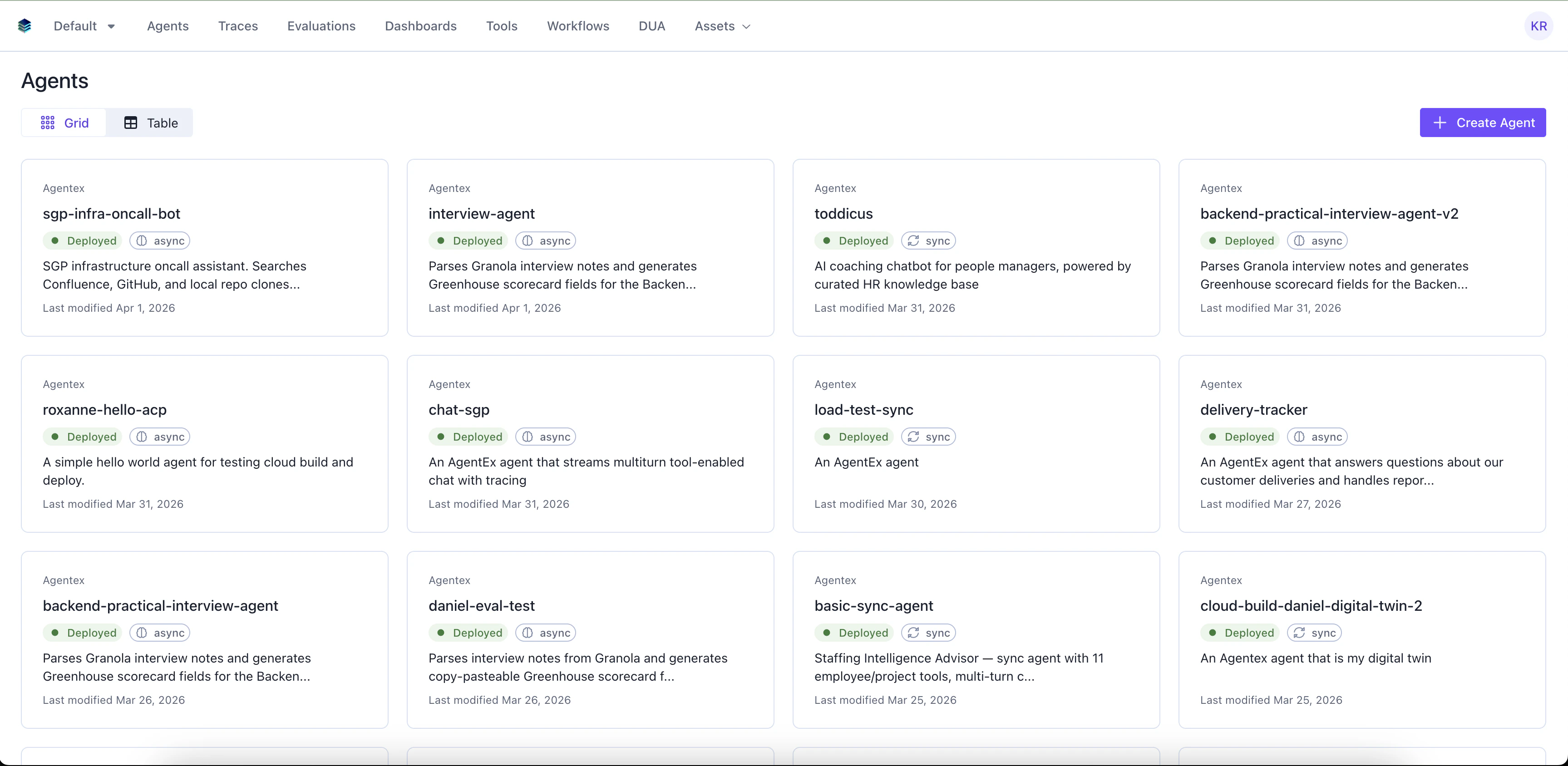
The agent builder view shows a list of all the agents that are currently being built or monitored in your account.
The ultimate goal of SGP is to enable teams of developers to be able to build and improve multiple agents specializing in multiple goals all on the same platform. SGP helps every Enterprise build and maintain a portfolio of agents.
## Agentex - Agent Building and Execution
### View Agents in the Platform
The agent builder view shows a list of all the agents that are currently being built or monitored in your account.
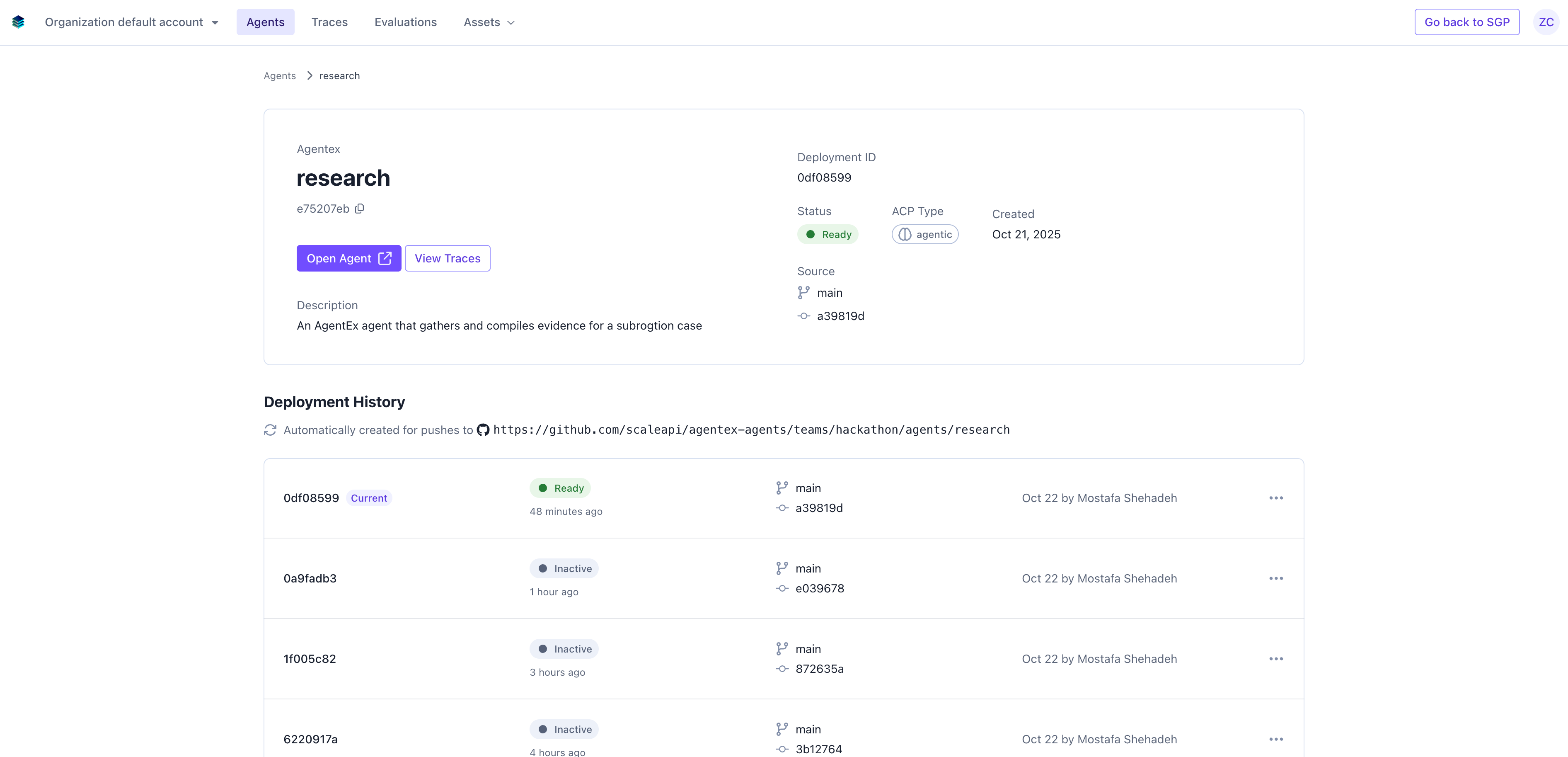
 Clicking into an agent allows users to interact with an agent, monitor the agent, and view evaluations performed by an agent.
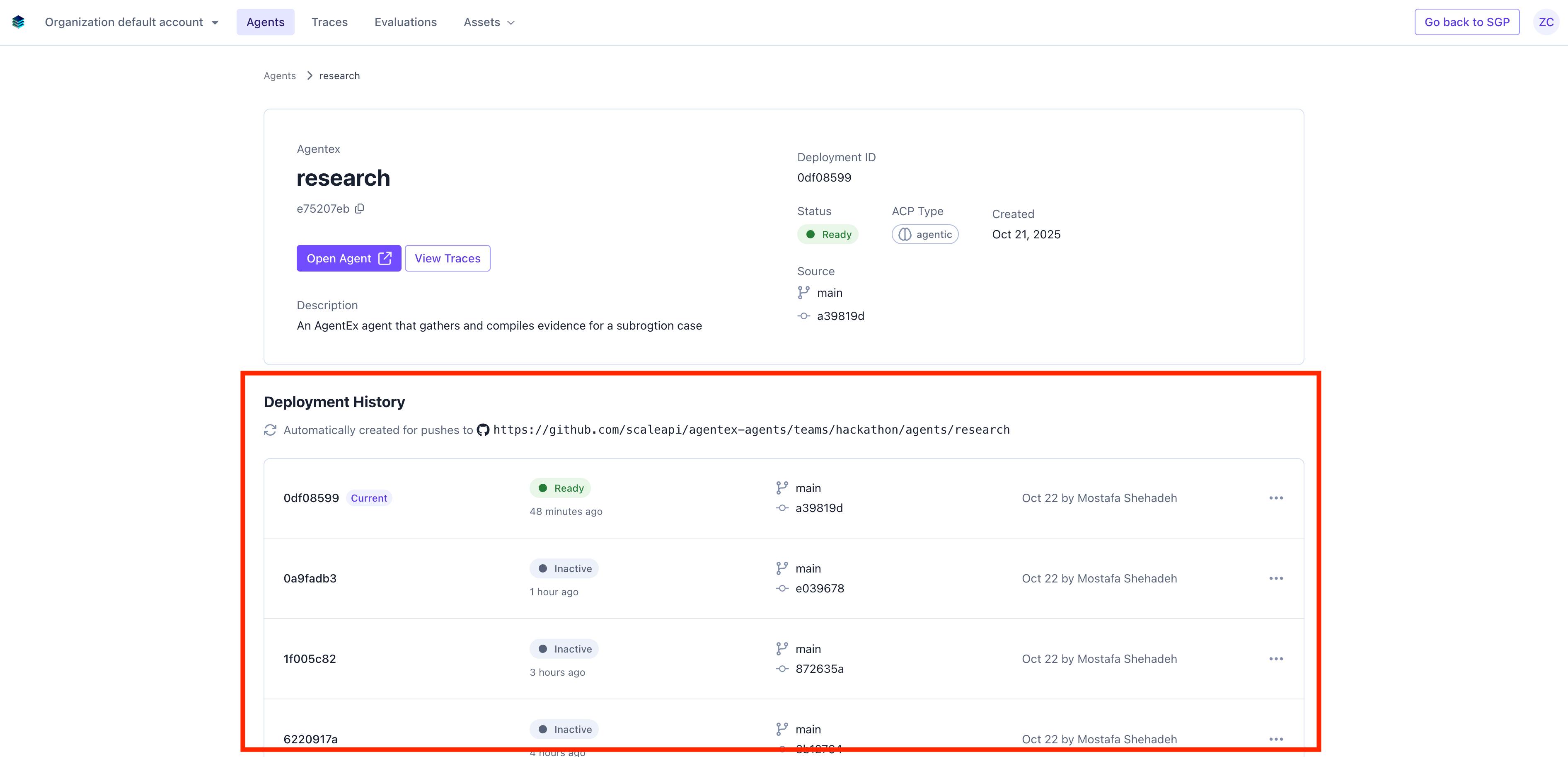
Users can also see the deployment history of the agent.
Clicking into an agent allows users to interact with an agent, monitor the agent, and view evaluations performed by an agent.
Users can also see the deployment history of the agent.
 ### Building Agents with Agentex
SGP's goal for building agents is to provide the most developer friendly framework and environment possible. At the core, building agents is just writing code.
Our goal is for all developers to continue developing in the environment they are most familiar with at the fastest speed possible.
#### Example Agent
This is an example of a medical assistant agent we built, a medical assistant that helps users find doctors at a specific hospital based on their symptoms. The agent diagnoses their symptom and then directs them to a doctor.
### Building Agents with Agentex
SGP's goal for building agents is to provide the most developer friendly framework and environment possible. At the core, building agents is just writing code.
Our goal is for all developers to continue developing in the environment they are most familiar with at the fastest speed possible.
#### Example Agent
This is an example of a medical assistant agent we built, a medical assistant that helps users find doctors at a specific hospital based on their symptoms. The agent diagnoses their symptom and then directs them to a doctor.
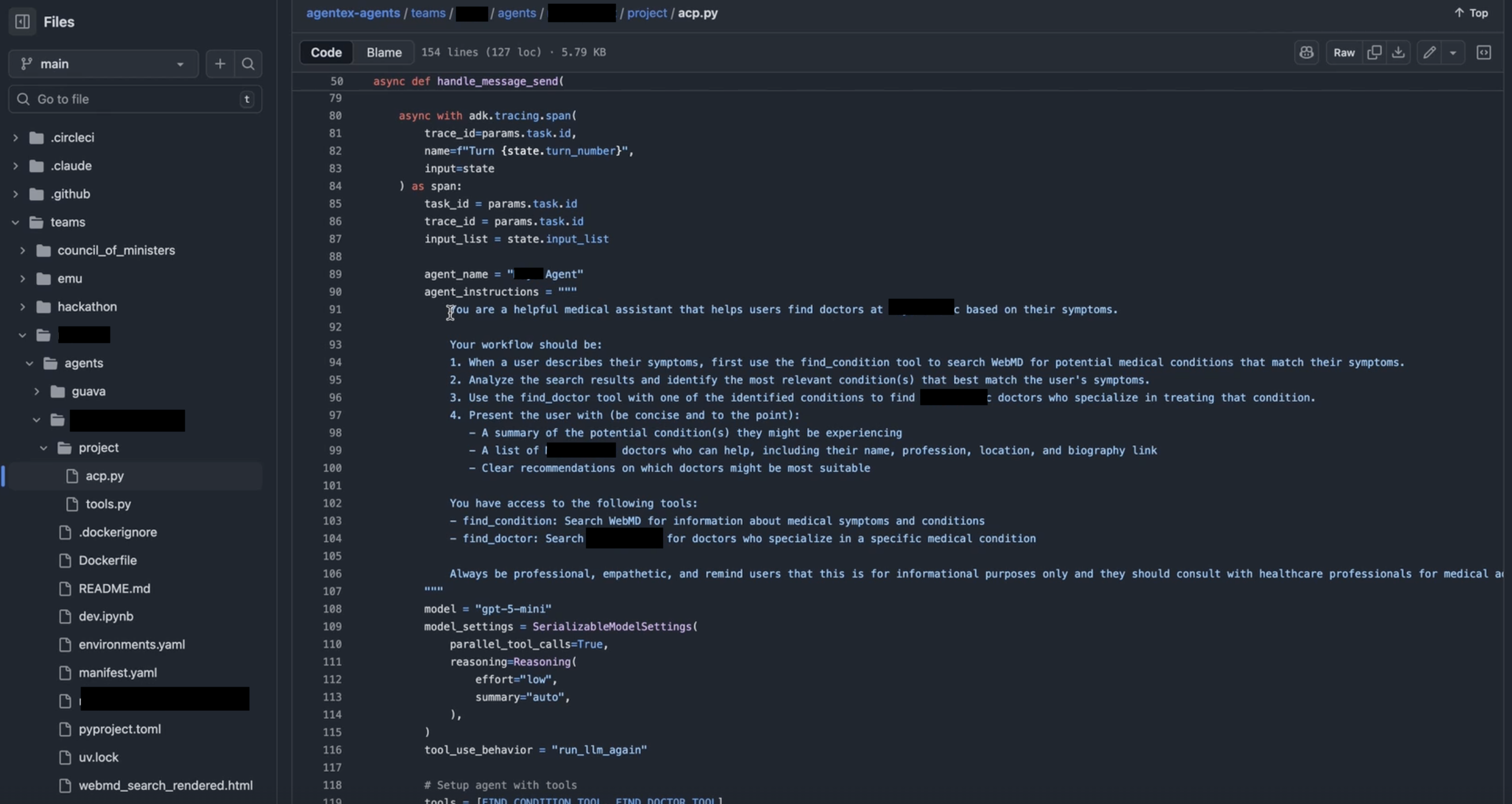 #### Agentex Building Framework and Philosophy.
In today's world, pulling an agent from the internet is easy, most agent frameworks focus on helping users get started on writing an agent. The problem that SGP Agentex aims to solve is to help users quickly get from a locally developed agent into a fully functional production quality agent other people can use.
Backend - Agentex provides a simple CLI that enables users to run the agent locally.
Frontend - Agentex also provides the ability to run a local UI very quickly to allow users to test.
Users can then go to their local machine and run an agent.
#### Agentex Building Framework and Philosophy.
In today's world, pulling an agent from the internet is easy, most agent frameworks focus on helping users get started on writing an agent. The problem that SGP Agentex aims to solve is to help users quickly get from a locally developed agent into a fully functional production quality agent other people can use.
Backend - Agentex provides a simple CLI that enables users to run the agent locally.
Frontend - Agentex also provides the ability to run a local UI very quickly to allow users to test.
Users can then go to their local machine and run an agent.
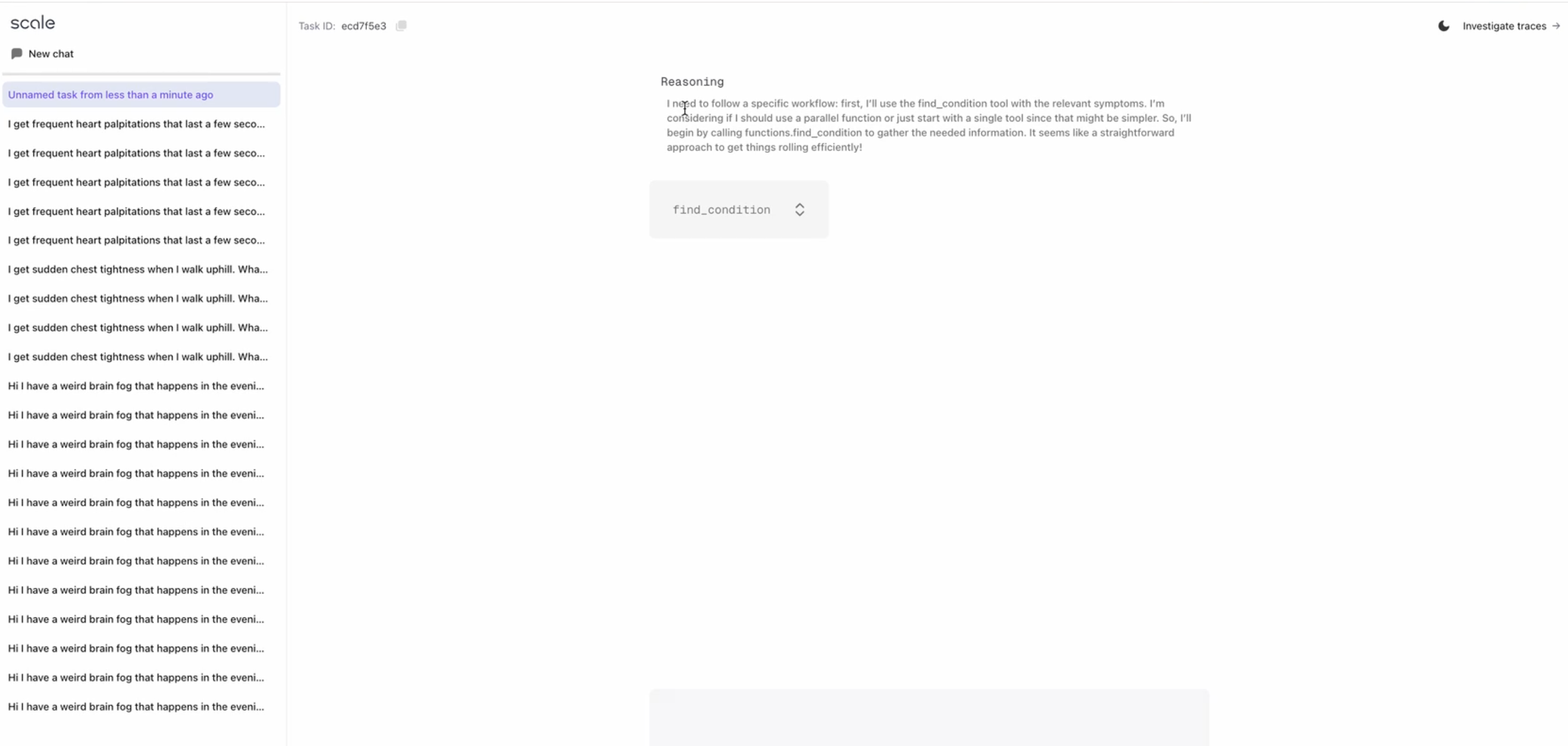 This experience enables a fast development cycle:
* User can test exactly what's going on.
* User can make alterations to the code and change the behavior.
* User can test again.
Agentex has a built a continuous deployment pipeline that takes changes from the agent and pushes them through a series of steps, and automatically deploys your agent for you.
This experience enables a fast development cycle:
* User can test exactly what's going on.
* User can make alterations to the code and change the behavior.
* User can test again.
Agentex has a built a continuous deployment pipeline that takes changes from the agent and pushes them through a series of steps, and automatically deploys your agent for you.
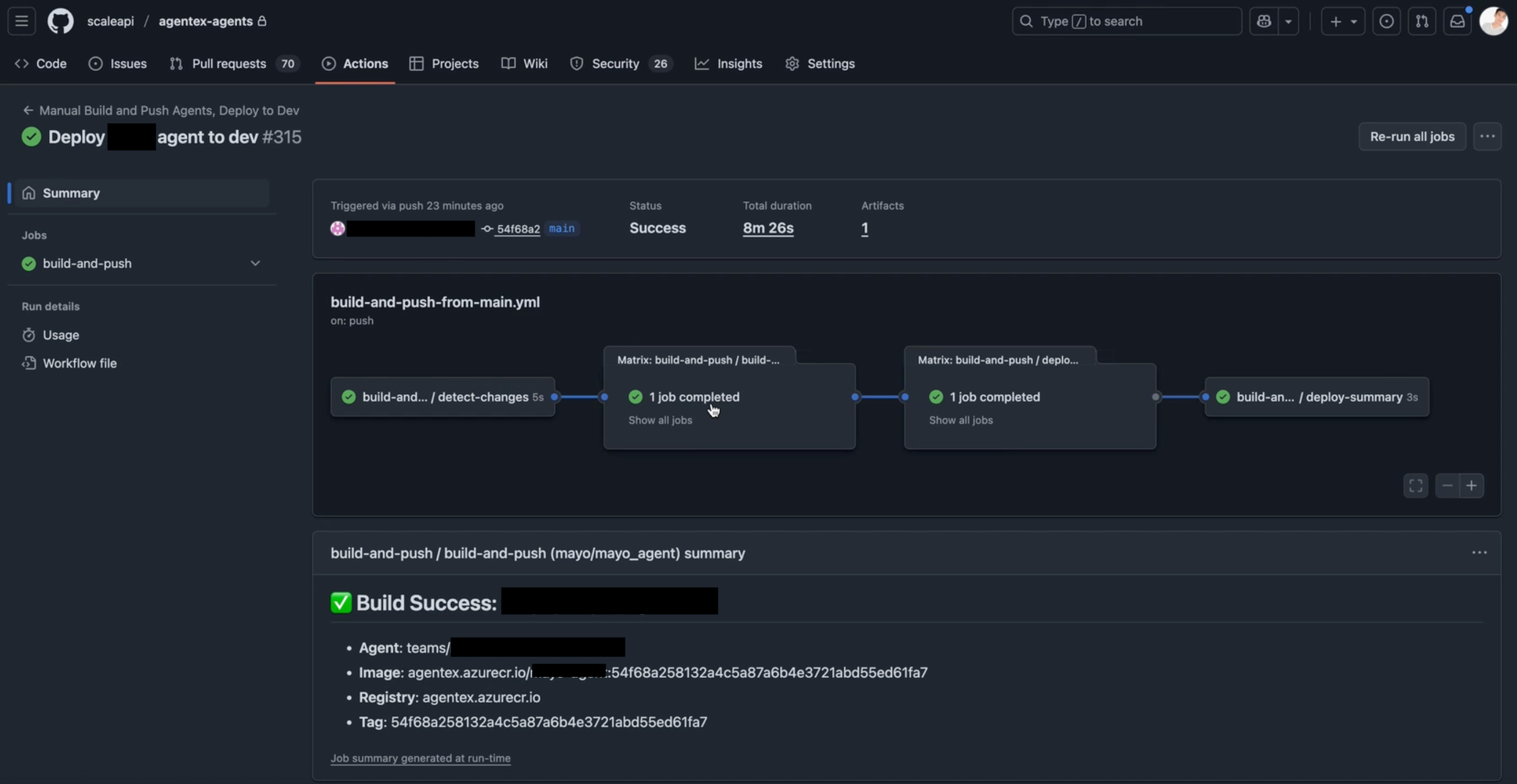 After making changes, users will automaticaly be able to see on the platform the deployment history of the agent.
 ### Interacting with Agents through Agentex
A user can interact with an agent by clicking "Open Agent" on the page of the specific Agent.
### Interacting with Agents through Agentex
A user can interact with an agent by clicking "Open Agent" on the page of the specific Agent.
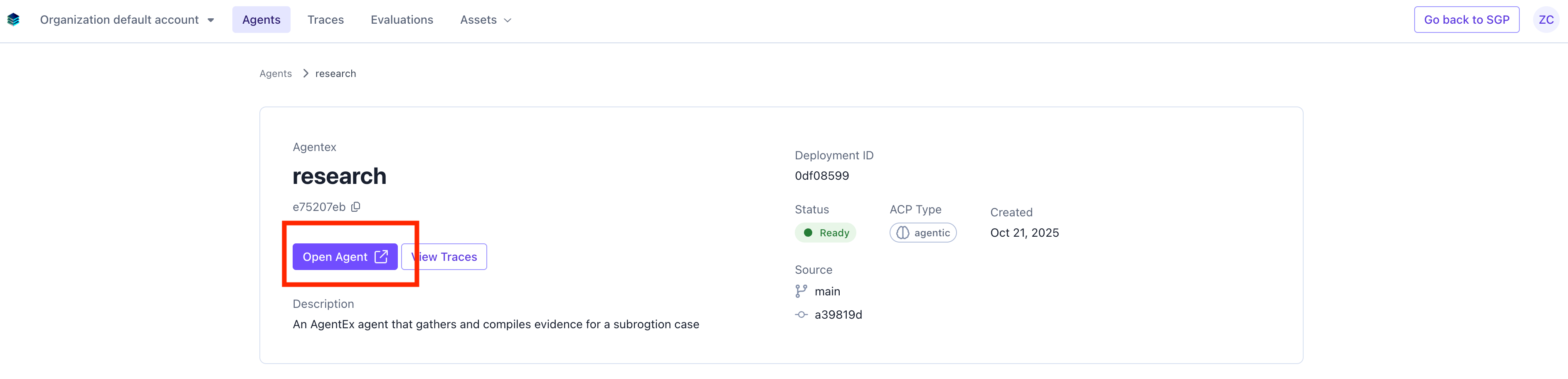 This will take users to a **fully deployed, hosted version** of the agent developers and end users can interact with.
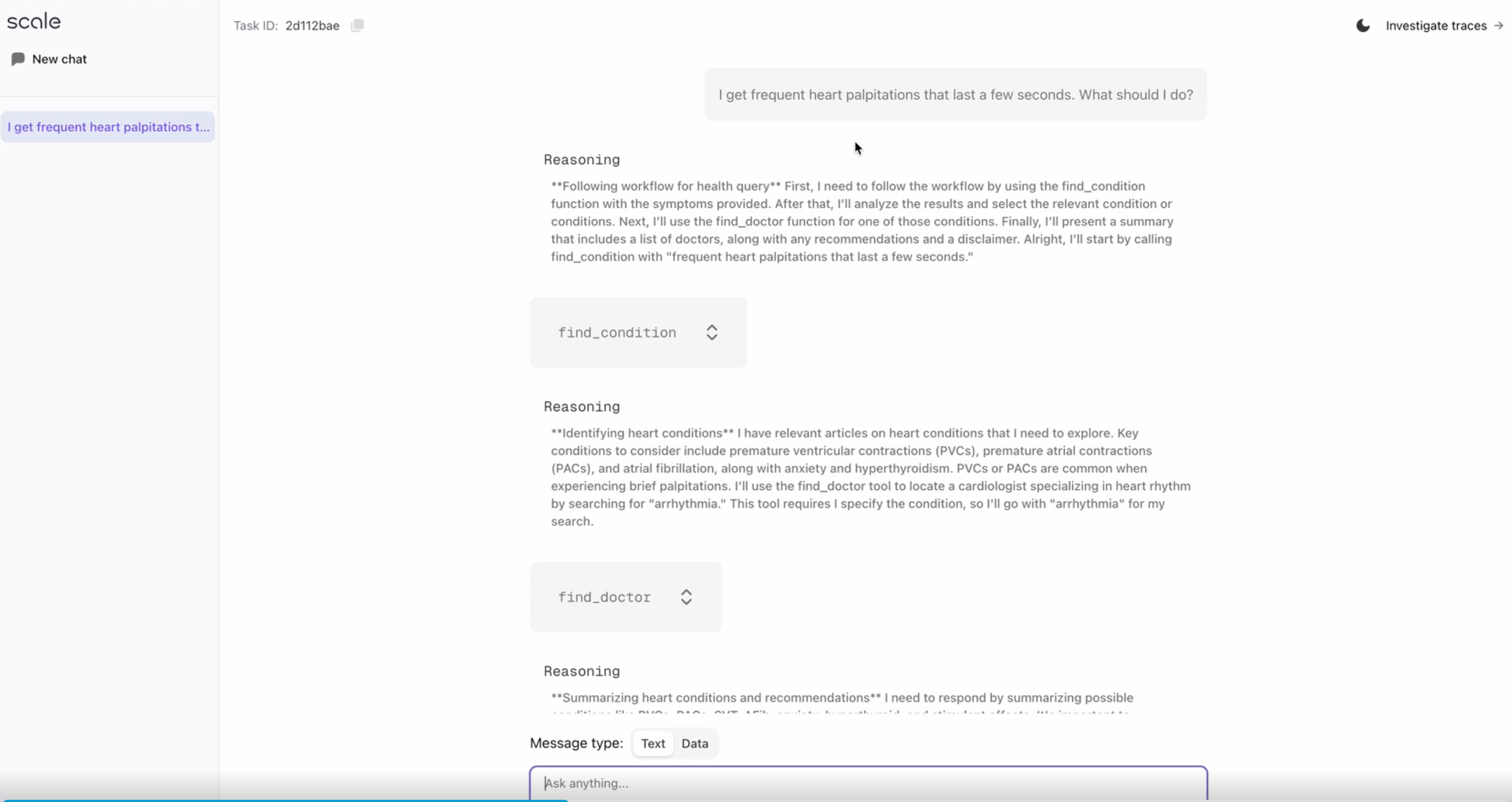 Since this is a live deployment, all interactions captured from this deployment will show up in our tracing interface (see below as part of Agent Operations) to assist developers with monitoring their application.
## AgentOps- Agent Monitoring and Improvements
### Tracing Agents with AgentOps
All agents built and deployed with Agentex (like in the example above) will have their interactions automatically show up in the tracing library.
Since this is a live deployment, all interactions captured from this deployment will show up in our tracing interface (see below as part of Agent Operations) to assist developers with monitoring their application.
## AgentOps- Agent Monitoring and Improvements
### Tracing Agents with AgentOps
All agents built and deployed with Agentex (like in the example above) will have their interactions automatically show up in the tracing library.
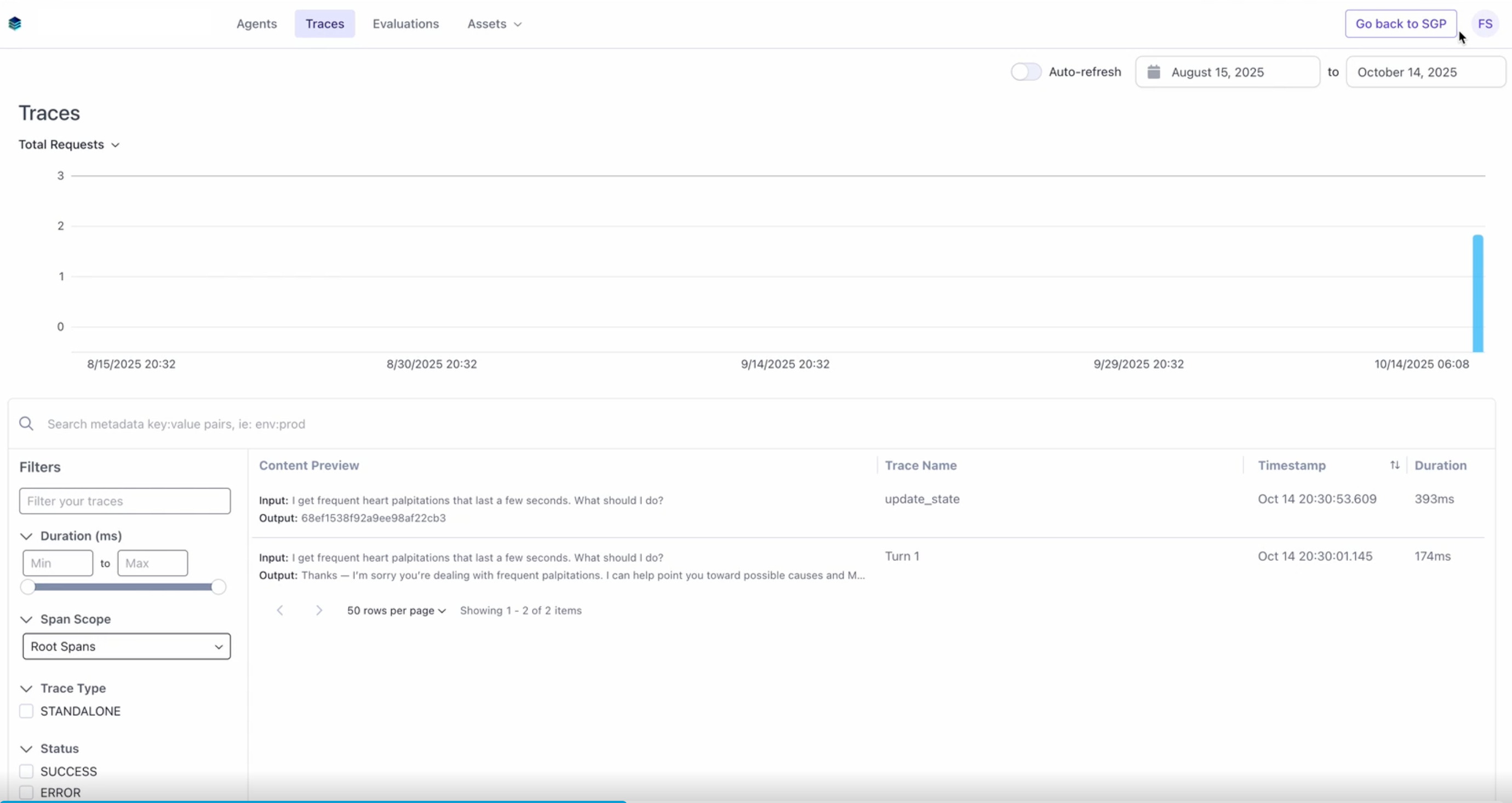 The AgentOps Tracing Platform also has an SDK that allows users to upload their own traces to get the same experience.
Users can also see specific details on the execution of the agent in the tracing view.
The AgentOps Tracing Platform also has an SDK that allows users to upload their own traces to get the same experience.
Users can also see specific details on the execution of the agent in the tracing view.
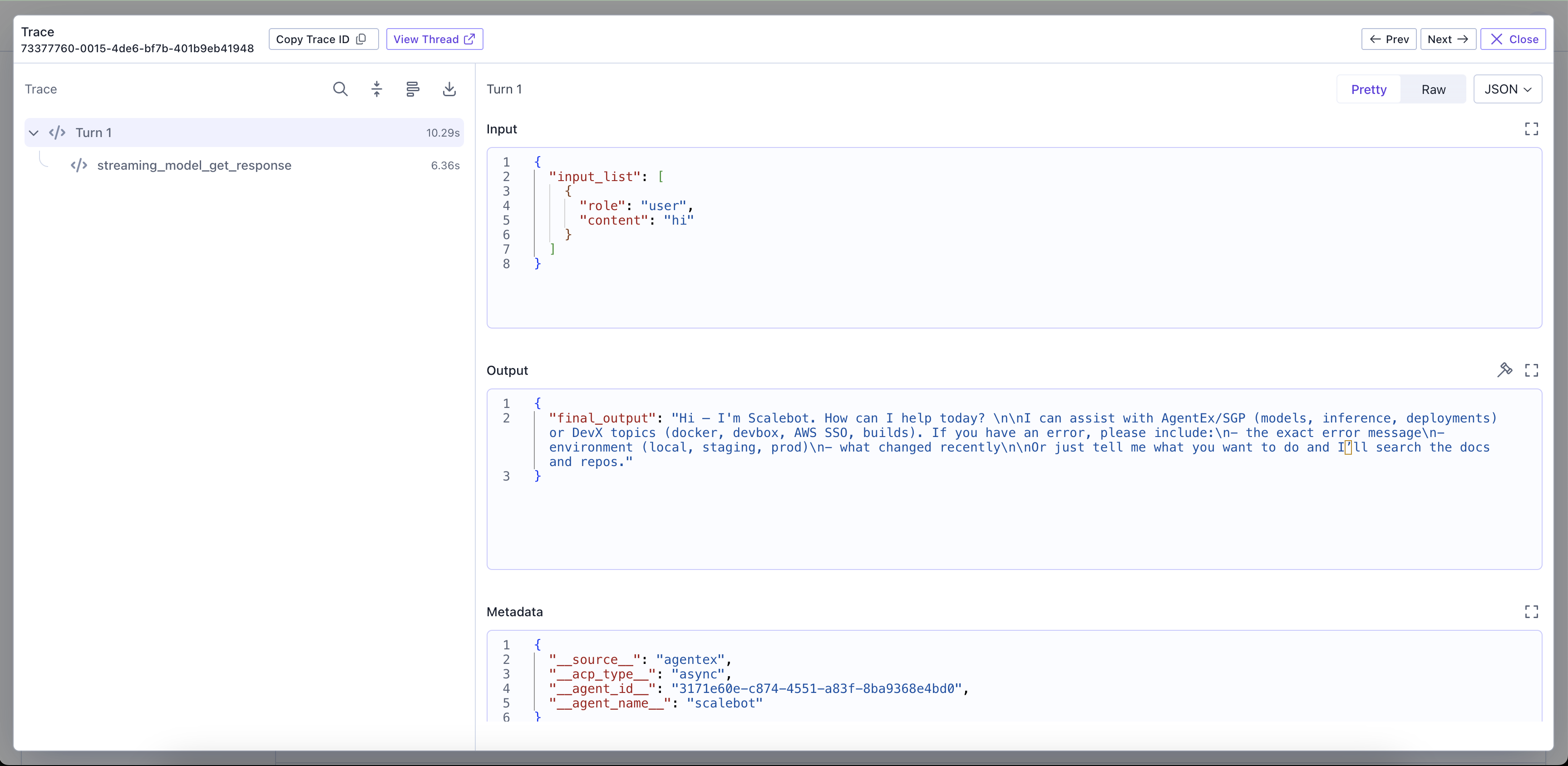 Users can see the input, output, and all the steps the agent went through for the execution. Engineers can use this data to understand what tools the agent is calling, what steps the agents are going through for reasoning, and how the agent is performing and make adjustements to the agent.
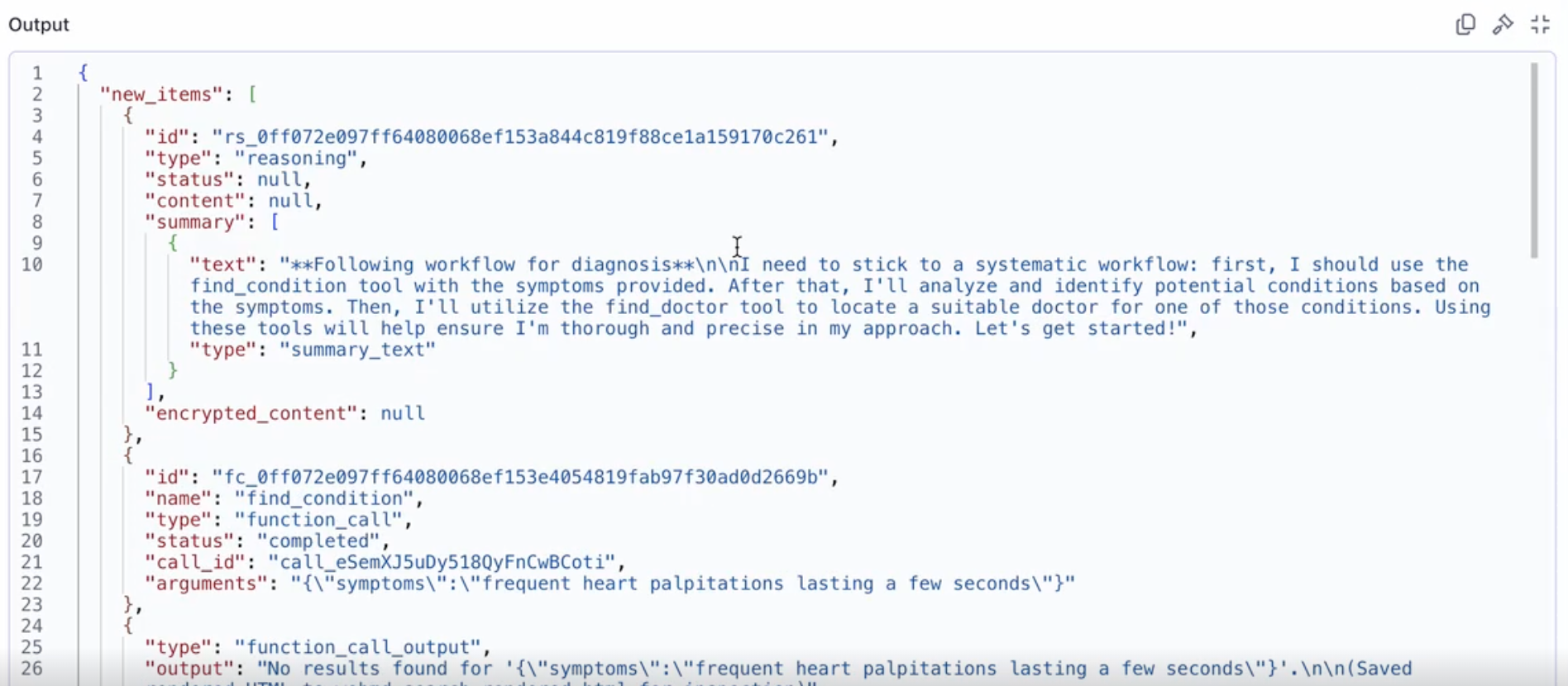 To learn more about tracing, refer to the [tracing](/docs/v5/tracing/overview) section.
### Evaluating Agents with AgentOps
After identifying areas that can be improved from your agents, the AgentOps platform supports developers in running evaluations on their agents.
Users can create evaluation datasets through traces and then run evaluations on the platform.
To learn more about tracing, refer to the [tracing](/docs/v5/tracing/overview) section.
### Evaluating Agents with AgentOps
After identifying areas that can be improved from your agents, the AgentOps platform supports developers in running evaluations on their agents.
Users can create evaluation datasets through traces and then run evaluations on the platform.
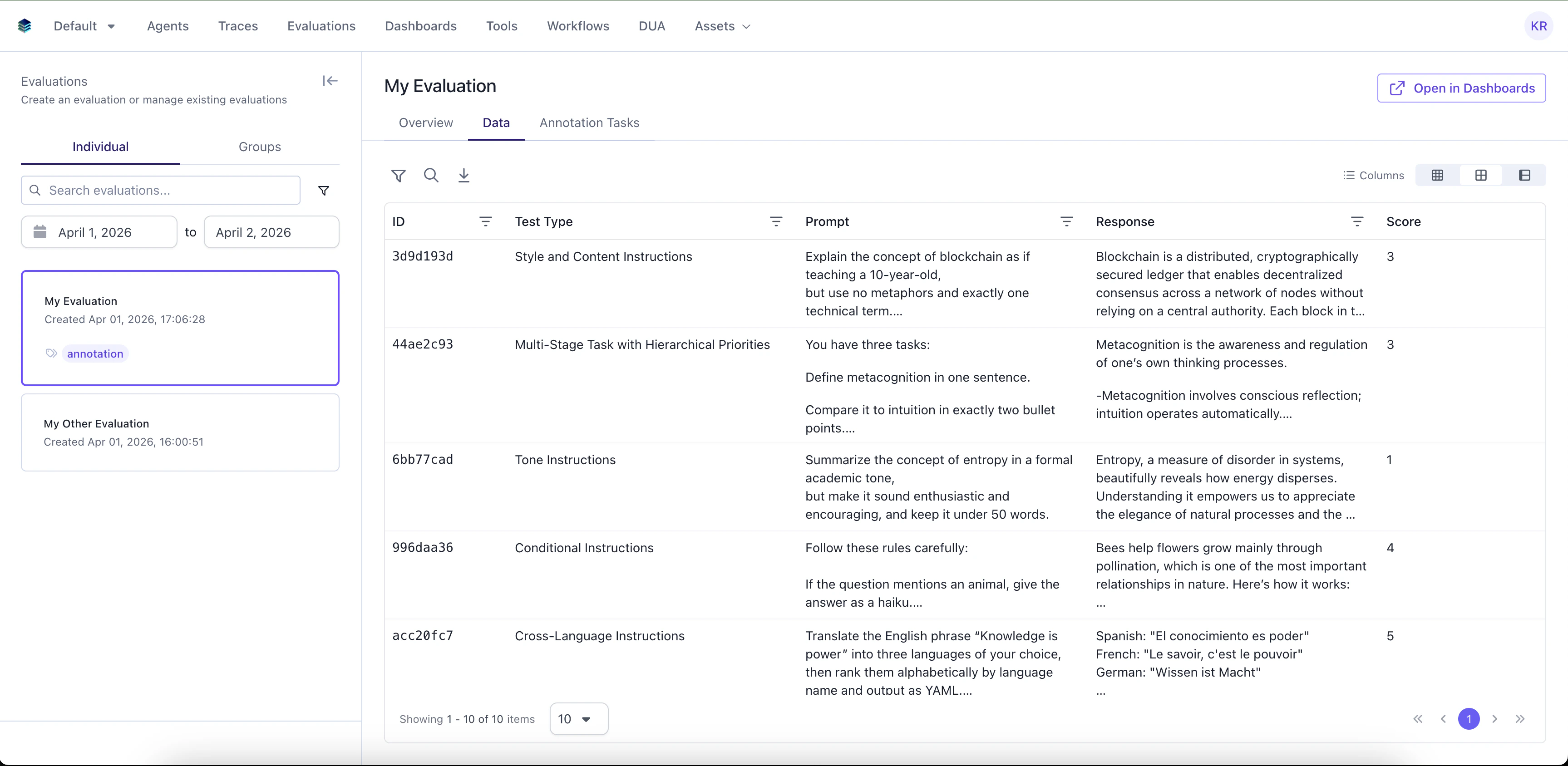 The platform supports two types of evaluations:
* **LLM-as-a-Judge:** Have an LLM evaluate the dataset
* **Contributor Evaluation:** Have humans annotate the dataset
To learn more about evaluations, refer to the [evaluations](/docs/v5/next-gen-evaluation/overview) section.
### Summary
The combination of all these tools supports the agent development lifecycle.
1. Developing the local agent.
2. Review and deploy the local agent.
3. Test the deployed agent.
4. Monitor the deployed agent through traces.
5. Segment out evaluations from traces.
Enterprises that scale agents need to stop worrying about the overhead of development and focus on the business logic.
SGP is a platform designed to enable that.
The platform supports two types of evaluations:
* **LLM-as-a-Judge:** Have an LLM evaluate the dataset
* **Contributor Evaluation:** Have humans annotate the dataset
To learn more about evaluations, refer to the [evaluations](/docs/v5/next-gen-evaluation/overview) section.
### Summary
The combination of all these tools supports the agent development lifecycle.
1. Developing the local agent.
2. Review and deploy the local agent.
3. Test the deployed agent.
4. Monitor the deployed agent through traces.
5. Segment out evaluations from traces.
Enterprises that scale agents need to stop worrying about the overhead of development and focus on the business logic.
SGP is a platform designed to enable that.