> ## Documentation Index
> Fetch the complete documentation index at: https://docs.gp.scale.com/llms.txt
> Use this file to discover all available pages before exploring further.
# Contributor Evaluation
> Defer evaluation tasks to human contributors.
## Create Evaluation
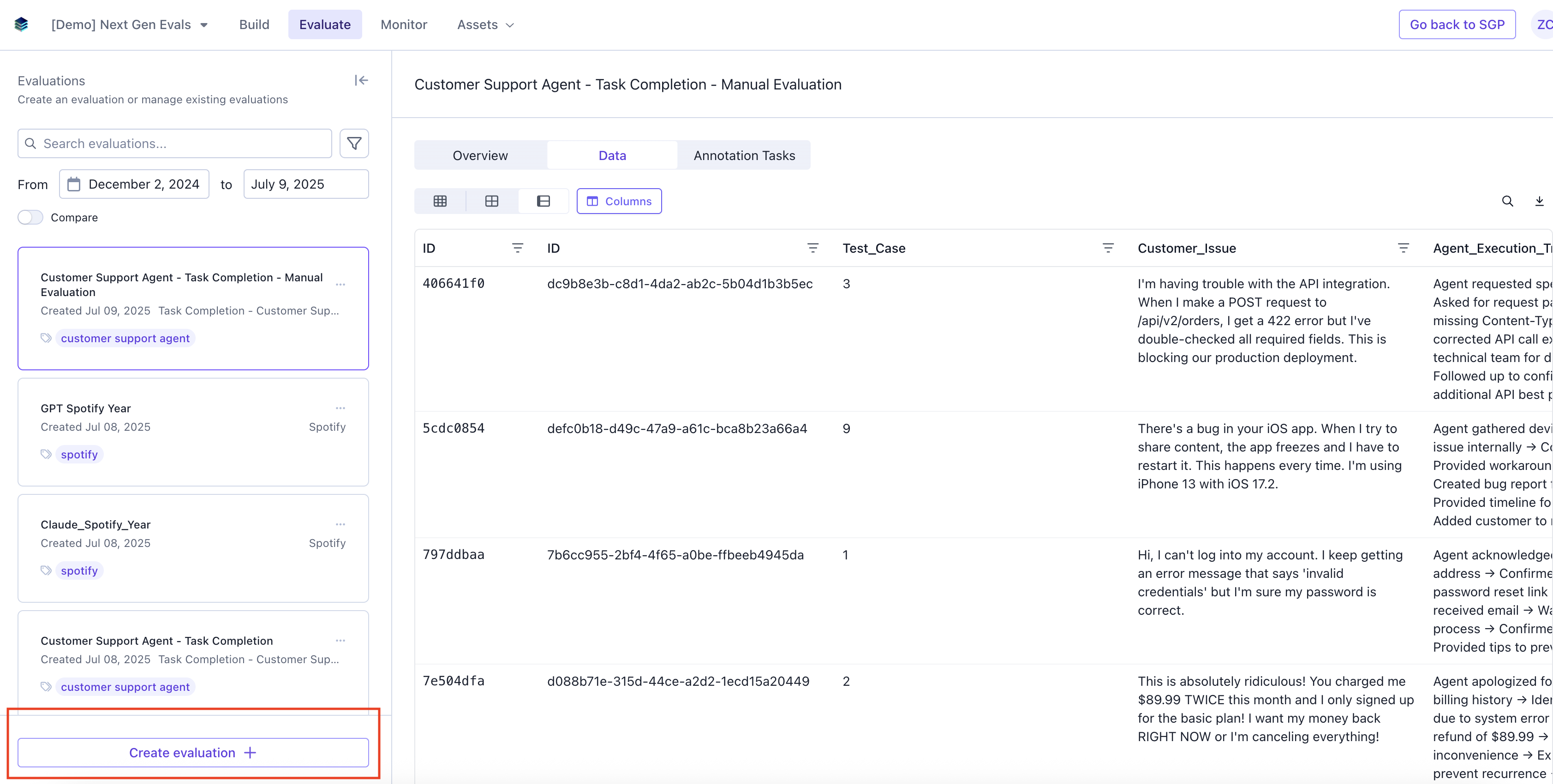
### Navigate to the Evaluate tab and click "Create evaluation".
 ### Add Evaluation Details
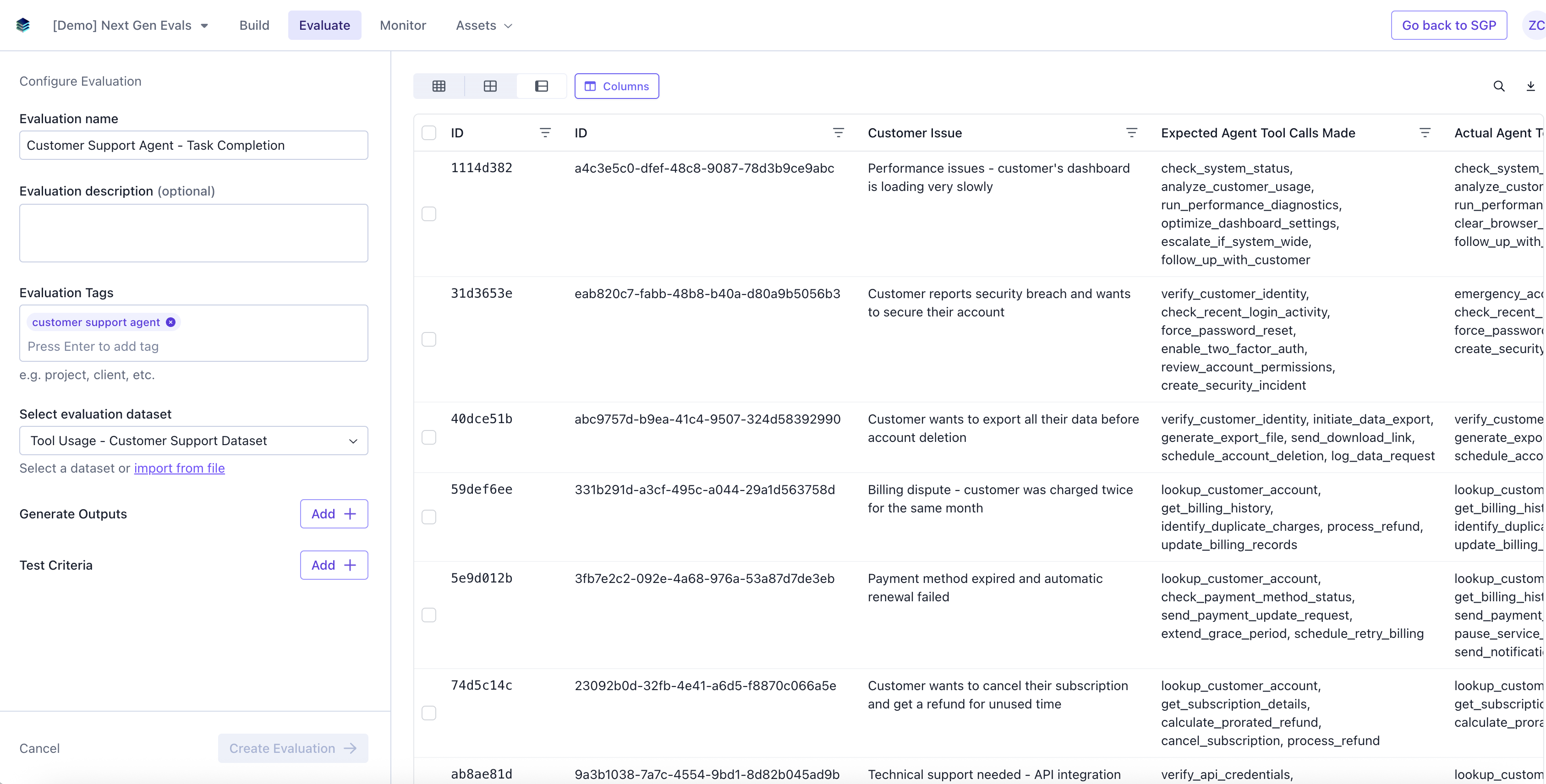
Add in Evaluation name, description (optional), tags (optional), and select a dataset.
### Add Evaluation Details
Add in Evaluation name, description (optional), tags (optional), and select a dataset.
 ### Add Contributor Evaluation
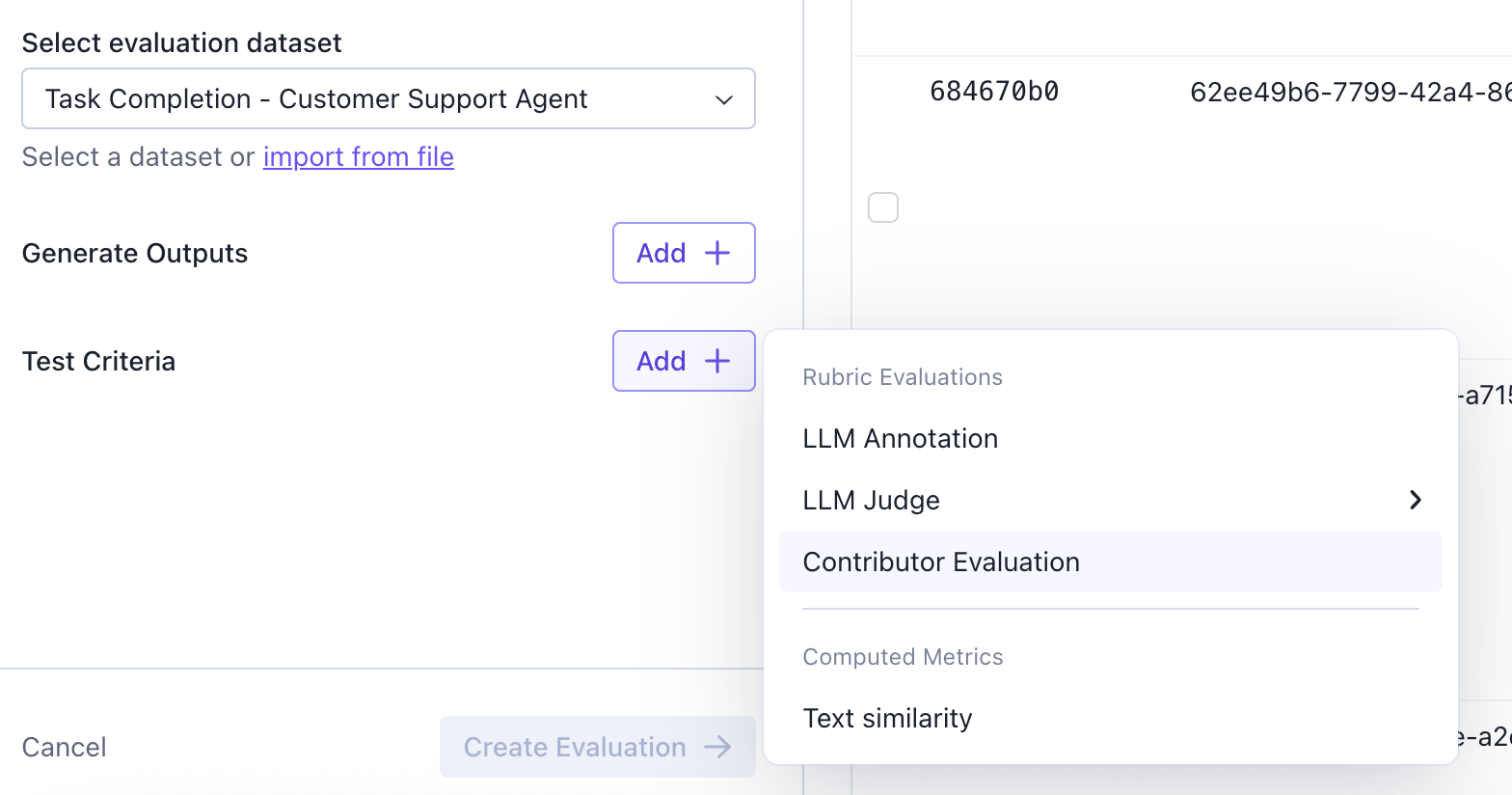
Contributor Evaluation lets you set up an evaluation that is labeled by humans.
### Add Contributor Evaluation
Contributor Evaluation lets you set up an evaluation that is labeled by humans.
 ### Configure Contributor Evaluation
Configure the contributor Evaluation.
#### Annotation Layout configuration
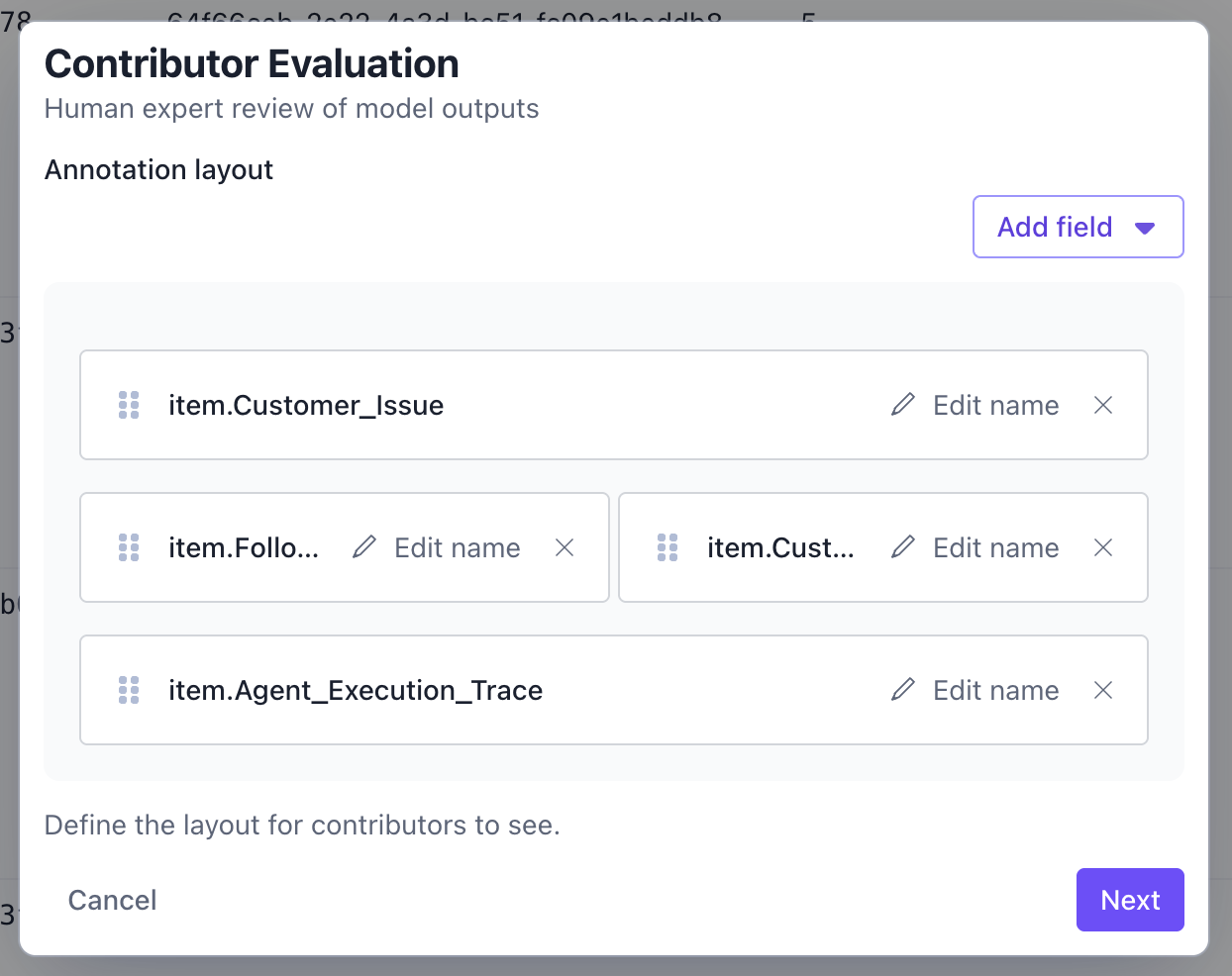
The first step is to configure the data pieces that your contributors will see. You can select which columns you want the data to appear, and you can also configure how the data in the columns will show up.
### Configure Contributor Evaluation
Configure the contributor Evaluation.
#### Annotation Layout configuration
The first step is to configure the data pieces that your contributors will see. You can select which columns you want the data to appear, and you can also configure how the data in the columns will show up.
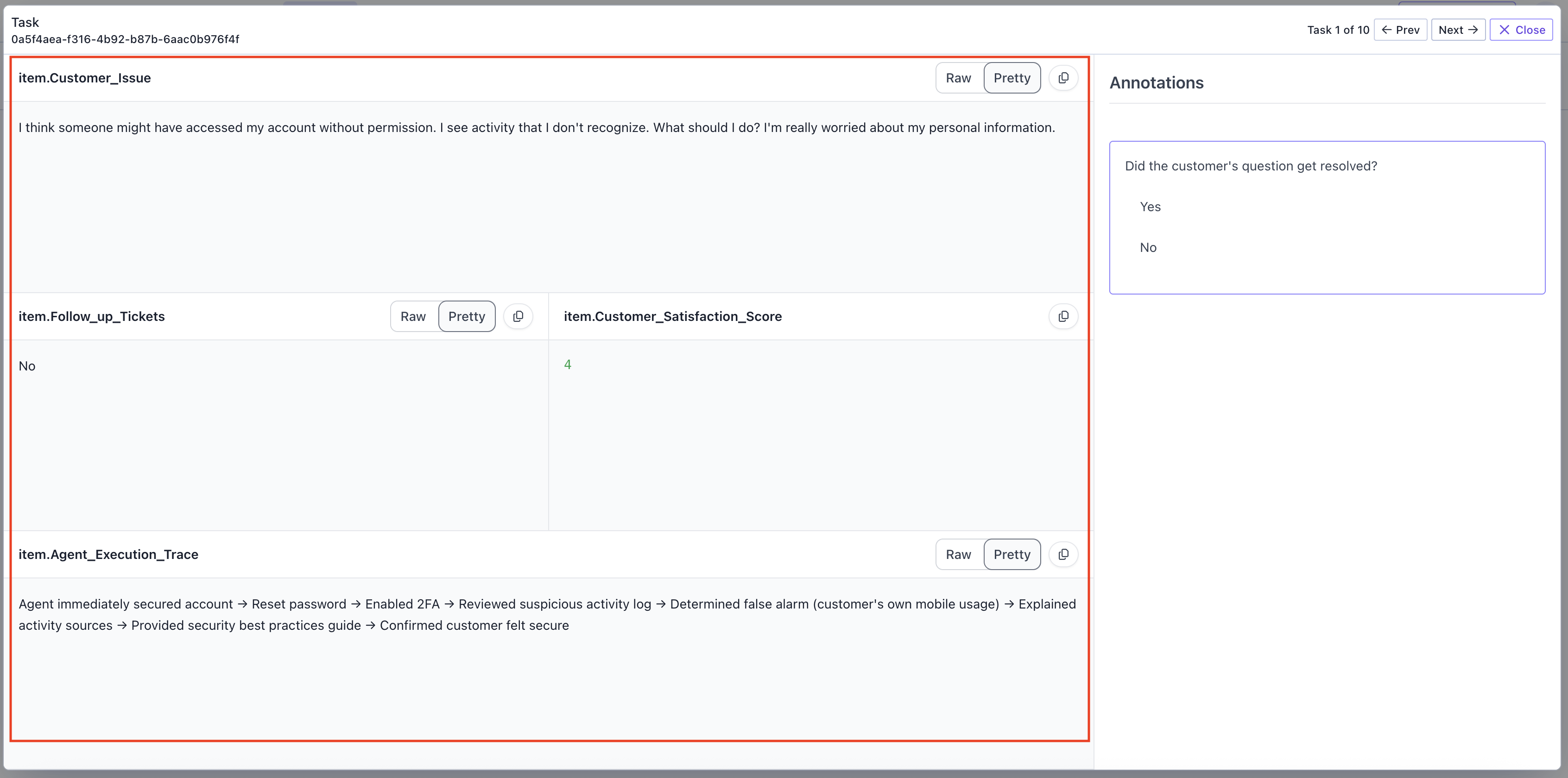
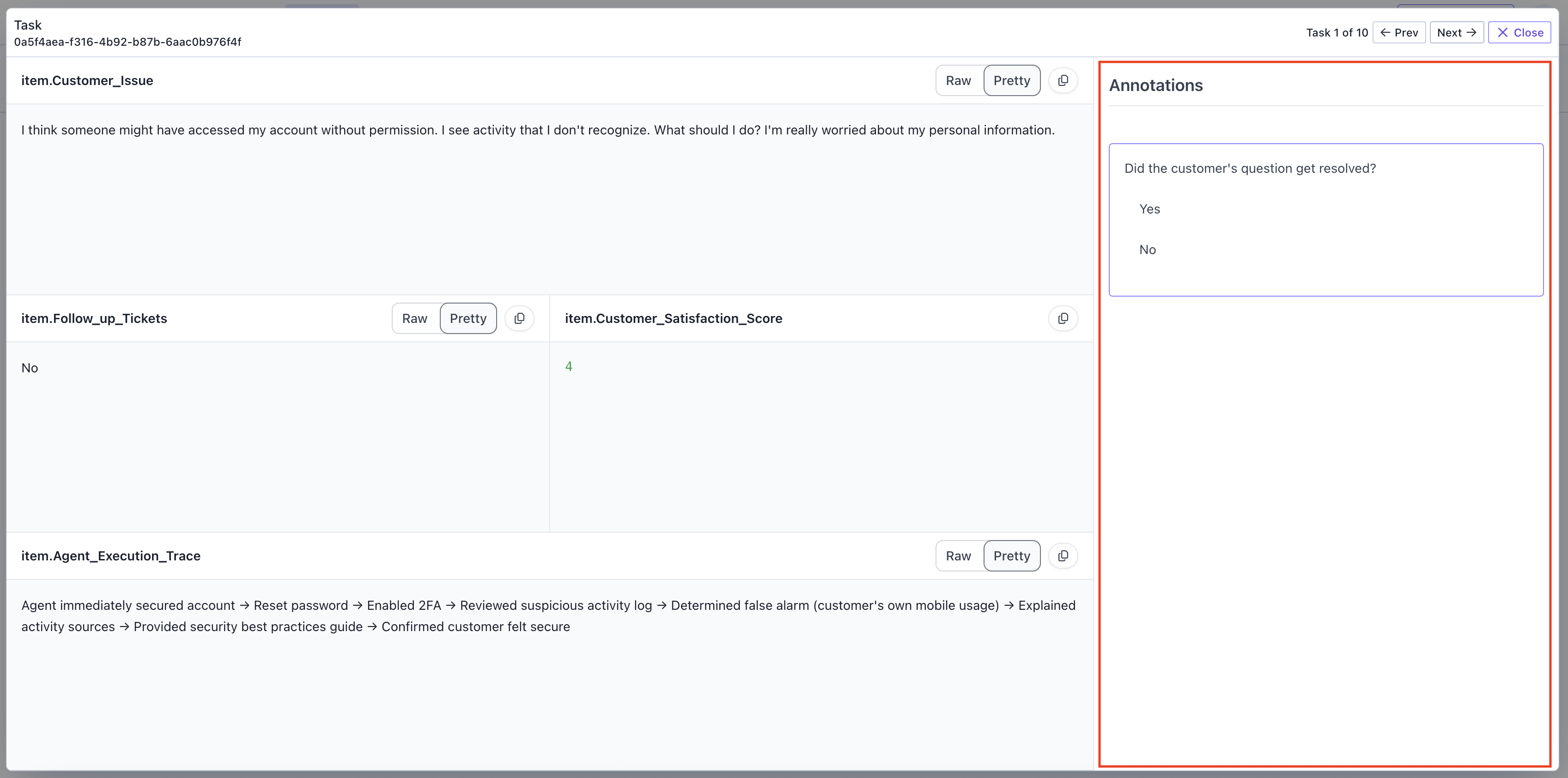
For example, for this configuration:
Annotators will see this layout when they label.
 #### Select Questions
Next, select the questions you want your contributor to answer. You can select a pre-existing question, or you can add a new one in this workflow.
#### Select Questions
Next, select the questions you want your contributor to answer. You can select a pre-existing question, or you can add a new one in this workflow.
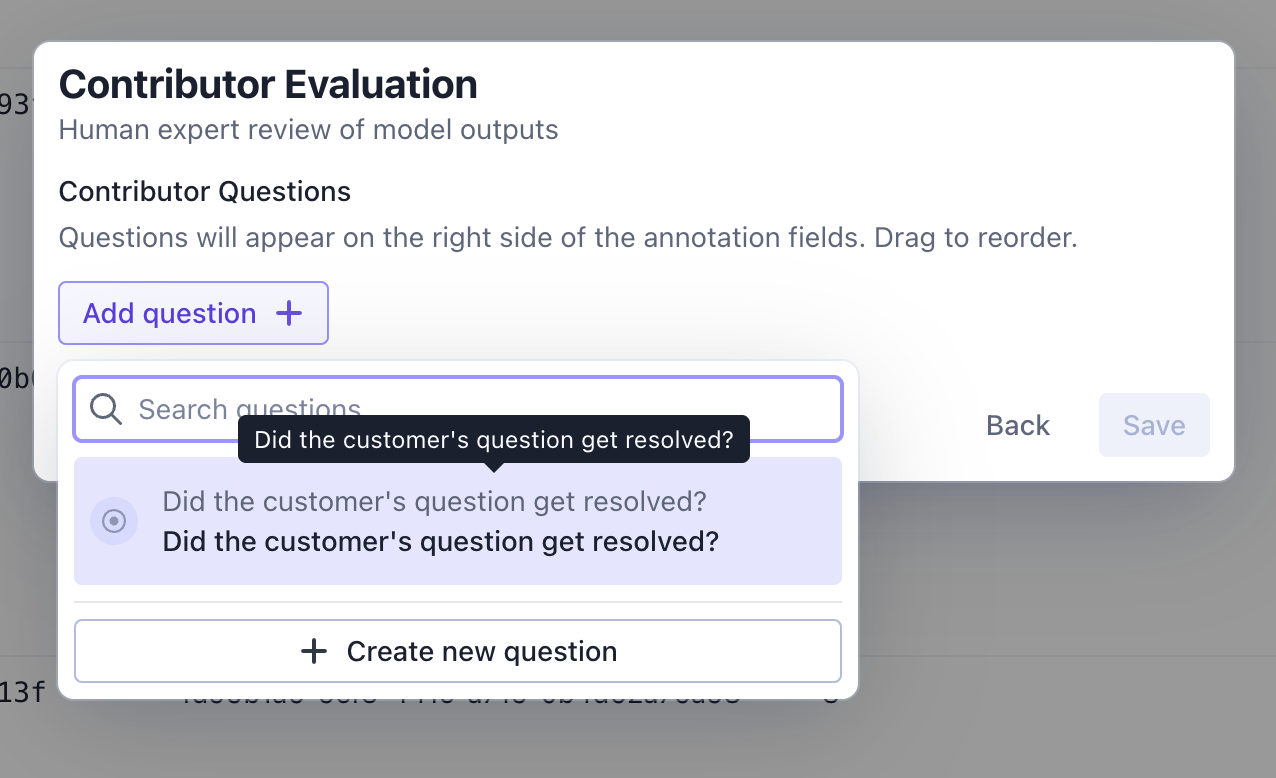
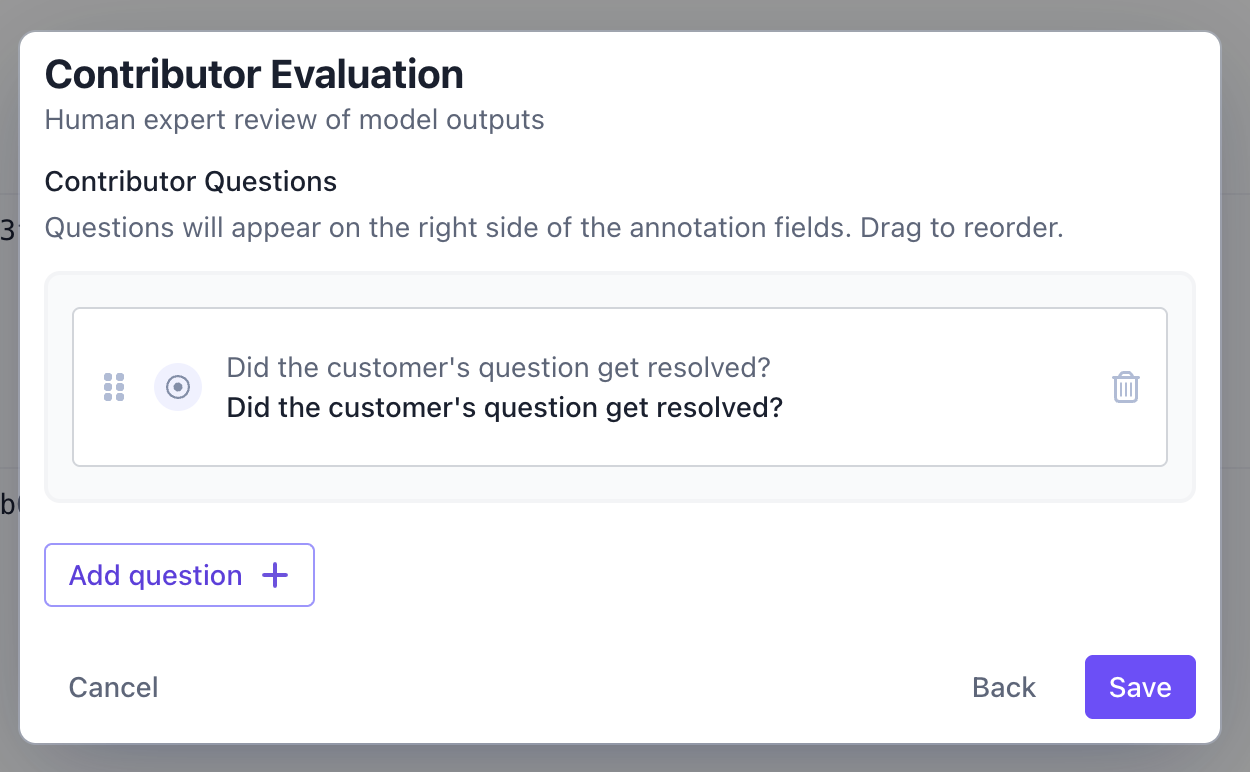
The questions that you select will show up in the right hand side of the data the contributors will see.
 ### Create Evaluation
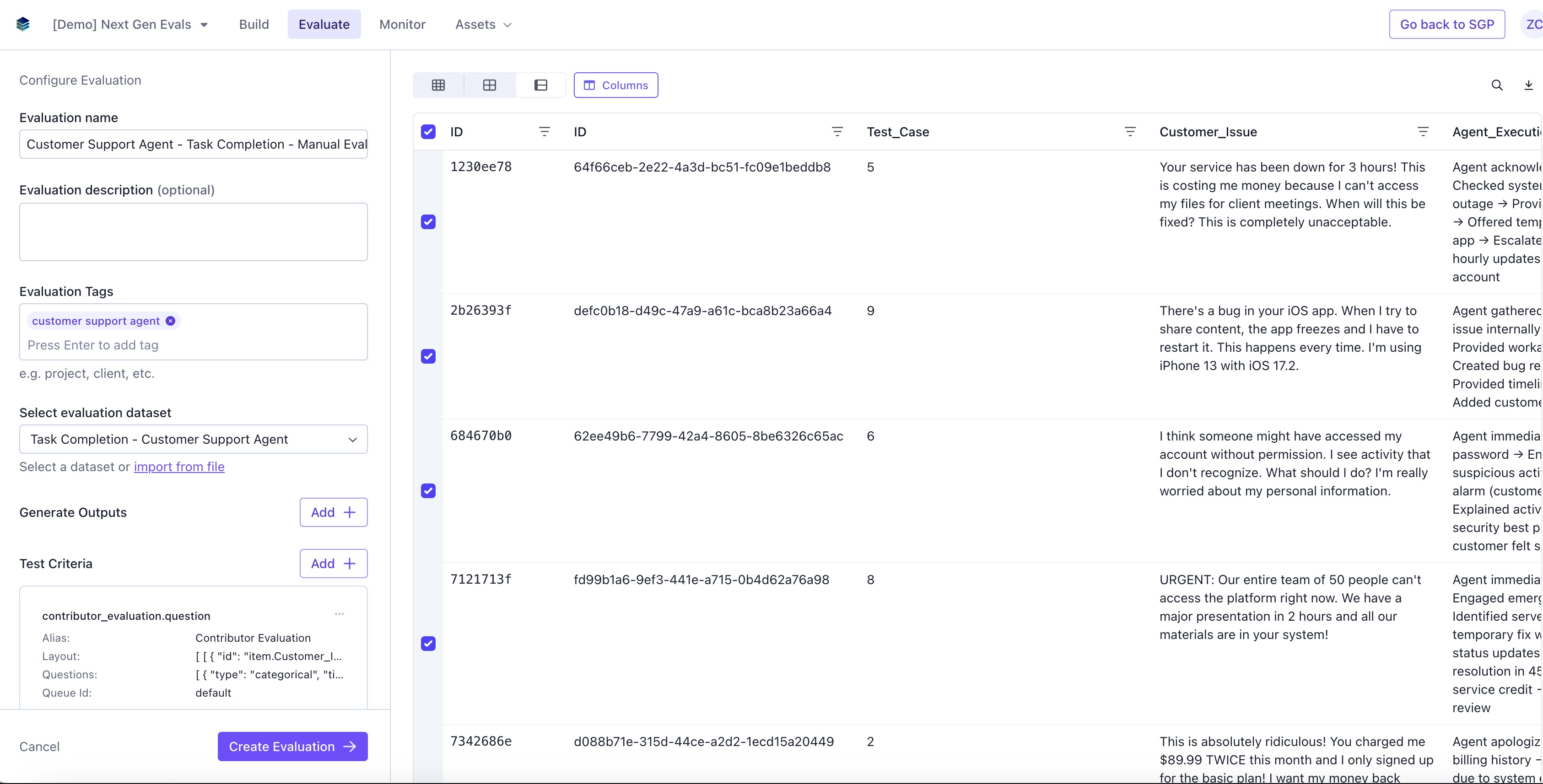
Select the rows on the dataset you want to run the evaluation, and click **Create Evaluation**.
### Create Evaluation
Select the rows on the dataset you want to run the evaluation, and click **Create Evaluation**.
 ### Annotate evaluations
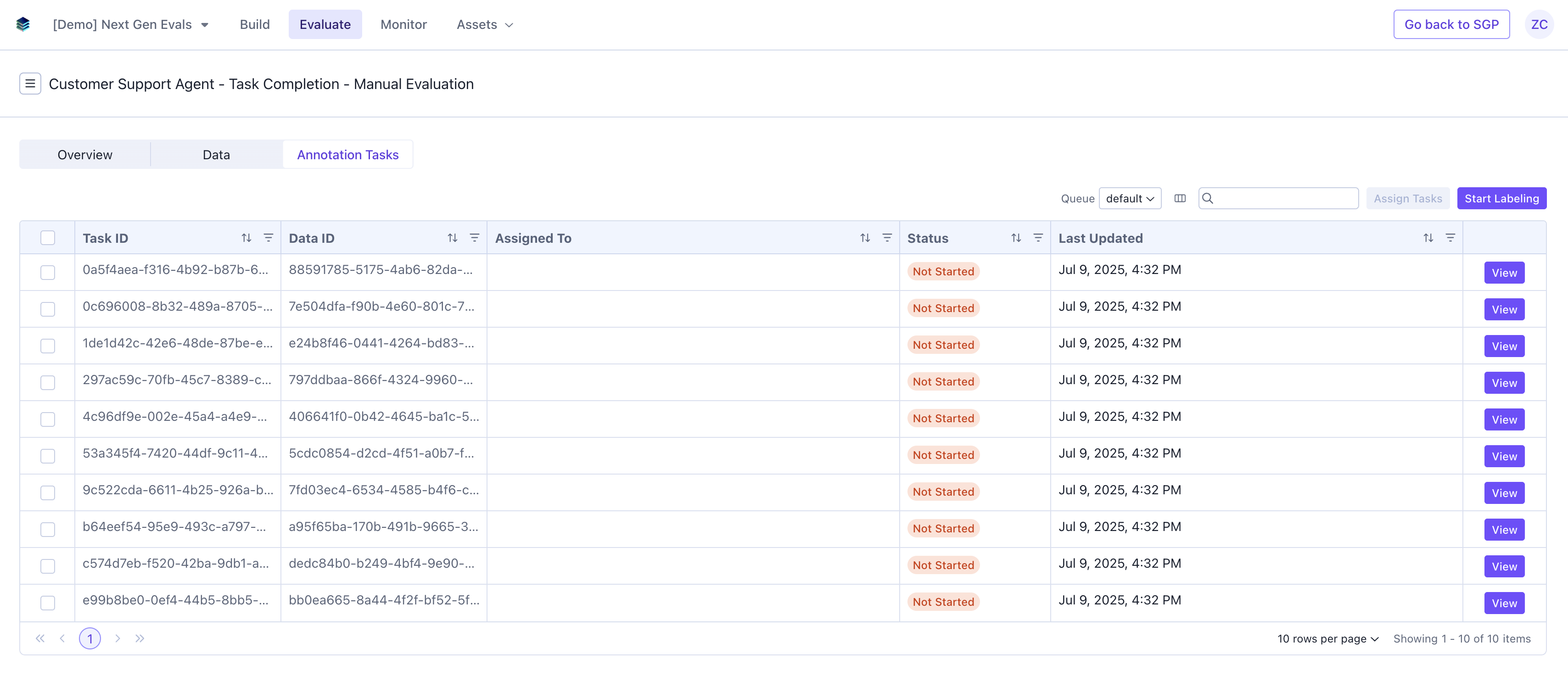
When you create an annotation, you can now navigate to that evaluation and see the a tab for **Annotation Tasks**. You or assigned labelers can now start labeling these tasks.
### Annotate evaluations
When you create an annotation, you can now navigate to that evaluation and see the a tab for **Annotation Tasks**. You or assigned labelers can now start labeling these tasks.
 ## View Evaluation Results
### Completed annotations.
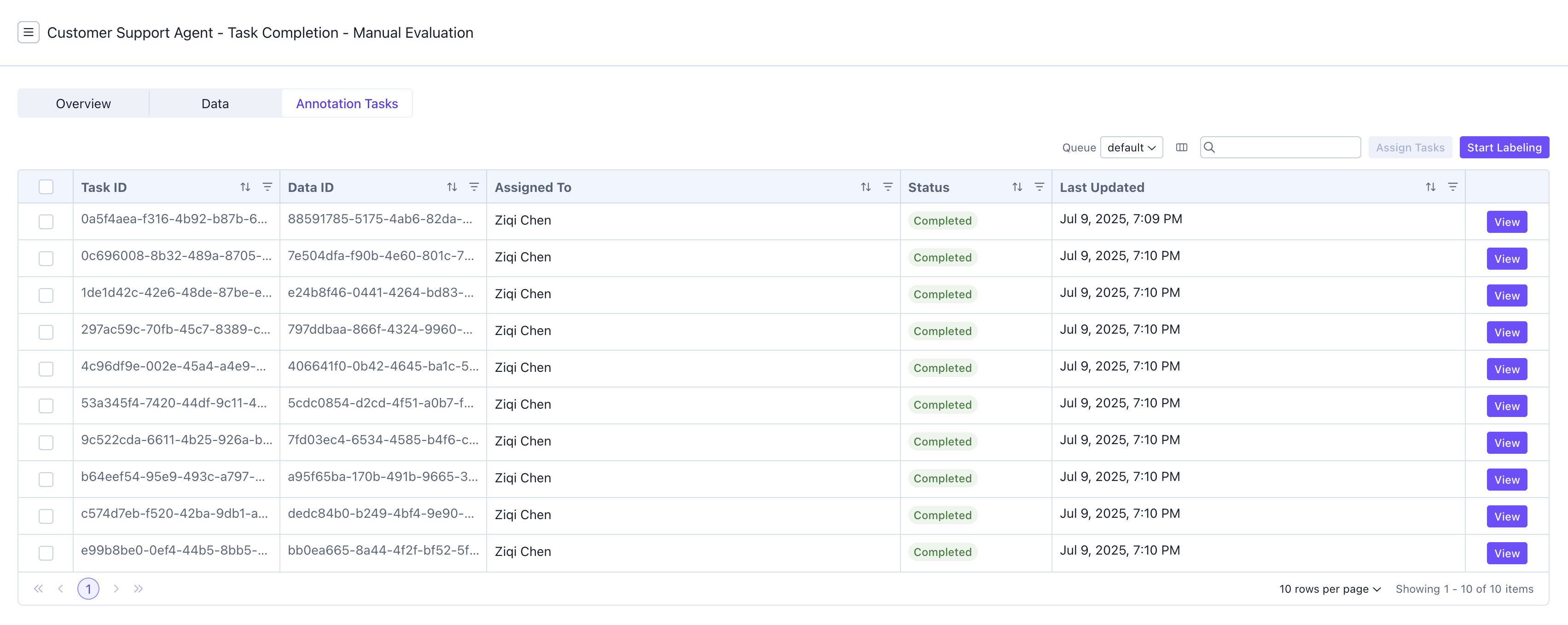
After all the tasks have been annotated, the tasks will show up as completed on the annotation tasks table.
## View Evaluation Results
### Completed annotations.
After all the tasks have been annotated, the tasks will show up as completed on the annotation tasks table.
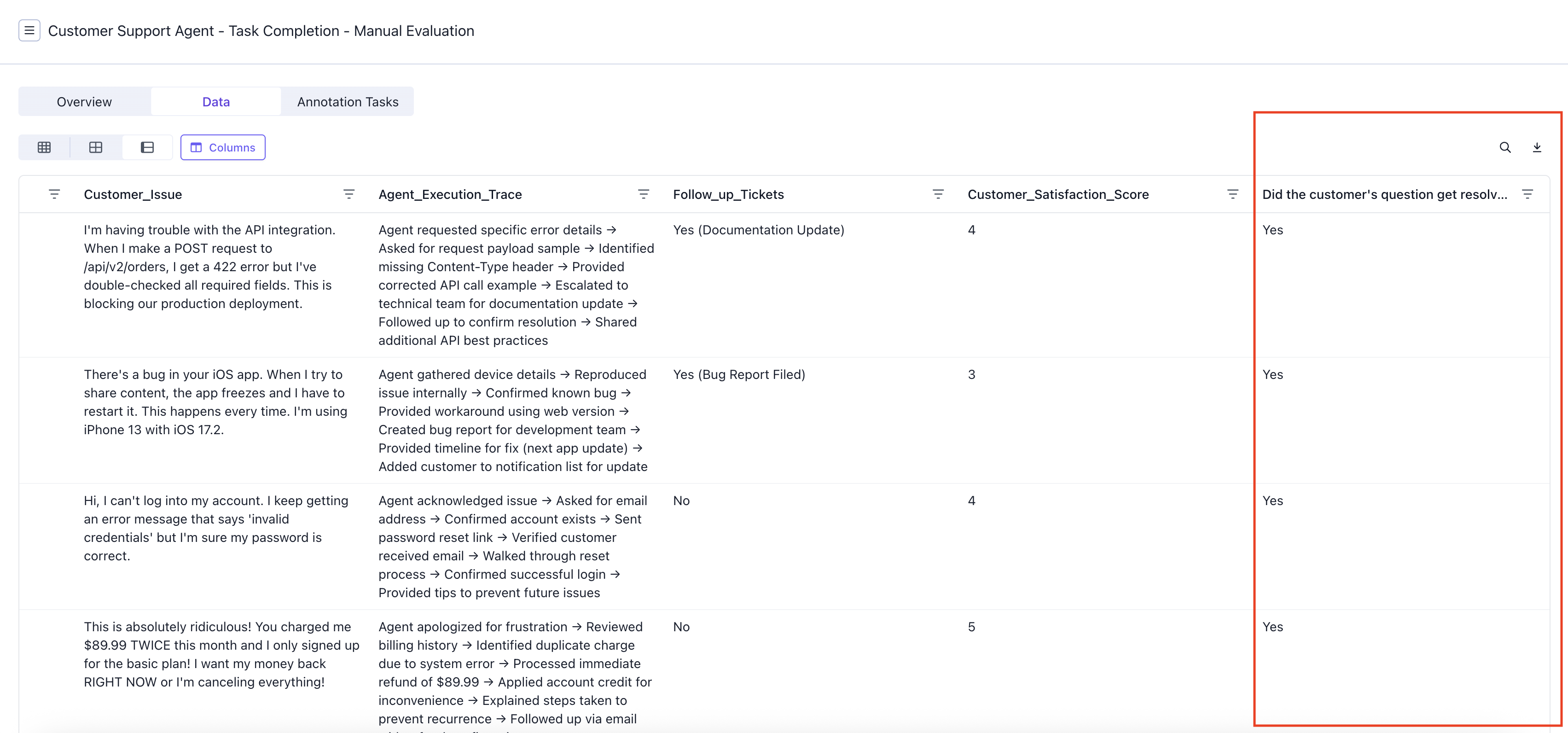
 ### Data
The results will show up as a one column for each question on the data table.
### Data
The results will show up as a one column for each question on the data table.
 ### Overview
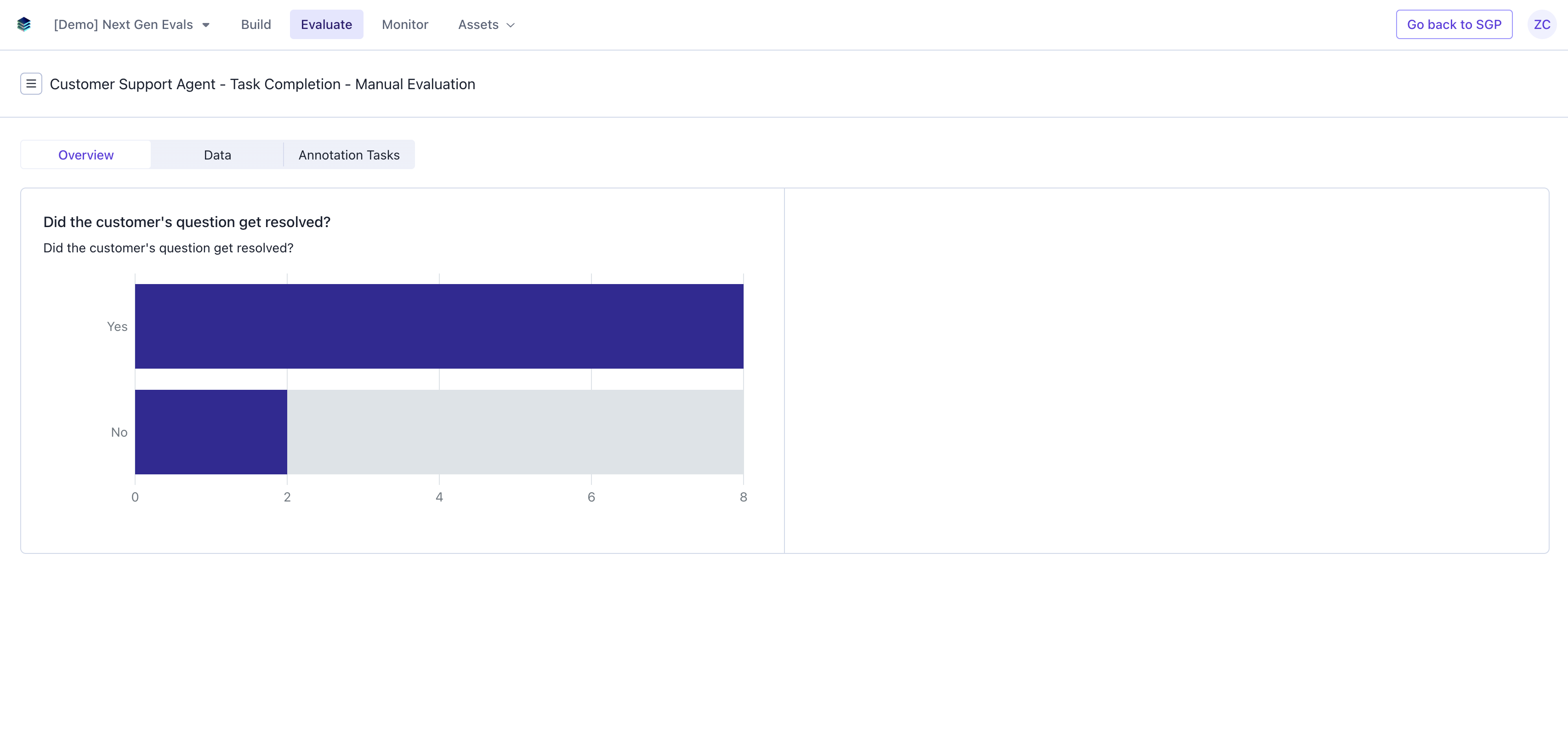
The results will also show up as a graph with the visual representation of the evaluation result on the overview page.
### Overview
The results will also show up as a graph with the visual representation of the evaluation result on the overview page.