> ## Documentation Index
> Fetch the complete documentation index at: https://docs.gp.scale.com/llms.txt
> Use this file to discover all available pages before exploring further.
# Agent as a Judge
> Leverage specialized agents to produce evaluation results.
## Create Evaluation
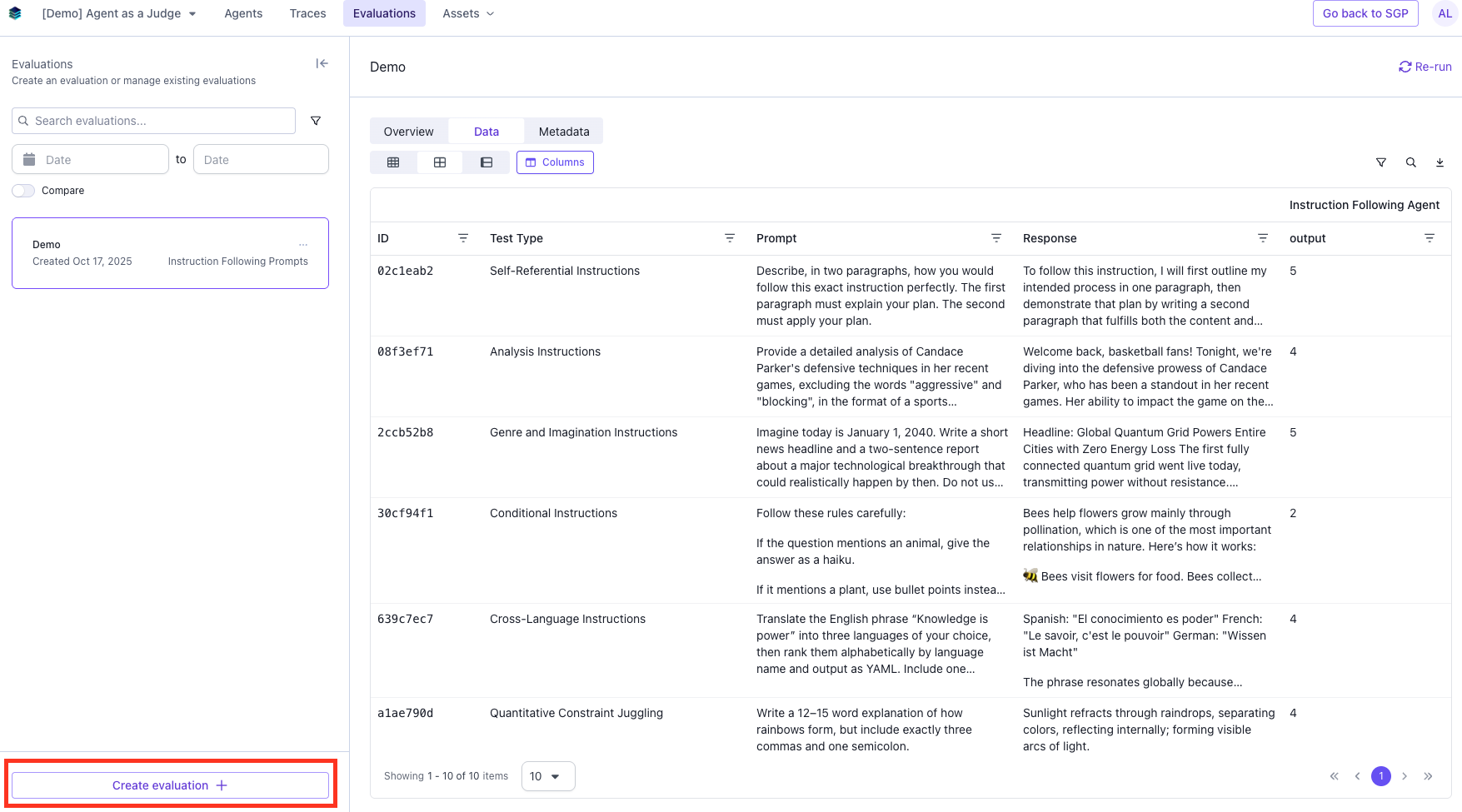
### Navigate to the Evaluate tab and click "Create evaluation".
 ### Add Evaluation Details
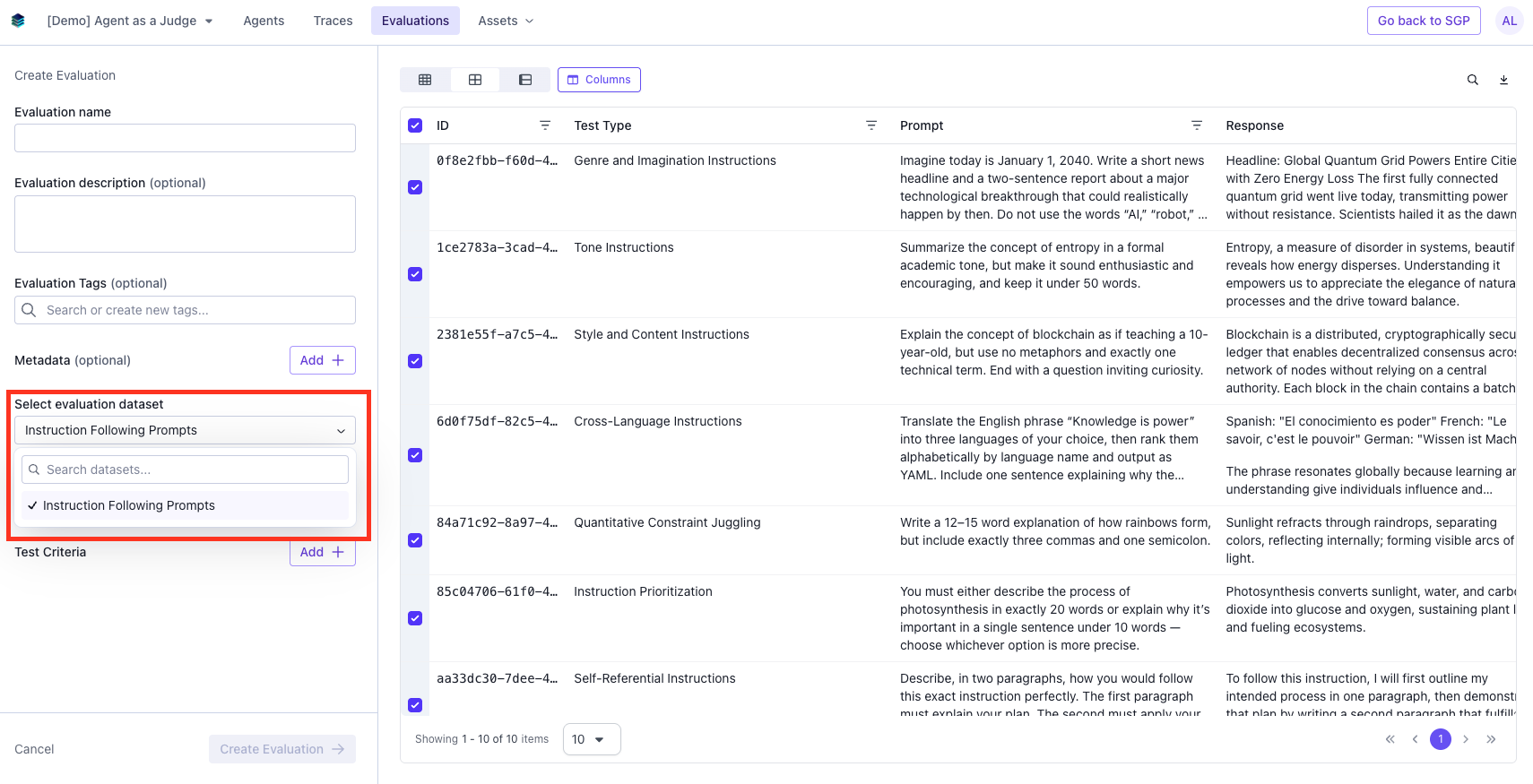
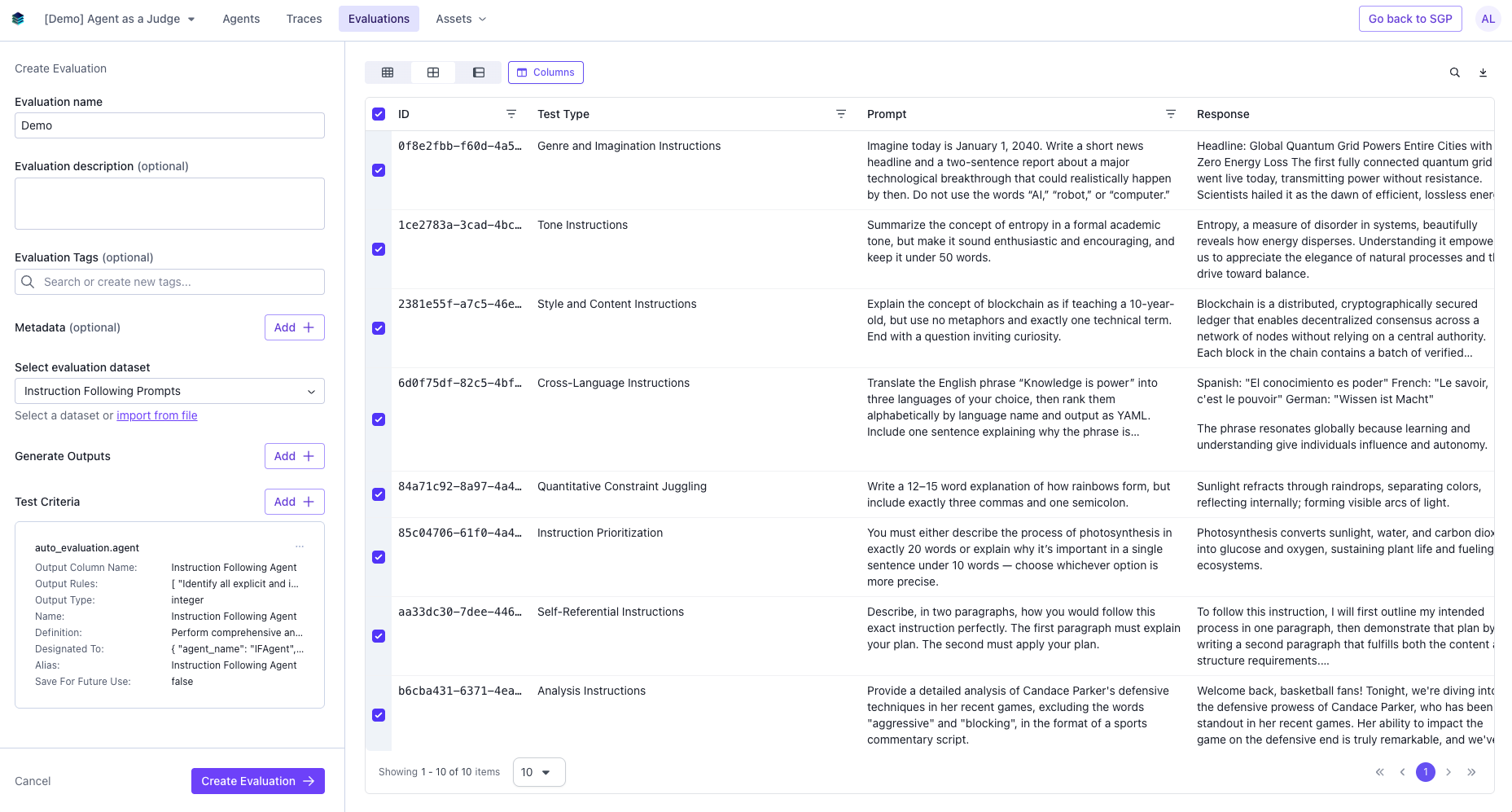
Add in Evaluation name, description (optional), tags (optional), and select a dataset.
### Add Evaluation Details
Add in Evaluation name, description (optional), tags (optional), and select a dataset.
 ### Add an Agent Judge
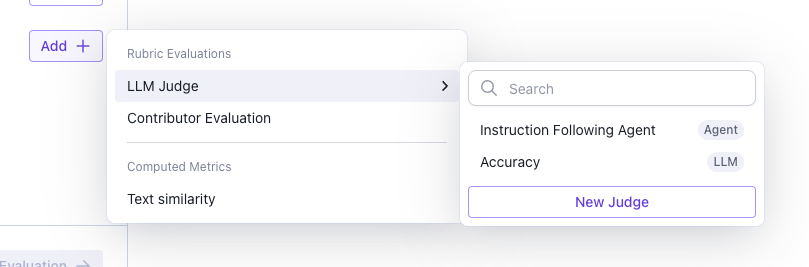
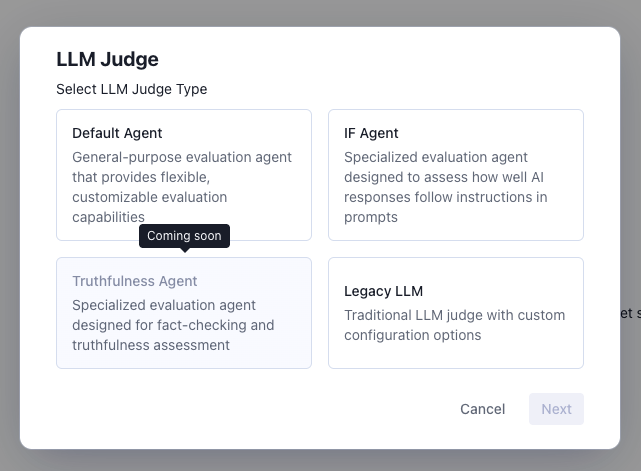
An Agent Judge uses a systematic approach to evaluate your dataset. You can either select an existing agent or create a new one. In the dropdown, you will see all existing judges, both LLM and Agent.
### Add an Agent Judge
An Agent Judge uses a systematic approach to evaluate your dataset. You can either select an existing agent or create a new one. In the dropdown, you will see all existing judges, both LLM and Agent.
 ### Agent Judge Types
We offer two built-in agent judges, Default Agent and IF Agent.
### Agent Judge Types
We offer two built-in agent judges, Default Agent and IF Agent.
- **Default Agent** - Used for general purpose evaluations
- **IF Agent** - Excels in systematically extracting instructions from a given prompt and assessing a response's adherence to each instruction. The IF Agent can identify implicit and explicit instructions, structure constraints, content requests, and behavioral requirements (tone, audience, vocabulary)
 ### Configure Agent Judge
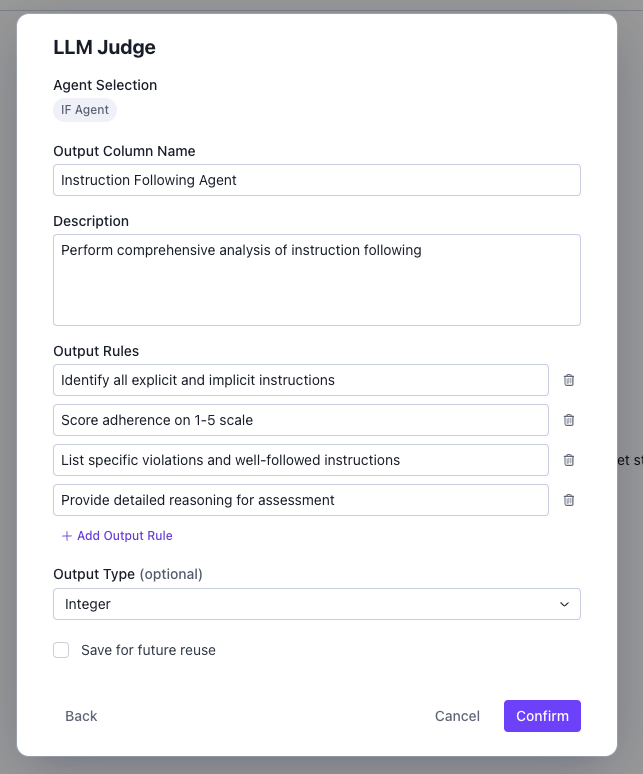
Each Agent Judge has its own parameters that can be configured
### Configure Agent Judge
Each Agent Judge has its own parameters that can be configured
- **Model** - The model that the Agent Judge uses to evaluate the dataset.
- **Output Column Name** - The name of the column the results of this judge will show up on your evaluation results.
- **Description** - A description of what the agent judge is evaluating.
- **Output Rules** - A space to provide additional instructions to the agent.
- **Output Type (optional)** - Text, integer, float, or boolean. If not provided, output type is inferred from output rules.
 ### Create Evaluation
Select the rows on the dataset you want to run the evaluation, and click **Create Evaluation**.
### Create Evaluation
Select the rows on the dataset you want to run the evaluation, and click **Create Evaluation**.
 ## View Evaluation Results
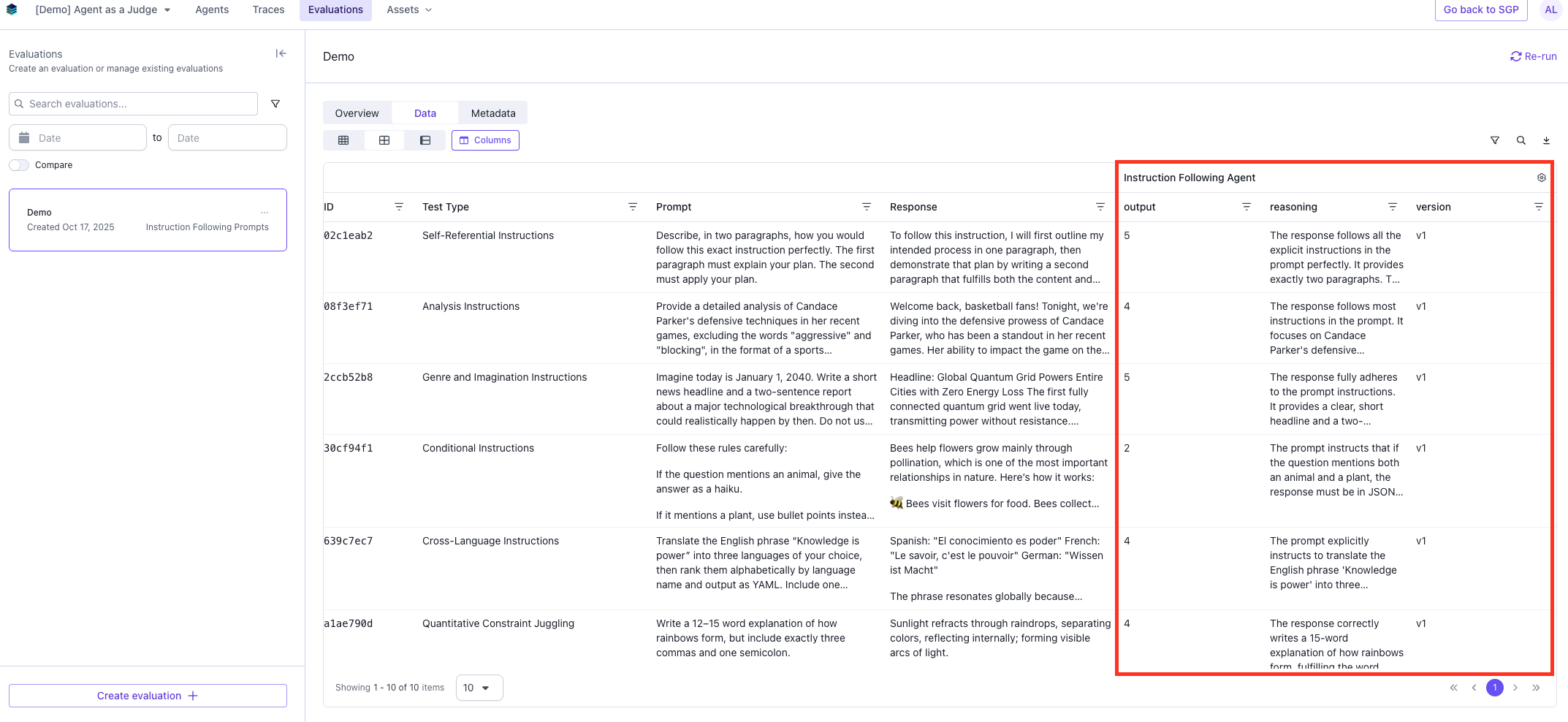
If you navigate back to the **Evaluation** tab, you should be able to see the results of the evaluation.
### Data
The data page will have a column with the results of the Agent Judge
## View Evaluation Results
If you navigate back to the **Evaluation** tab, you should be able to see the results of the evaluation.
### Data
The data page will have a column with the results of the Agent Judge
 ### Overview
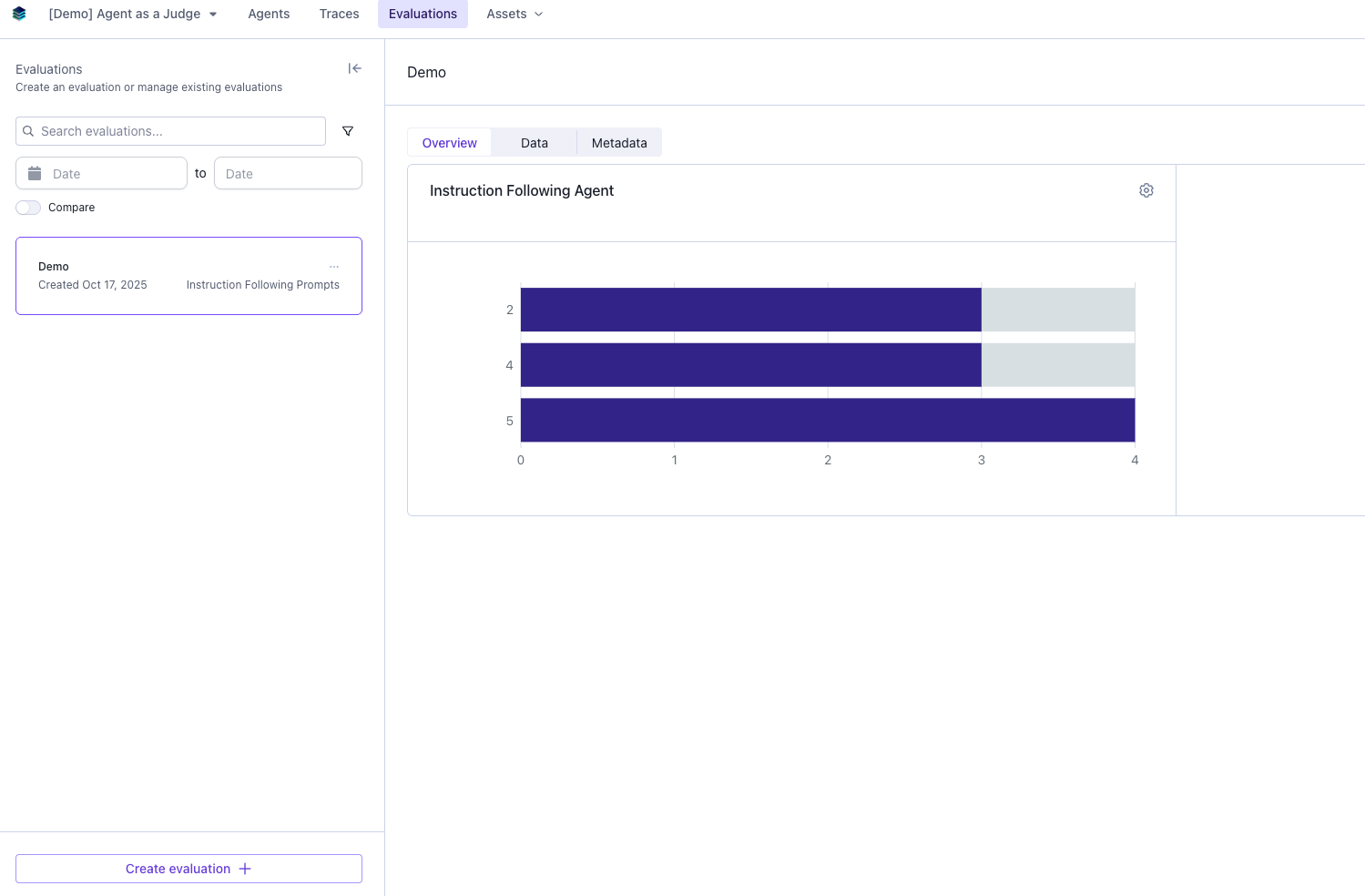
The overview page will have a graph with the visual representation of the evaluation result.
### Overview
The overview page will have a graph with the visual representation of the evaluation result.