> ## Documentation Index
> Fetch the complete documentation index at: https://docs.gp.scale.com/llms.txt
> Use this file to discover all available pages before exploring further.
# Agentex CI/CD
> Understand how to set up CI/CD for Agentex Agents
## Navigating to the Agentex CI/CD page
1. To view all Agentex agents in SGP navigate to the [agents page](https://egp.dashboard.scale.com/beta/build).
2. Click on an Agentex agent to navigate to the Agentex CI/CD page.
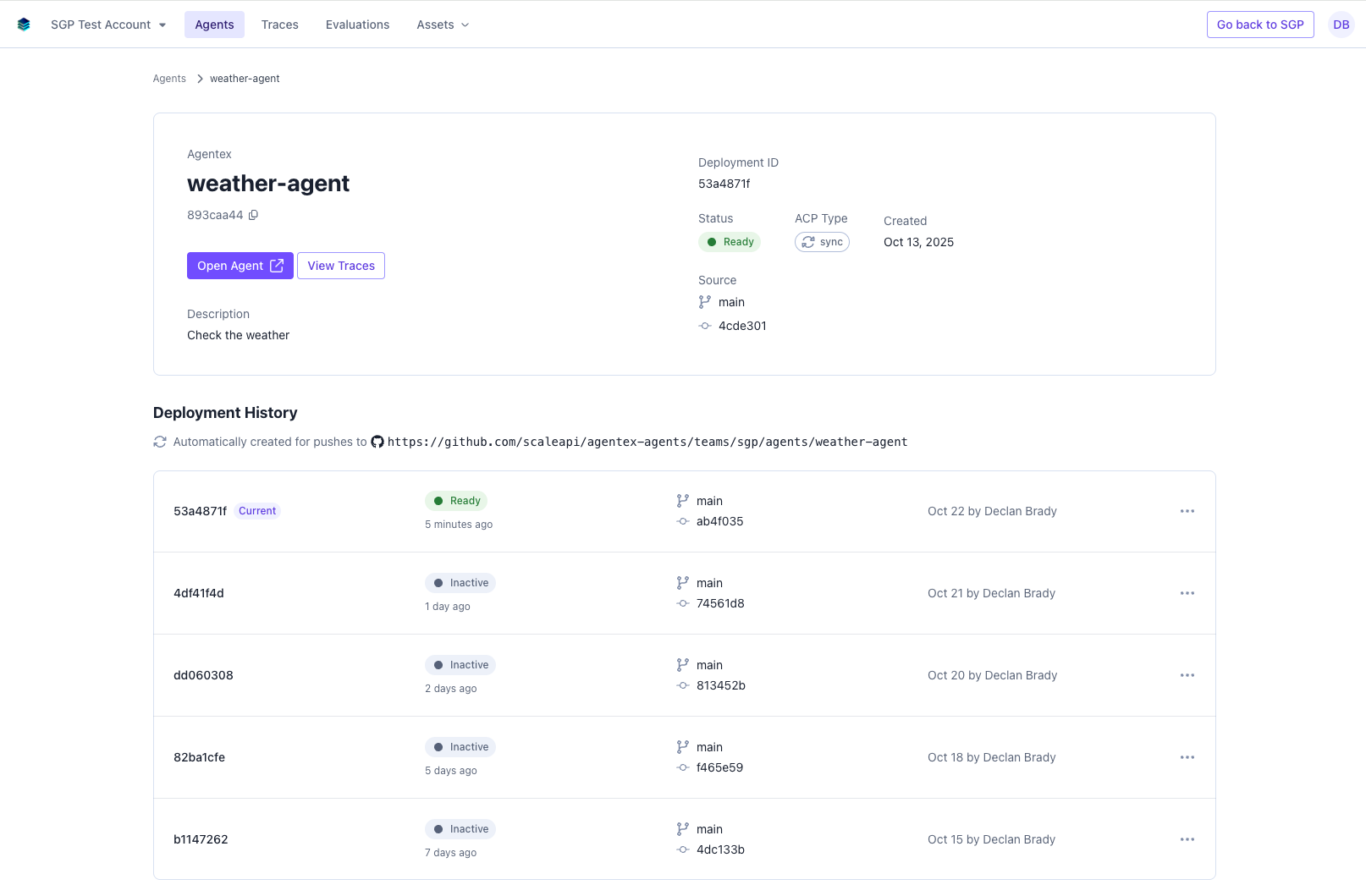 ## Agentex CI/CD functionality
From the Agentex CI/CD page you can:
* View the active version of the Agentex agent
* Open the agent chat interface
* Navigate to the agent's traces
* See the git commits corresponding to each agent deployment
## Agentex versioning
The active version of the Agentex agent is displayed at the top of the page. Agentex agents are automatically deployed when a change is merged into Github.
To create a new version of the Agentex agent, just push a new commit to Github and merge it into the main branch. After it's merged
you'll be able to see the new version deployed in SGP, as well as the commit hashes and the timestamp of the deployment.
## Agentex CI/CD functionality
From the Agentex CI/CD page you can:
* View the active version of the Agentex agent
* Open the agent chat interface
* Navigate to the agent's traces
* See the git commits corresponding to each agent deployment
## Agentex versioning
The active version of the Agentex agent is displayed at the top of the page. Agentex agents are automatically deployed when a change is merged into Github.
To create a new version of the Agentex agent, just push a new commit to Github and merge it into the main branch. After it's merged
you'll be able to see the new version deployed in SGP, as well as the commit hashes and the timestamp of the deployment.