> ## Documentation Index
> Fetch the complete documentation index at: https://docs.gp.scale.com/llms.txt
> Use this file to discover all available pages before exploring further.

# Interacting with an Application

> Once you have [deployed a variant](/docs/deploying-a-variant), you can interact with it as an application via the API endpoint or via a web application as shown below.

## Access the Application

Within the “Applications” tab, click on the application you would like to access.
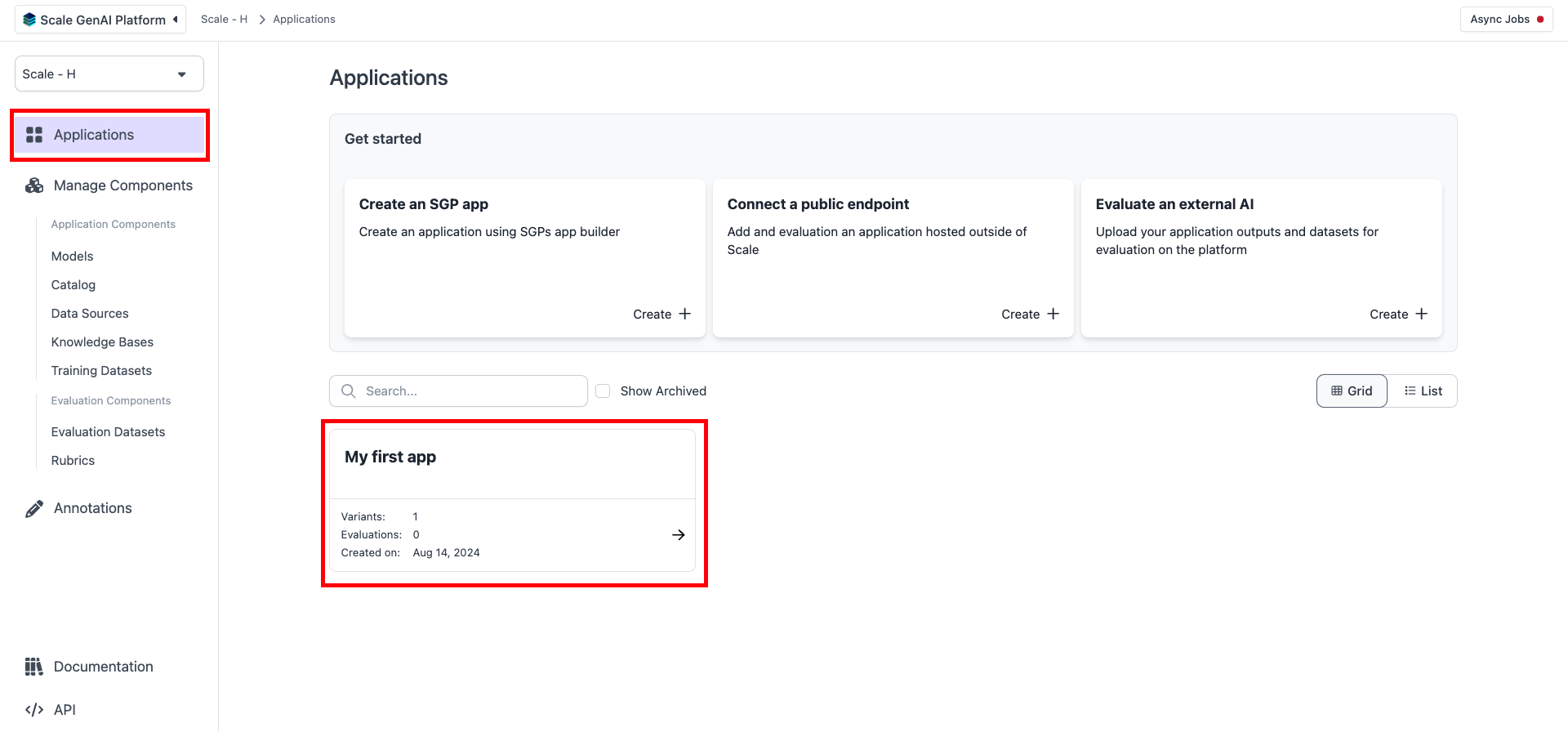
<Frame>
  <img src="https://mintcdn.com/scalegp/1vQnbXFkjbQbcgd1/images/4c70c6e-image.png?fit=max&auto=format&n=1vQnbXFkjbQbcgd1&q=85&s=d21732885ff007eebeca99ec8158d6f1" alt="Select Application" width="1920" height="896" data-path="images/4c70c6e-image.png" />
</Frame>

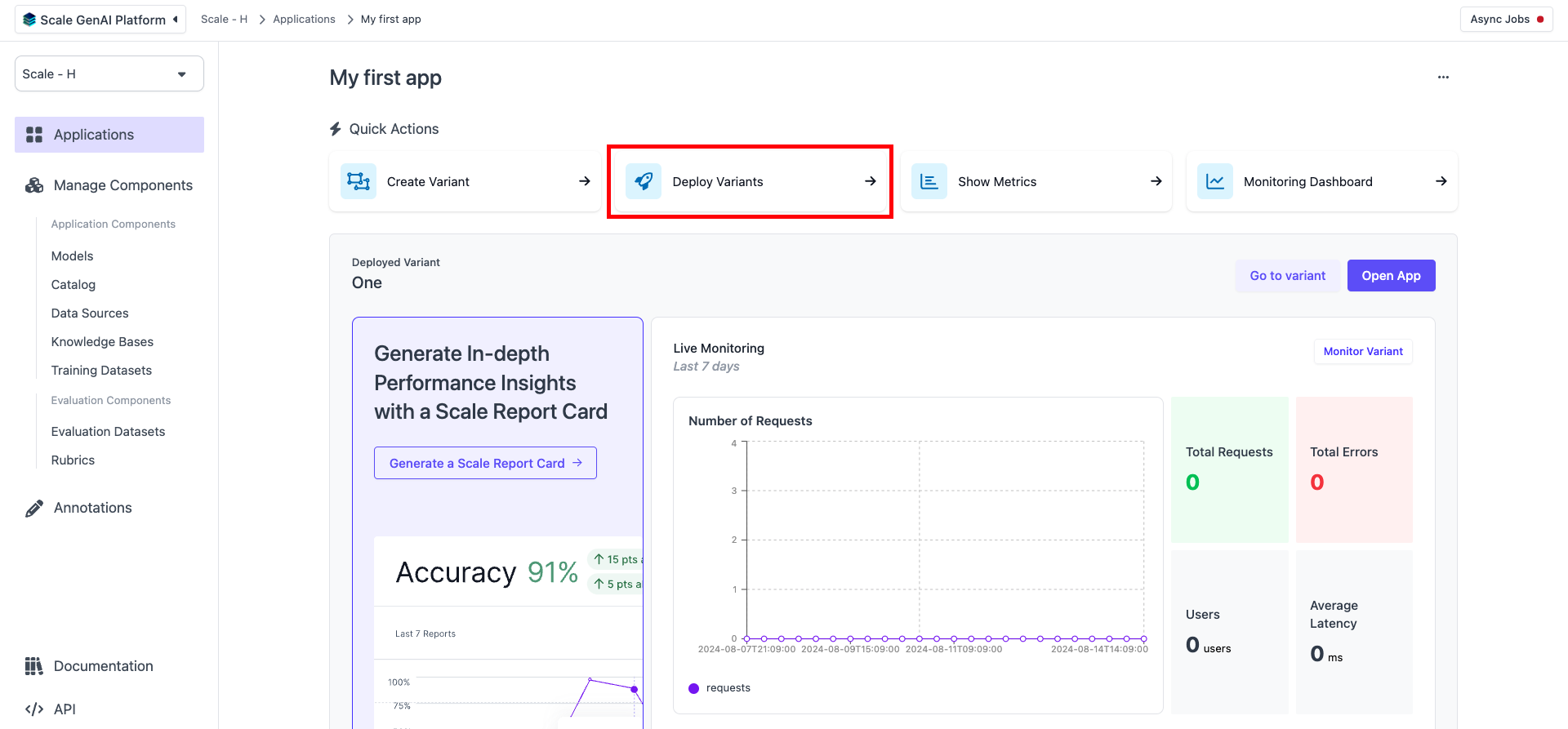
Click on “Deploy Variants”.

<Frame>
  <img src="https://mintcdn.com/scalegp/1vQnbXFkjbQbcgd1/images/647d9bc-image.png?fit=max&auto=format&n=1vQnbXFkjbQbcgd1&q=85&s=93a030b220989df817201c04613e5861" alt="Deploy Variants" width="1920" height="893" data-path="images/647d9bc-image.png" />
</Frame>

If you want to interact via the API endpoint, you can find the endpoint information at the bottom section of the page.
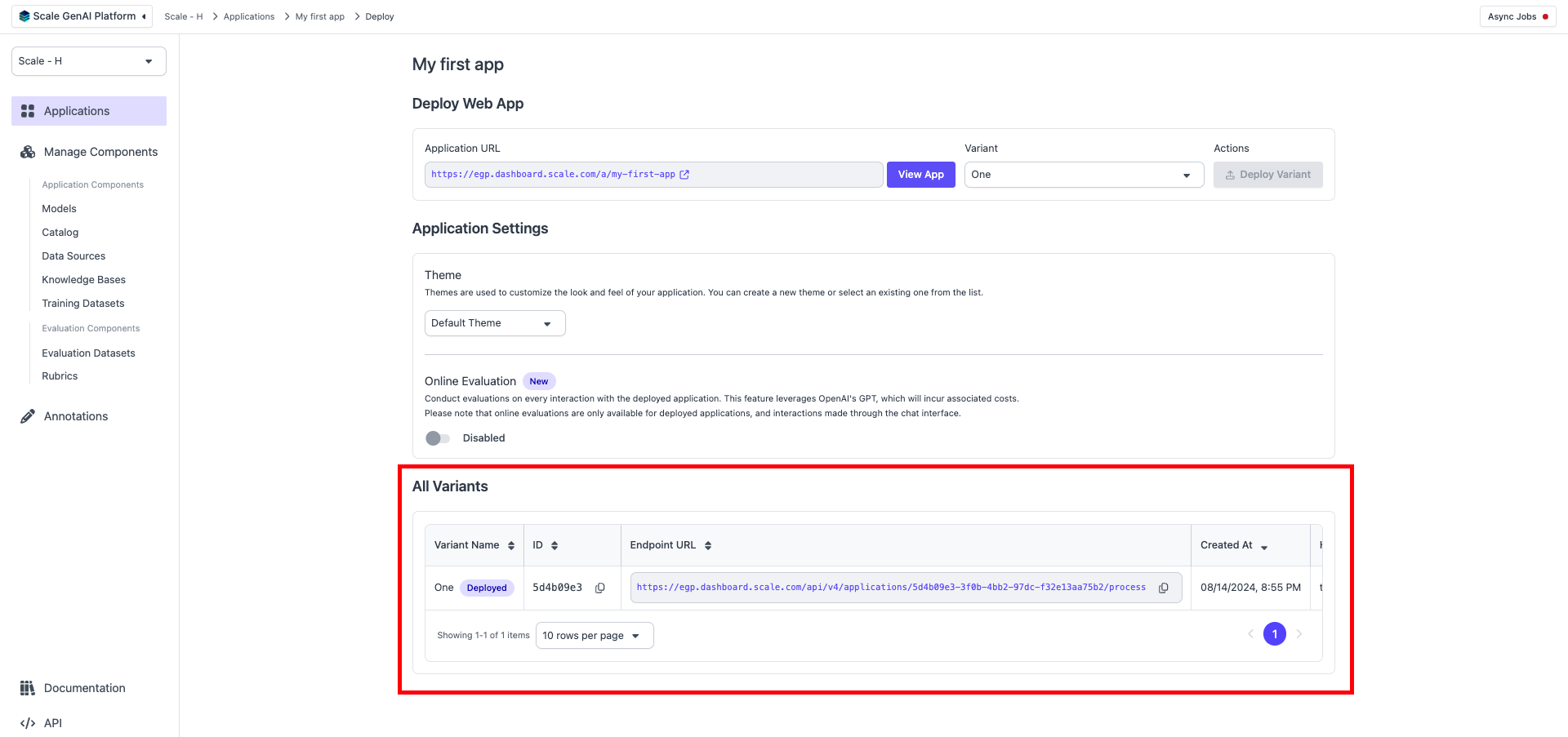
<Frame>
  <img src="https://mintcdn.com/scalegp/E4QRE88hrDqzkijh/images/dc1a85c-image.png?fit=max&auto=format&n=E4QRE88hrDqzkijh&q=85&s=d821bd8866df9900262ea846accdfd86" alt="API Endpoint Information" width="1920" height="903" data-path="images/dc1a85c-image.png" />
</Frame>

Otherwise, to interact via the web application, click on “View App” or the Application URL.
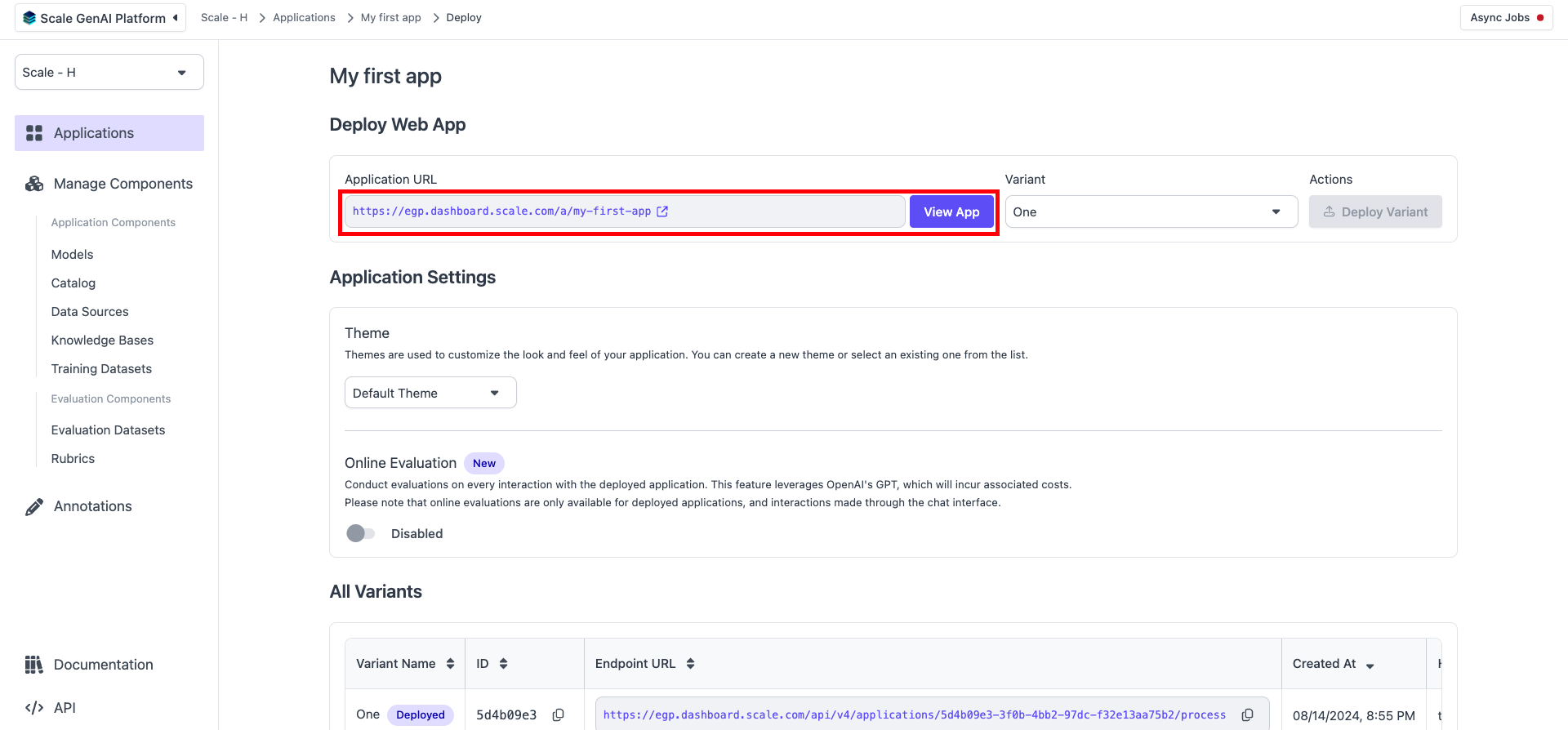
<Frame>
  <img src="https://mintcdn.com/scalegp/E4QRE88hrDqzkijh/images/dc2a9fa-image.png?fit=max&auto=format&n=E4QRE88hrDqzkijh&q=85&s=03e15911cf2e53b0ef89aeec21ac04f3" alt="View App" width="1920" height="894" data-path="images/dc2a9fa-image.png" />
</Frame>

Another tab will open with the Chat App.
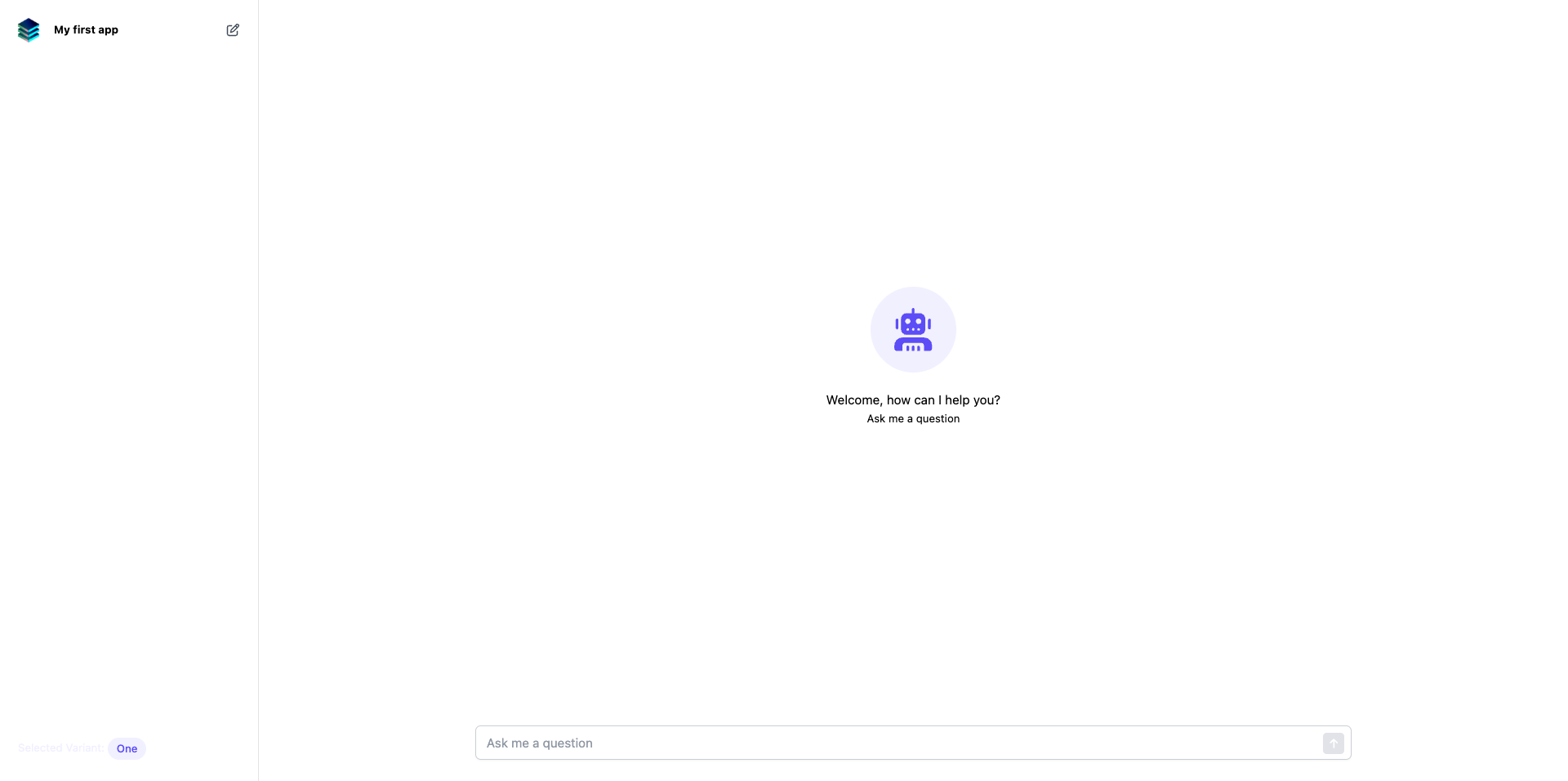
<Frame>
  <img src="https://mintcdn.com/scalegp/O7AaA_mlV2hrXLDS/images/8a94cfb-image.png?fit=max&auto=format&n=O7AaA_mlV2hrXLDS&q=85&s=215c0f71b83e24ceb011b57e95802c27" alt="Chat App" width="1920" height="956" data-path="images/8a94cfb-image.png" />
</Frame>

Now you can start interacting with the model from each application.

## Interact with the Application

Use the input field to enter your prompt/question.
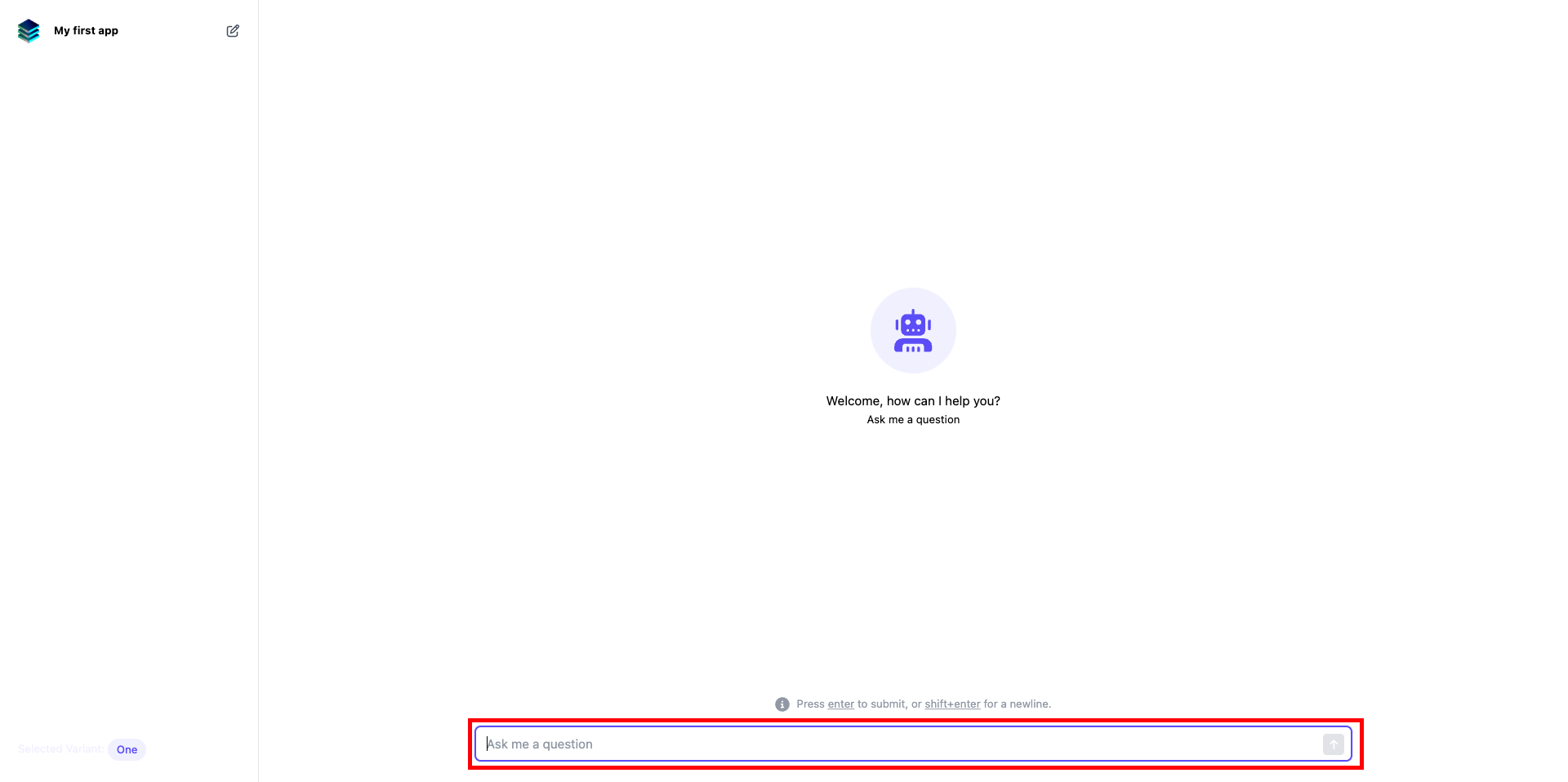
<Frame>
  <img src="https://mintcdn.com/scalegp/1vQnbXFkjbQbcgd1/images/30def09-image.png?fit=max&auto=format&n=1vQnbXFkjbQbcgd1&q=85&s=e0fa5dc937d68442396ca0dc3e27efb5" alt="Input Field" width="1920" height="957" data-path="images/30def09-image.png" />
</Frame>

Hover over an answer and click on the “Show contexts” icon to see the context used to generate the response.
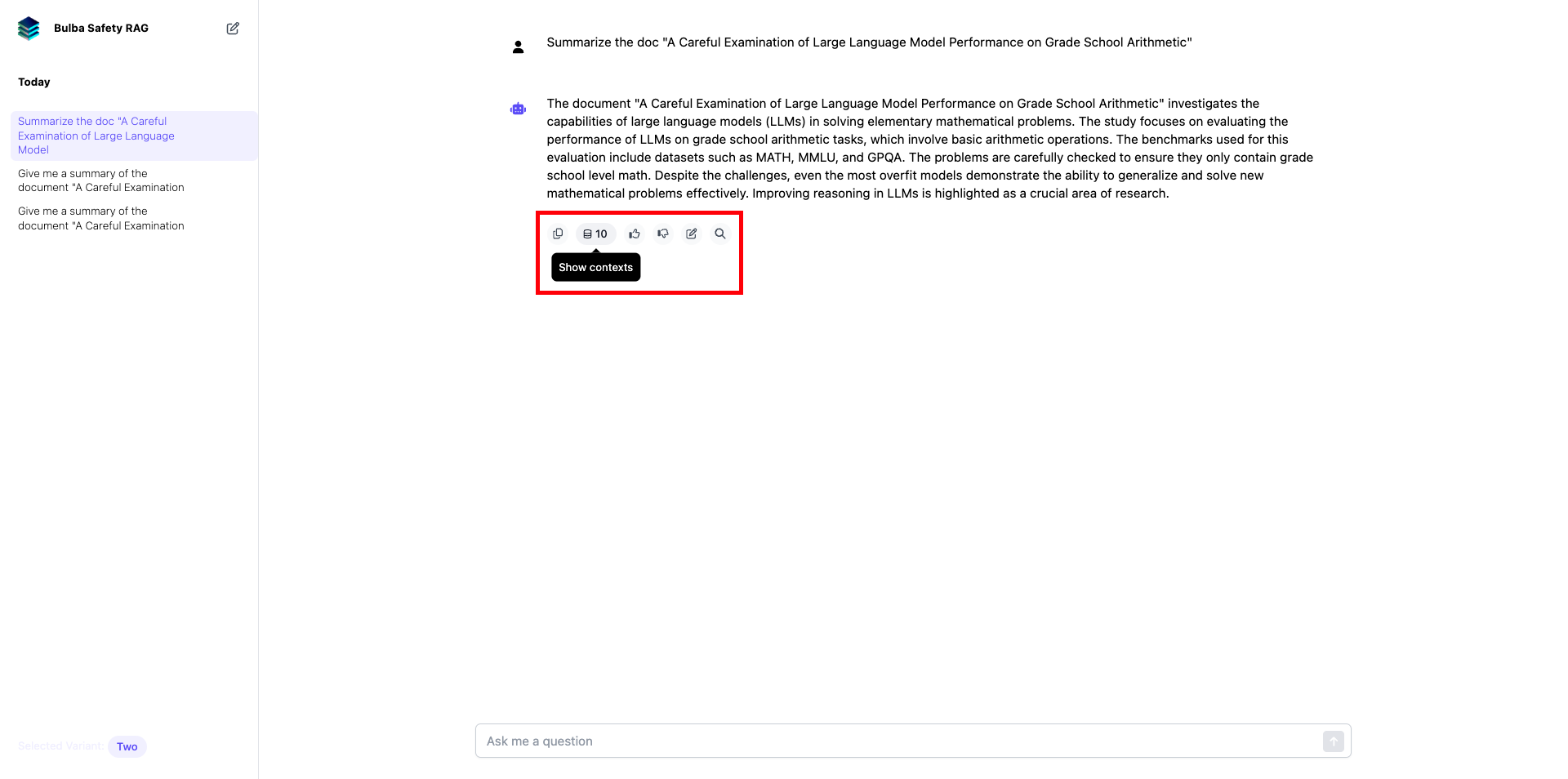
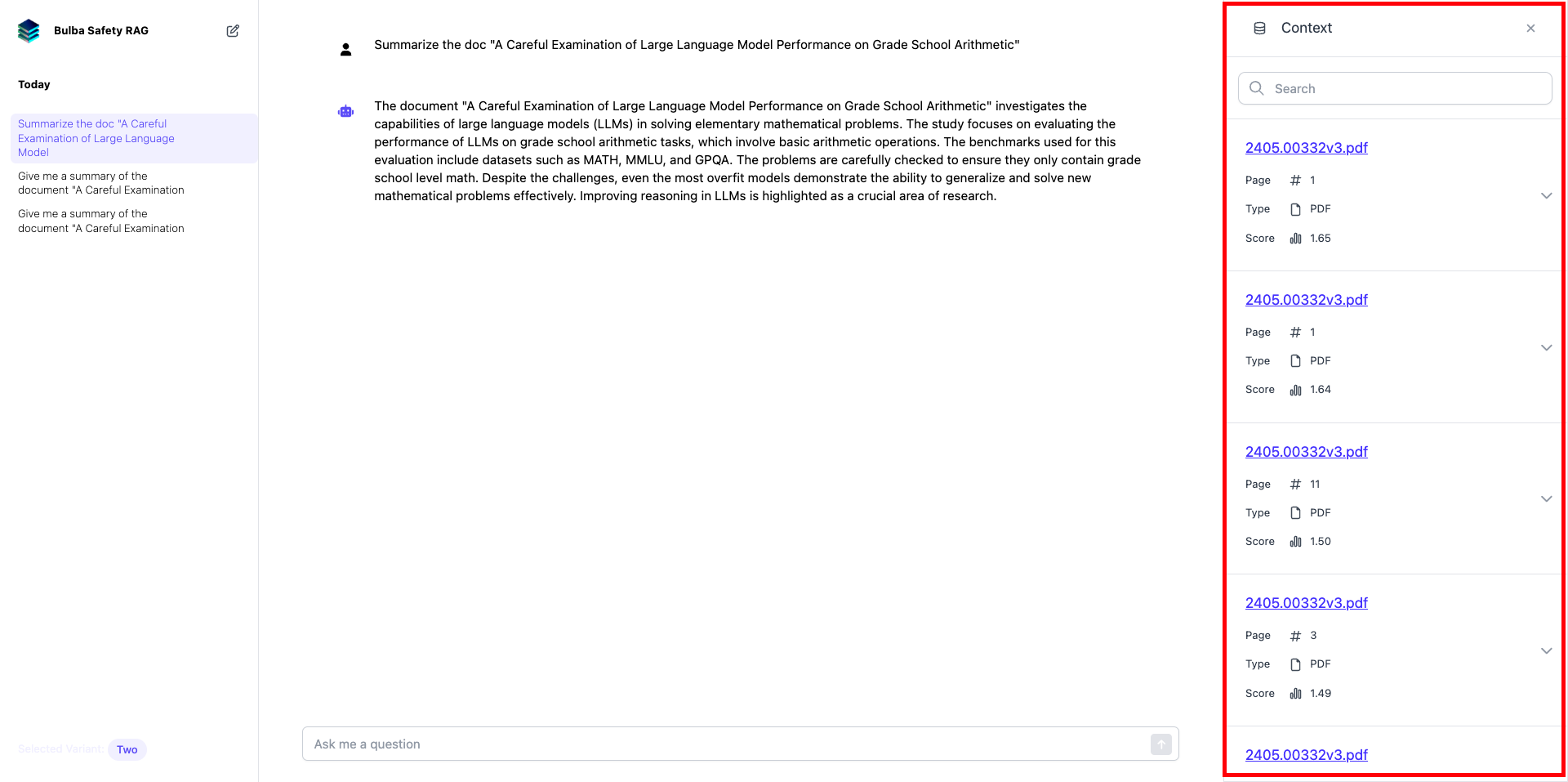
<Frame>
  <img src="https://mintcdn.com/scalegp/E4QRE88hrDqzkijh/images/e5b7ede-image.png?fit=max&auto=format&n=E4QRE88hrDqzkijh&q=85&s=68f10eb4d38f02fc7a188ed4e012a89d" alt="Show Contexts" width="1920" height="954" data-path="images/e5b7ede-image.png" />
</Frame>

<Frame>
  <img src="https://mintcdn.com/scalegp/O7AaA_mlV2hrXLDS/images/66c1a71-image.png?fit=max&auto=format&n=O7AaA_mlV2hrXLDS&q=85&s=e83d7d913da774c2cbe5242a8c783bce" alt="Show Contexts" width="1920" height="957" data-path="images/66c1a71-image.png" />
</Frame>

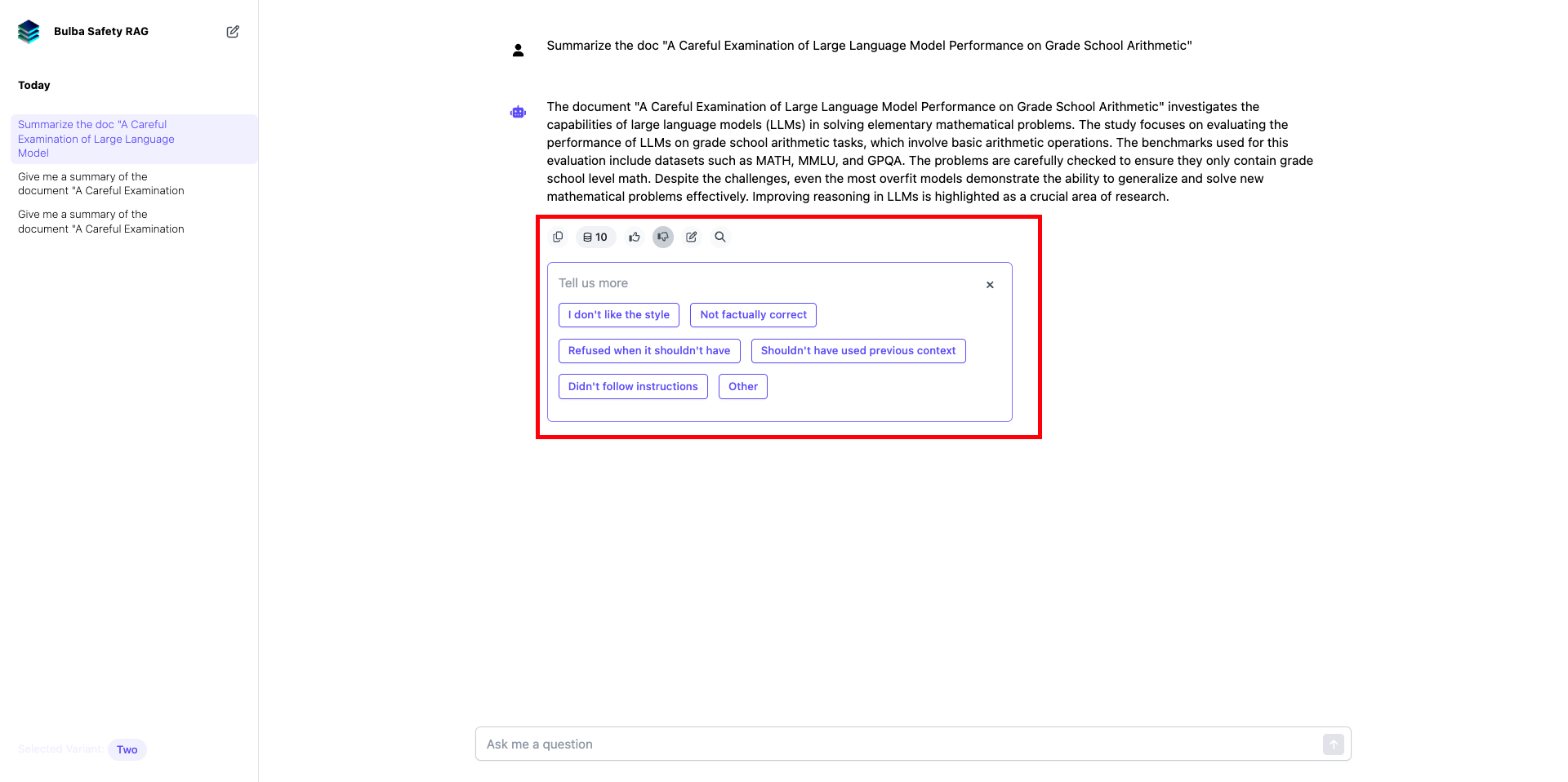
You can also rate the responses and give additional feedback.
<Frame>
  <img src="https://mintcdn.com/scalegp/E4QRE88hrDqzkijh/images/cbefd8d-image.png?fit=max&auto=format&n=E4QRE88hrDqzkijh&q=85&s=496240acde311cc24e6e803a2651a56c" alt="Rate Responses" width="1920" height="958" data-path="images/cbefd8d-image.png" />
</Frame>

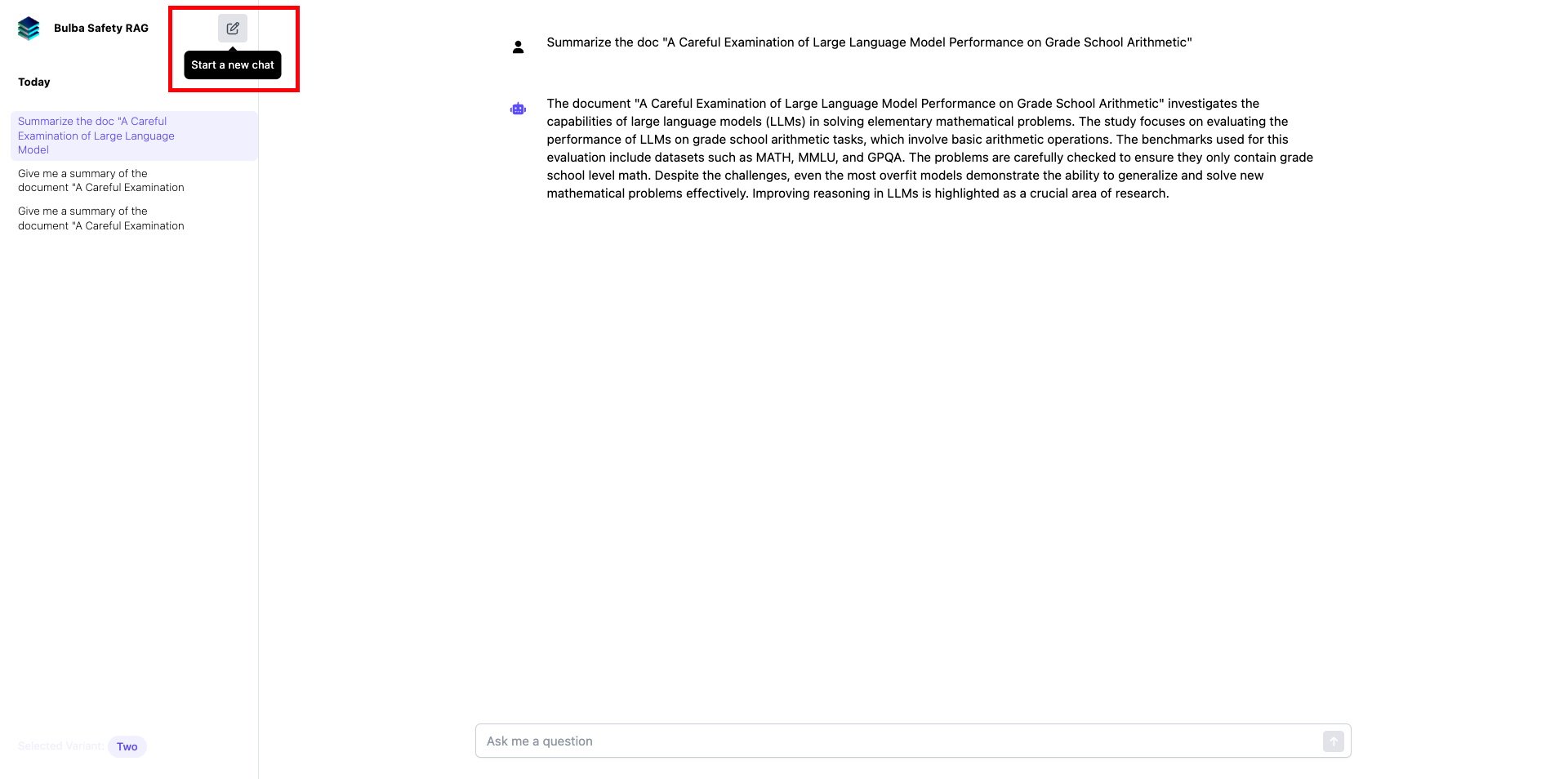
If you want to start a new thread, click on the new thread icon.
<Frame>
  <img src="https://mintcdn.com/scalegp/_1tSRXzqUSANQJ5q/images/af5666e-image.png?fit=max&auto=format&n=_1tSRXzqUSANQJ5q&q=85&s=22d6b92afbdc655bbdcd2cdad591ae53" alt="New Thread Icon" width="1920" height="954" data-path="images/af5666e-image.png" />
</Frame>

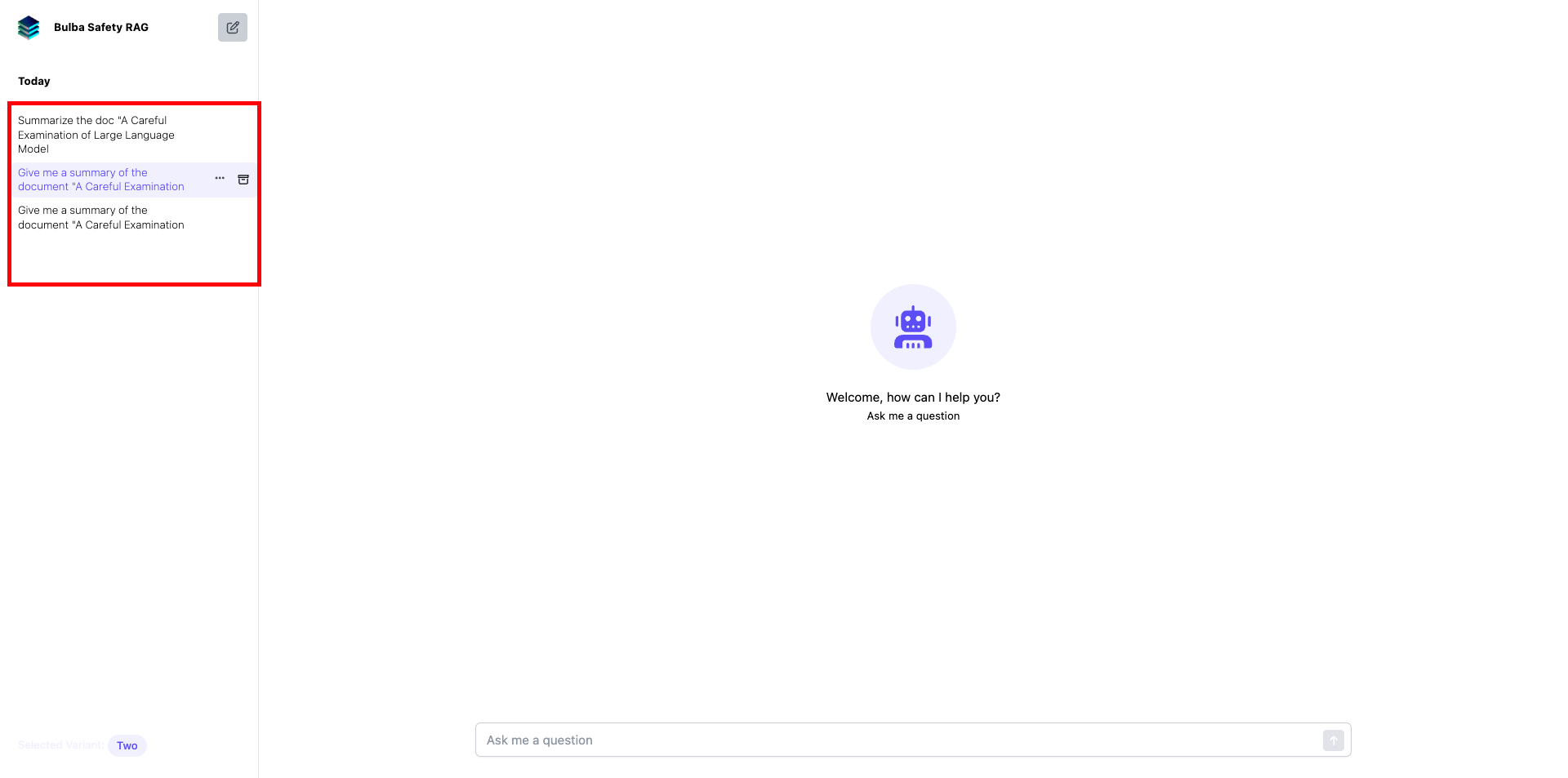
On the left-hand side, you will be able to access past threads.
<Frame>
  <img src="https://mintcdn.com/scalegp/E4QRE88hrDqzkijh/images/cb596f2-image.png?fit=max&auto=format&n=E4QRE88hrDqzkijh&q=85&s=b4ca9b637ac94857b4546dcdd9ce60a6" alt="Past Threads" width="1920" height="953" data-path="images/cb596f2-image.png" />
</Frame>